74
C. DC Power ➔ System Page
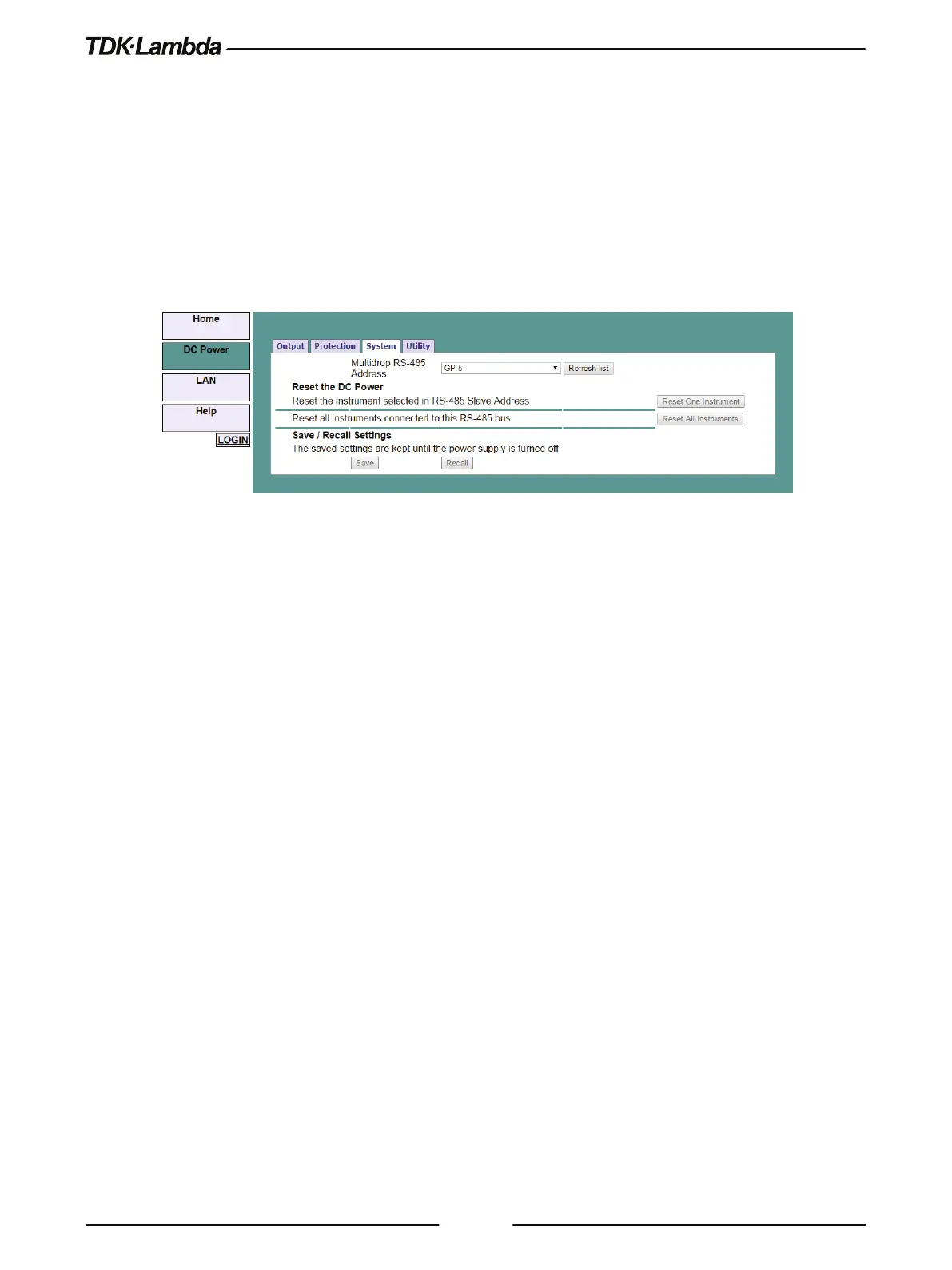
On the DC Power tab, the System button is available at the top of the panel. When opened, the
window allows the user to operate four functions:
•
Reset One Instrument (this resets only the supply selected in the RS-485 list box).
•
Reset All Instruments (this resets all the supplies connected to the multi-drop bus).
•
Save (saves the settings only for the supply selected in the RS- 485 list box).
•
Recall (recalls the settings only for the supply selected in the RS-485 list box).
•
The settings can be changed only by logging-in as 'admin'.
Figure 5–13: DC Power - System Tab
D. DC Power ➔ Utility Page
On the DC Power tab, the System button is available at the top of the panel. This page is used for
sending any SCPI command and viewing the response. It is a learning tool for SCPI language
operations. It allows operations, which are not available in the web pages.
Type any SCPI message in the top text box.
1. Click the Send and Read button.
2. For commands, there is no response.
3. For queries, the response appears in the middle text box.
4. You may read any System Error message by clicking the Read Errors button. The error
message (or 0,“No error”) appears in the bottom text box.











 To Next Page