73
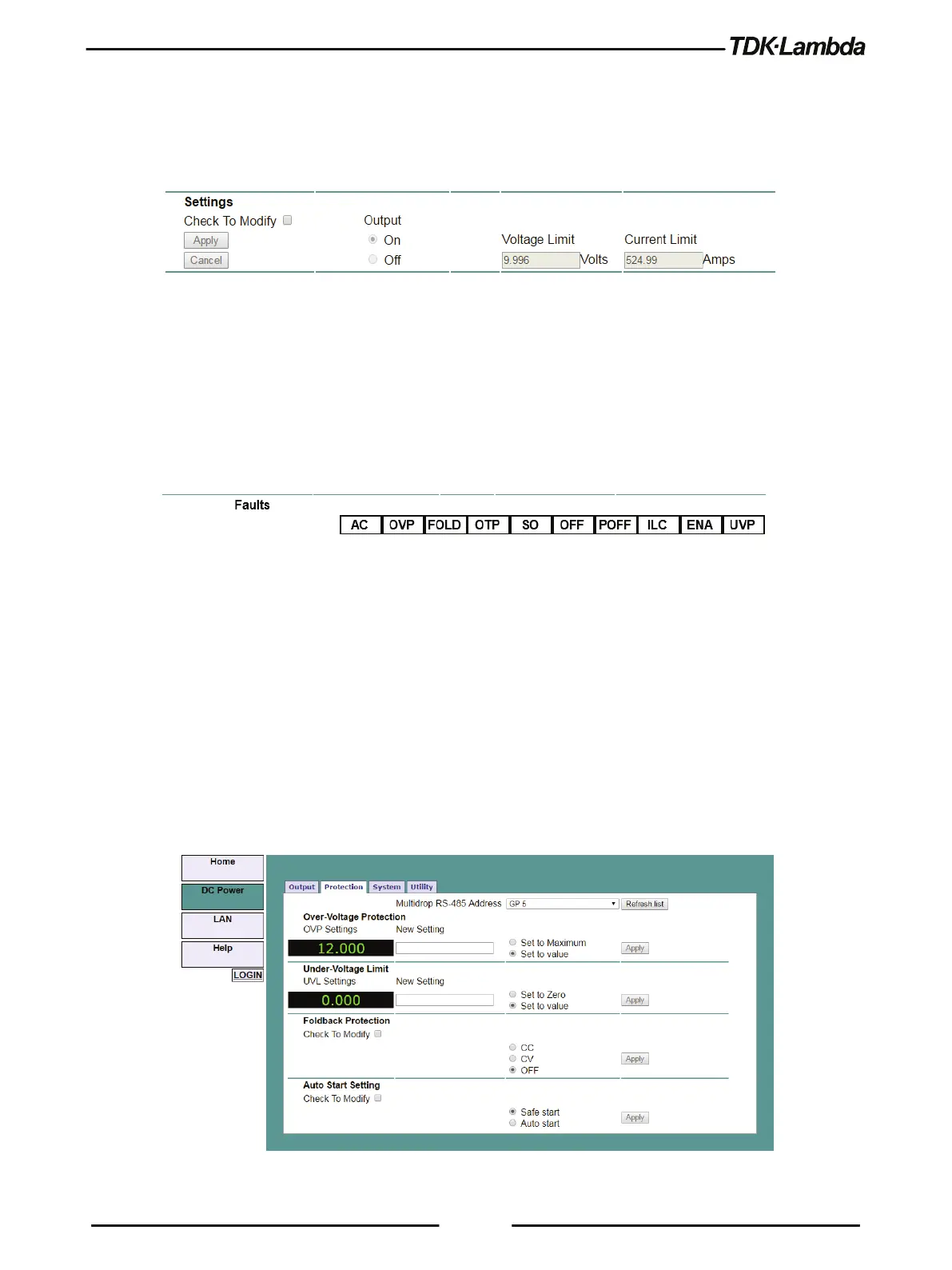
Settings
This section displays the selected Power Supply’s output voltage, current limit and output ON/OFF
settings.
The settings cannot be changed until you have logged-in as 'admin'.
To change a settings, perform the following:
1. Tick Check to Modify.
2. Set desired settings. After settings are made, click Apply.
3. To view the actual settings, deselect Check to Modify. 0.
Faults
For the selected supply, these boxes show any fault which may be active in the supply.
B. DC Power ➔ Protection Page
On the DC Power tab, the Protection button is available at the top of the panel. When opened, the
window allows viewing and setting four protections.
•
Over-Voltage Protection Limit
•
Under-Voltage Limit
•
Fold back Protection
•
Auto-Start or Safe-Start
In a multi-drop chain, these settings affect only the supply selected in the RS-485 address list box.
The settings can be changed only by logging-in as 'admin'.
Figure 5–12: DC Power - Protection Tab











 To Next Page