63
• Duplicate IP: Blinking green
If there are two (or more) instruments with the same IP address, green led is blinking.
• LAN Fault/Disconnected: Steady red
Shows that the LAN interface is not selected, LAN connection is disconnected or broken.
5.7.4 Connect to a Network
5.7.4.1 LAN Cable
The LAN cable must be supplied by the customer. One of the following cables can be used:
•
A standard straight “patch” CAT-5 (or better) network cable
•
A “crossover” cable. The cable type is auto-detected by the power supply.
NOTE
The serial link (RS-485) cable (0.5m long) provided with the power supply cannot be
used for LAN connection.
5.7.4.2 Types of Networks
There are two types of networks discussed in this document:
•
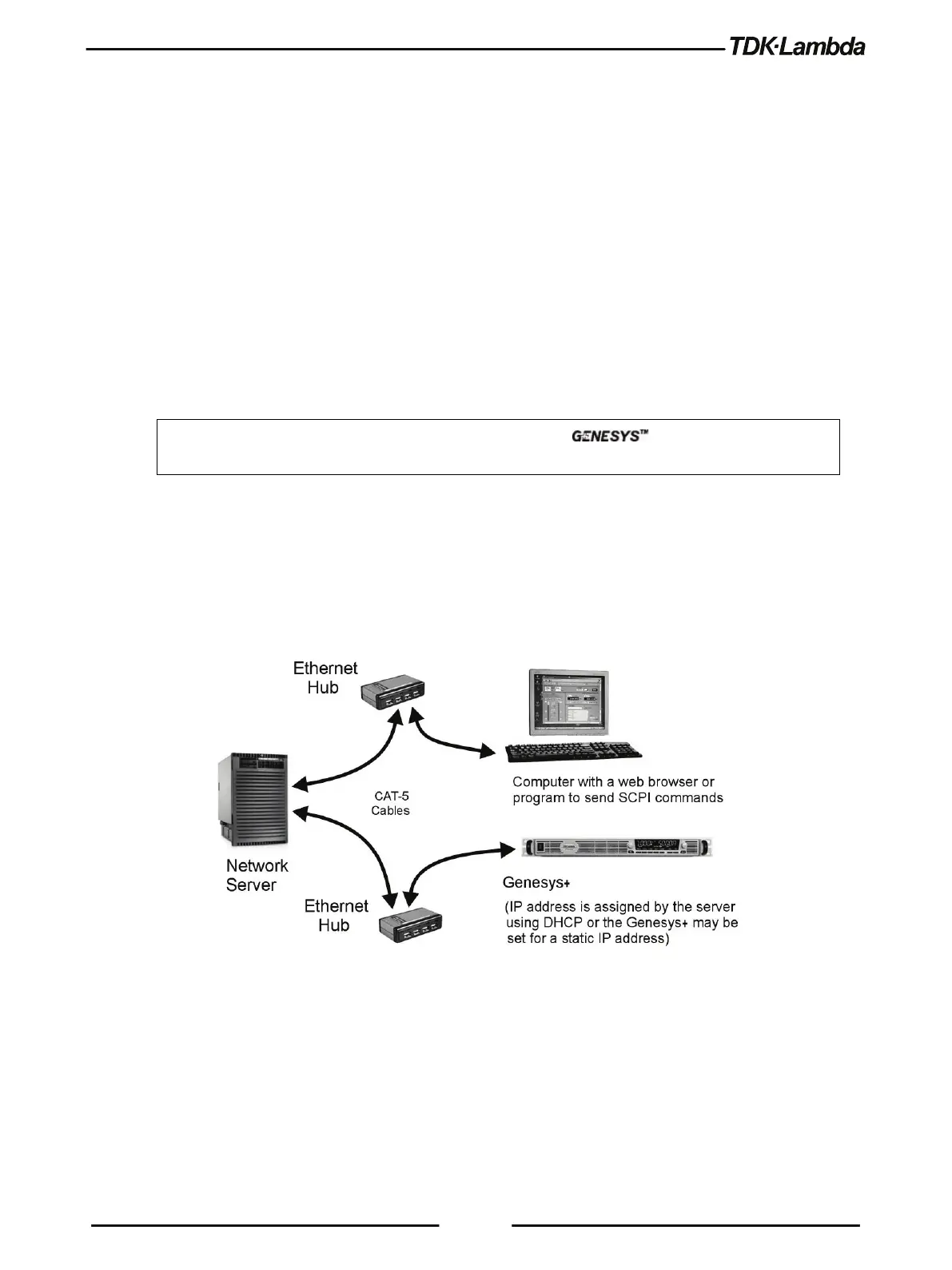
NETWORK WITH A DHCP SERVER
A typical local area network with a server computer and network administrator to keep it
operating. The server downloads the IP address and other settings to the power supply
.
Figure 5–7: Network with a DHCP Server











 To Next Page