EasyManua.ls Logo

TDK-Lambda G30-170 - Connecting Power Supply to RS232 or RS485 BUS

TDK-Lambda G30-170
188 pages
Print Icon
To Next Page IconTo Next Page
To Previous Page IconTo Previous Page
Loading...
56
5.5
Connecting Power Supply to RS232 or RS485 BUS
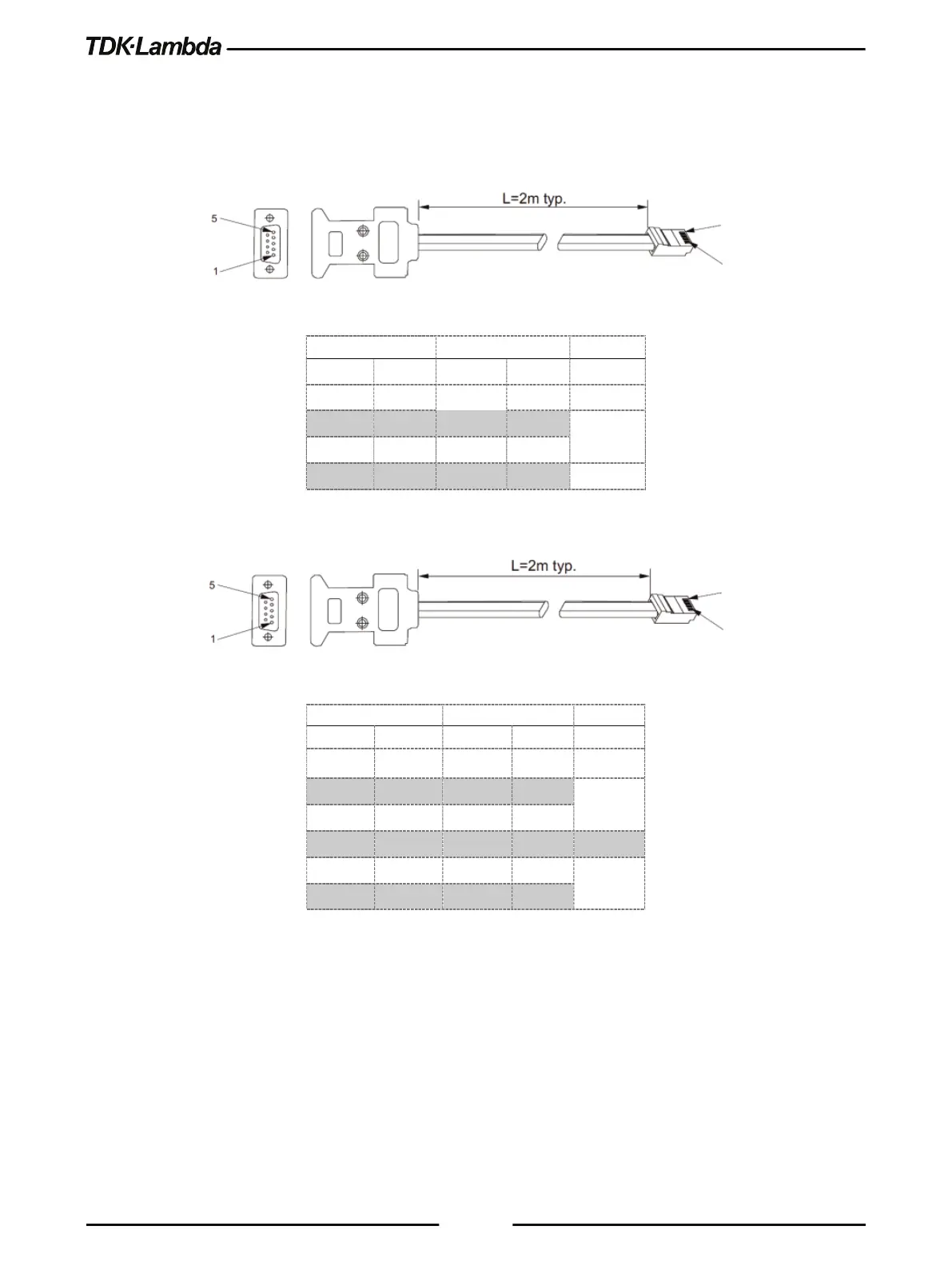
Connect rear panel RS232/RS485 IN connector to the controller, or a PC RS232 or RS485 port
using a suitable shielded cable. Refer to Figure 5–3 and Figure 5–4 for the available RS232 and
RS485 cables.
Db-9 Connector
8 Pin Connector
Remarks
Pin No.
Name
Pin No.
Name
Housing
Shield
Housing
Shield
2
RX
2
TX
TWISTED
PAIR
3
TX
1
RX
5
SG
8
SG
Figure 5–3: RS232 Cable With DB9 Connector (P/N: GEN/232-9)
DB-9 CONNECTOR
8 PIN CONNECTOR
REMARKS
Pin No.
Name
Pin No.
Name
Housing
Shield
Housing
Shield
9
TXD-
3
RXD-
TWISTED
PAIR
8
TXD+
6
RXD+
1
SG
8
SG
5
RXD-
4
TXD-
TWISTED
PAIR
4
RXD+
5
TXD+
Figure 5–4: RS485 Cable with DB9 Connector (P/N: GEN/485)

Socket
8
1
8
1
Socket

Table of Contents

Other manuals for TDK-Lambda G30-170

Related product manuals