76
Address of the network router to allow the Power Supply to communicate outside of the local
subnet.
•
DNS Server
Address of the server running the Domain Naming Service. This is used for hostname
addressing.
•
Hostname
The Power Supply hostname may be used instead of the IP address to create a
communication link.
•
Description
By default, this is “TDK-LAMBDA Supply <Last 3 digits of the Serial Number>”, but it may be
changed.
•
Controller Access
The “One Client Only” setting is the default setting for the highest networking security. This
setting allows only one TCP socket to be open at a time, it disables the connectionless UDP
sockets. The multiple client setting is needed to allow more than one controller connection at a
time and to enable UDP sockets connections.
•
Multicast DNS
mDNS is a protocol which allows devices on a network to advertise and use hostname
addressing even if no DNS server is connected. This service may be disabled for security
reasons or just to reduce network traffic.
•
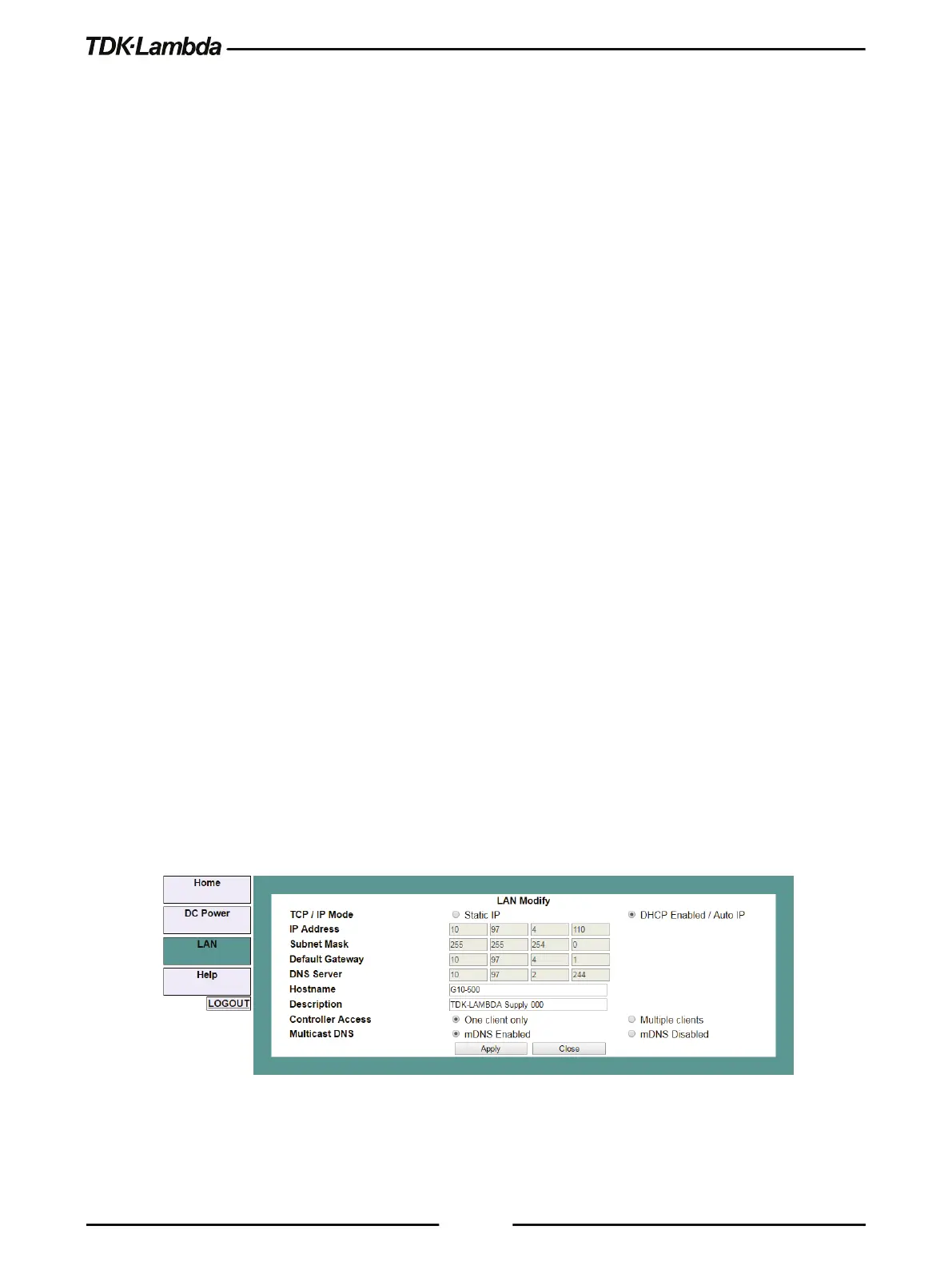
Modify
Click this button to open the window shown in the next section.
B. LAN ➔ Configure ➔ Modify Page
The Modify button on the LAN Configure page allows changing the LAN settings. The available
fields depend on the selection of DHCP Assigned / AUTO IP or Static IP. Changes to these setting
will take place only after clicking the Apply button.
The settings can be changed only by logging-in as 'admin'.
Figure 5–16: LAN – Changing Settings











 To Next Page