6. LSServer, Scanner Shell and Download
6-86 Operating Manual for the LS Series Scanner No. 30001798 Rev. No. 1.5 2004-11
The Slide Adapter Format dialog box contains the following elements:
Title bar In the Title bar the name of the loaded adapter file is displayed.
Comment
edit box
In the
Comment edit box the user can enter special information relating
to the provided slide adapter.
Slides
group box
In the
Slide group box the slide adapter format must be defined.
Rectangular areas must be partitioned in rows and columns. The number
of elements per row and columns must be typed in the:
•
Number of columns controls
•
Number of rows controls
The dimensions of individual areas are determined in the:
•
Area width controls
•
Area height controls
The overall dimensions of the scanned surface can be entered:
•
Left margin controls
•
Upper margin controls
•
Right margin controls
•
Lower margin controls
Adapter
Select Use Standard Adapter to set all adapter height data to default
values (equivalent to the Standard Tecan Slide Adapter).
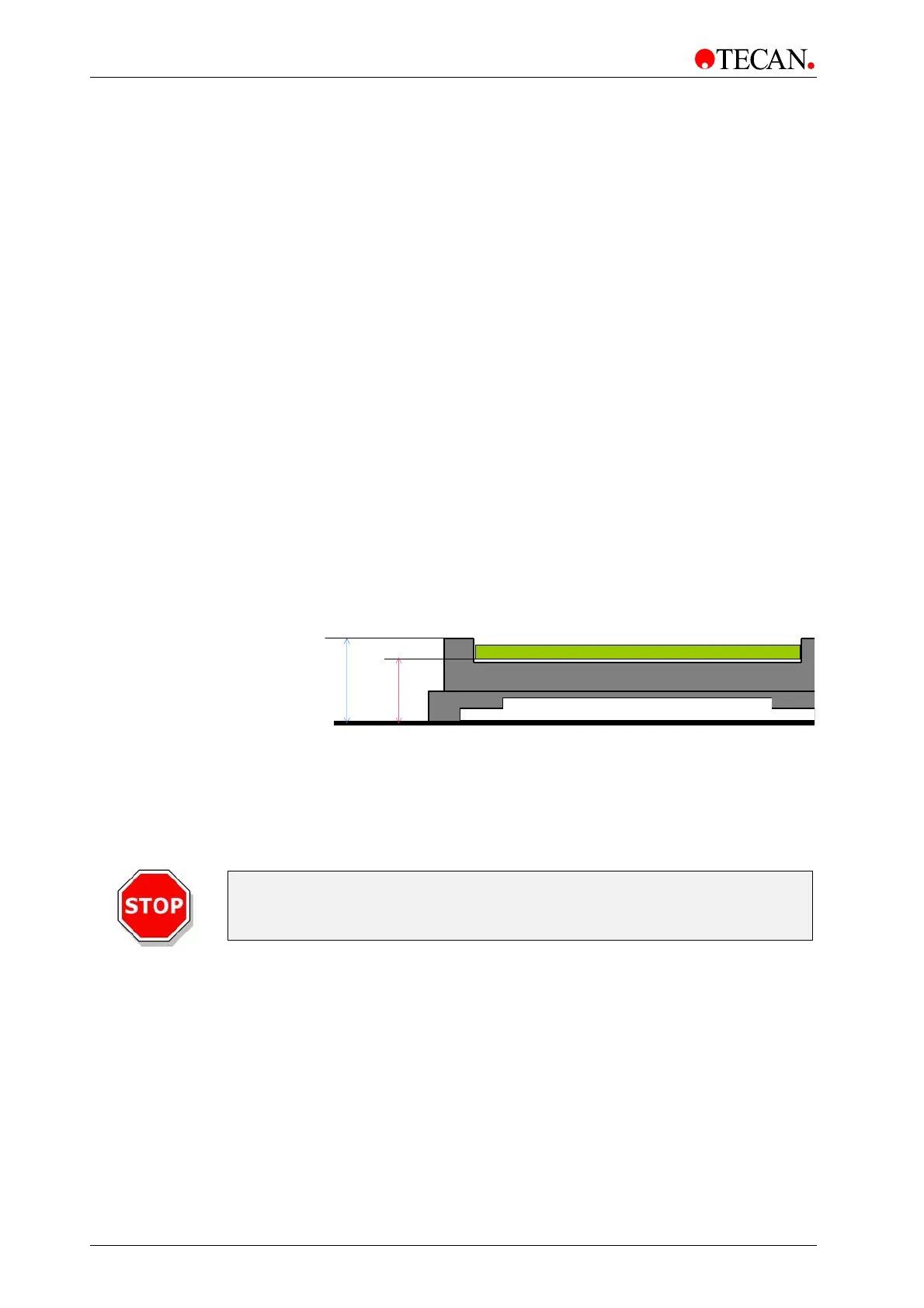
Adapter / Sample Height spin control
In the
Adapter / Sample Height spin control the adapter height must be
entered:
Total Height
Sample
The height of the Standard Tecan Slide Adapter is 11.5 mm.
The thickness of the slide that is inserted into the adapter must be edited
as well.
Total Height spin control
In the
Total Height spin control the total adapter height must be
entered.
Caution
A Total Height outside of the recommended range can damage the sample
and/or the instrument.



 To Next Page