6. LSServer, Scanner Shell and Download
6-100 Operating Manual for the LS Series Scanner No. 30001798 Rev. No. 1.5 2004-11
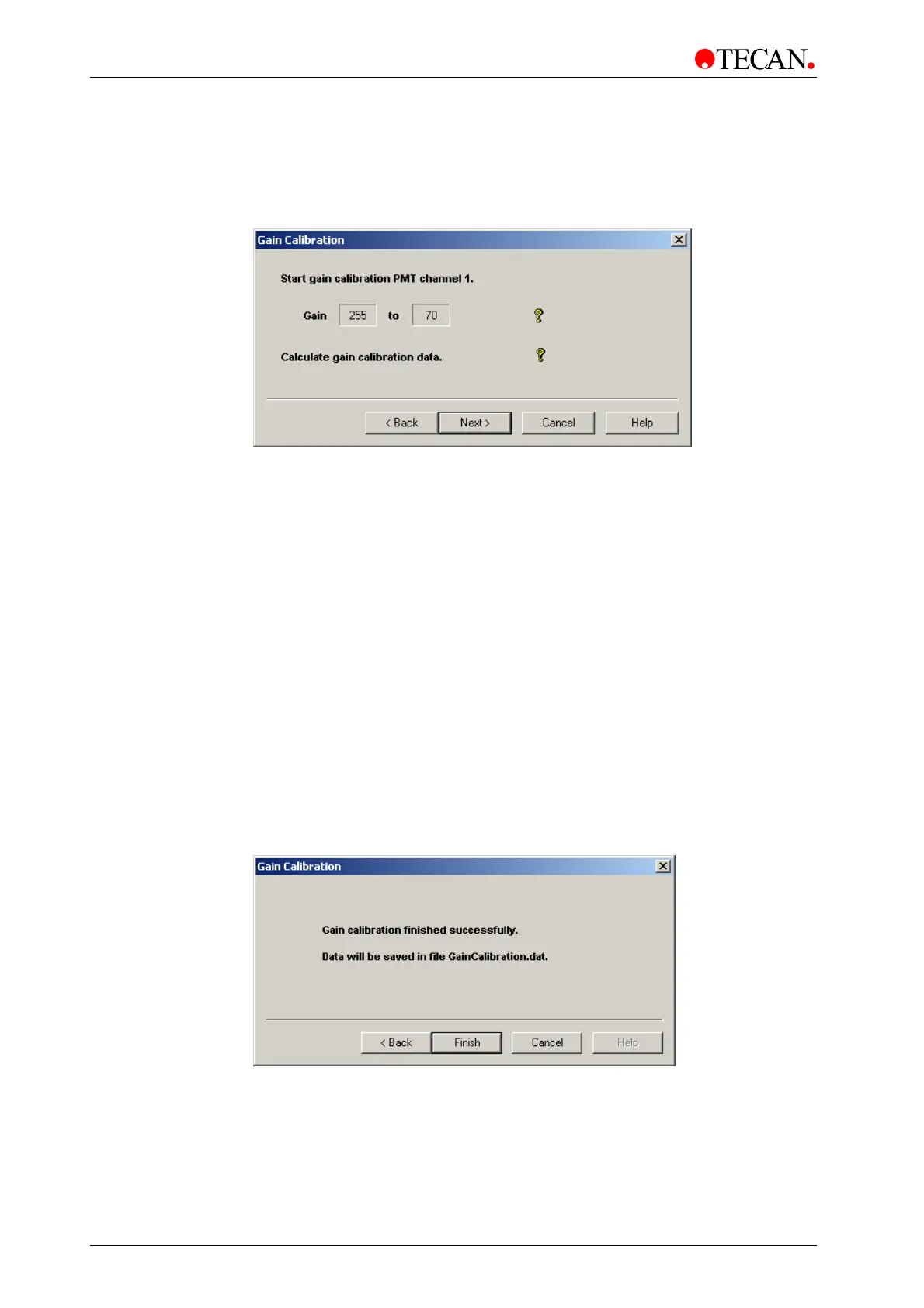
The Measurement Gain Calibration window
In the Measurement Gain Calibration window the gain calibration is done:
Intensity measurements are performed with gains between 255 and 70 and the
calibration data is calculated.
Gain
static text box
The
Gain static text box shows the maximum gain value. Gain is
measured from 255 to 70.
to
static text box
The
to static text box shows the current gain value just measured.
It finishes at value 70.
Measurement
Progress Bar
The Measurement progress bar indicates the progress of the
ongoing process.
Stop
button
Click
Stop to stop the measurement. A message box is shown.
Click
Cancel to continue the measurement.
Clicking
Next starts gain calibration and guides the user to the next screen of the
wizard: The
End Gain Calibration window.
The End Gain Calibration Window
When the End Gain Calibration window appears, gain calibration has been
finished successfully. All calculated gain data is saved in files called
GainCalibration.dat and Gaincalibration.cvs.
To view the gain calibration file, load the Gaincalibration.cvs file in a spreadsheet
program such as Microsoft Excel.
The
Gain Calibration window:
Click the
Finish button to complete the Gain Calibration procedure and close
the
Gain Calibration wizard.



 To Next Page