3. Installation
3-4 Operating Manual for the LS Series Scanner No. 30001798 Rev. No. 1.5 2004-11
Place the PC with monitor, keyboard and mouse next to the instrument.
Ensure the computer is switched OFF and the instrument's main power switch on
the back panel of the instrument is in the OFF position.
Check the voltage specifications on the computer and ensure that the voltage
supplied to the computer is correct according to the specification input range
selector (red button) at the power supply.
Caution
Check voltage specification on the computer BEFORE switching ON. If
computer is switched ON with the incorrect voltage supply it will be
damaged.
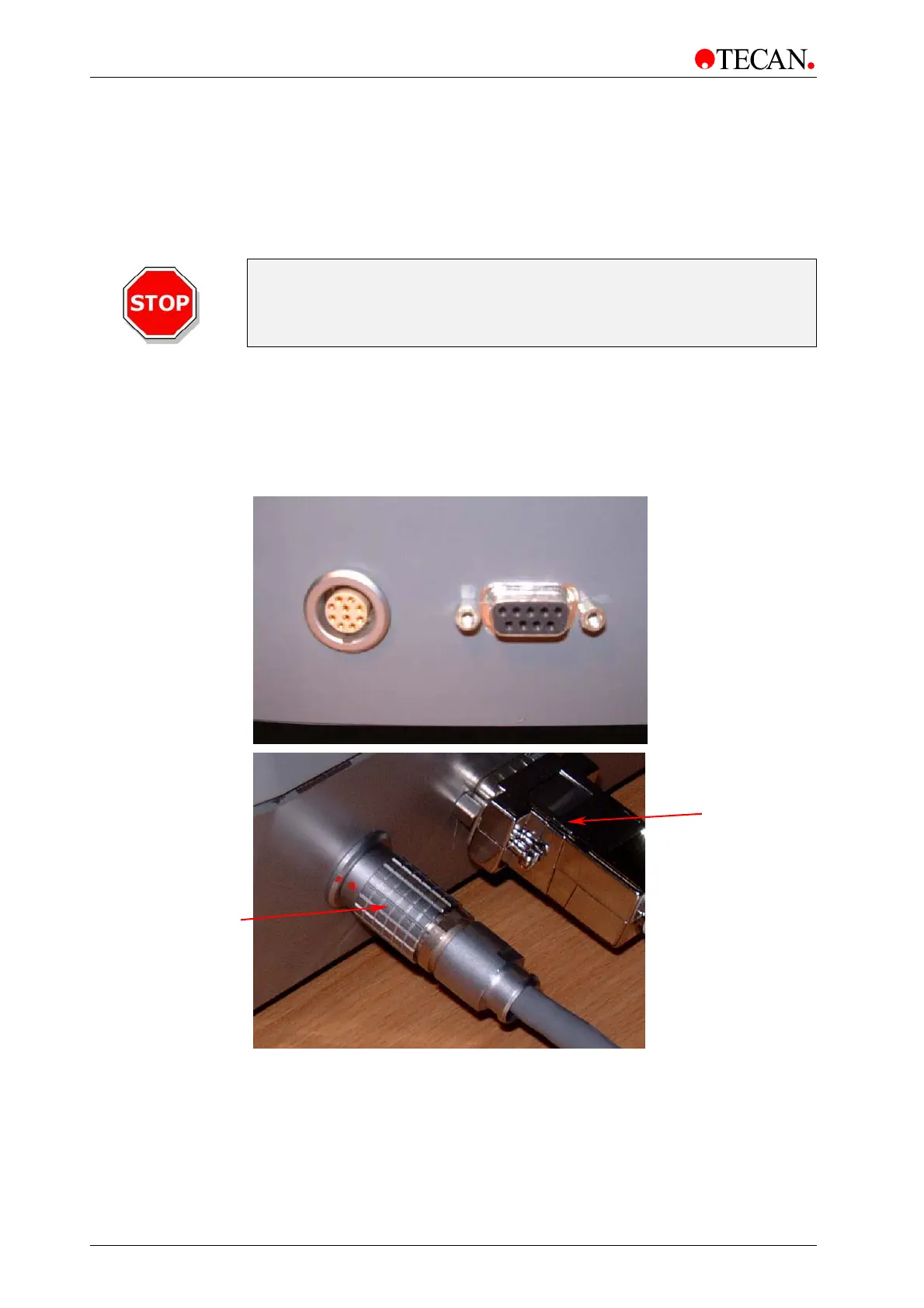
Connect the computer to the instrument with the delivered RS 232 interface
cable.
Connect the computer to the instrument with the delivered special interface cable.
The pictures below show the connection of the interface cables
to the rear of the instrument:
Data cable to
connector box
RS232 to
computer



 To Next Page