6. LSServer, Scanner Shell and Download
2004-11 Operating Manual for the LS Series Scanner No. 30001798 Rev. No. 1.5 6-13
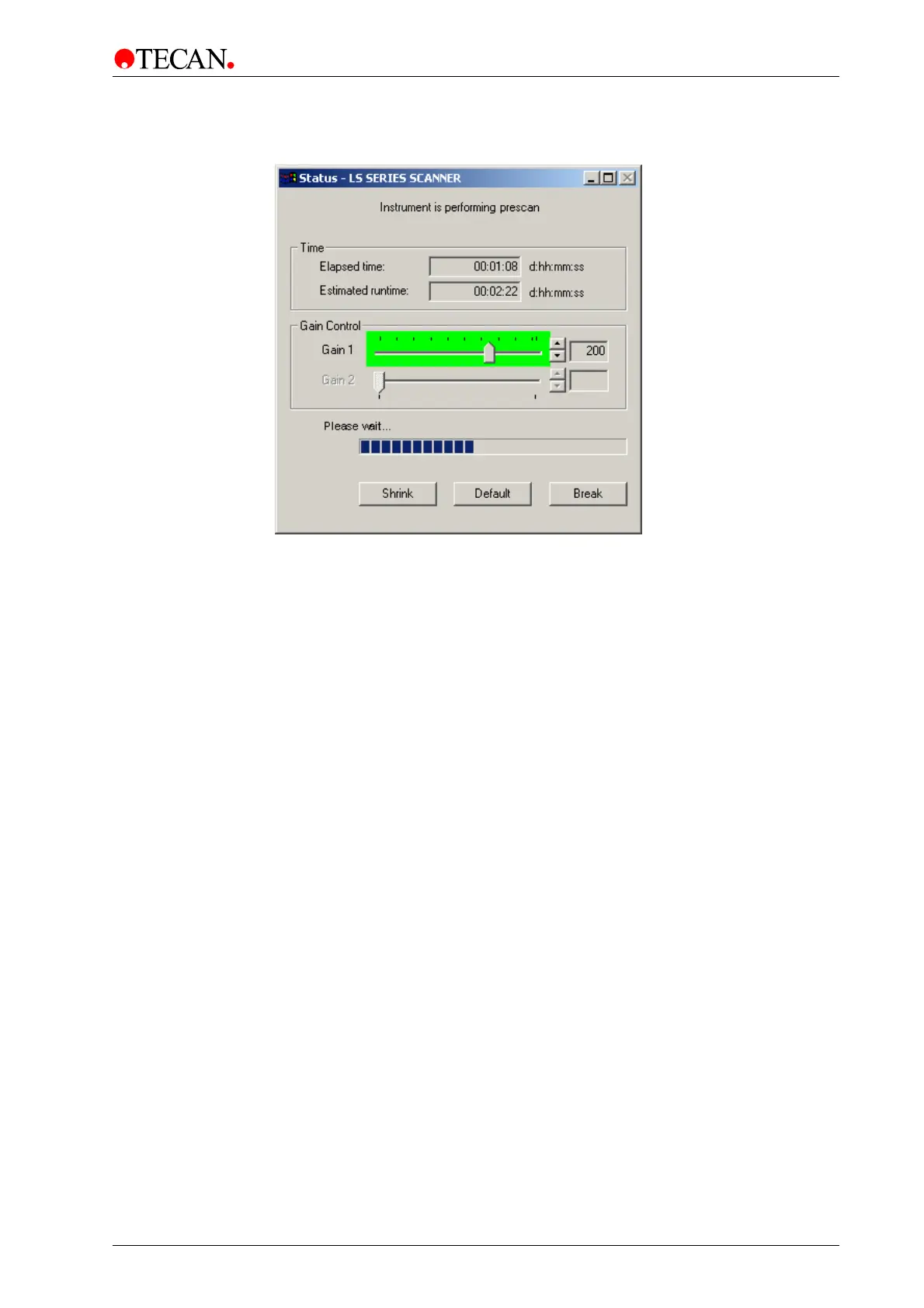
On clicking the Image Prescan option the Status dialog box appears and an
overview measurement is started.
The Status dialog box contains the following elements:
Instrument is…
static text
The static text gives information about the actual process,
e.g.:
Instrument is performing prescan
Instrument is measuring dark
Time
group box
• Elapsed time static text box
• Estimated run time static text box
Gain control
group box
• Gain 1 slider / spin control
Use the slider or spin control to online adjust the gain in
Channel 1
• Gain 2 slider / spin control
Channel 2 is disabled in Prescan mode.
Please wait…
progress bar
Please wait… under the static text a progress bar indicates
the progress of the ongoing process.
Shrink
button
Click the Shrink button to minimize the display of the
Status dialog box.
Default
button
Click the Default button to maximize the display of the
Status dialog box.
Break
button
Click the Break button to abort the current measurement.



 To Next Page