6. LSServer, Scanner Shell and Download
2004-11 Operating Manual for the LS Series Scanner No. 30001798 Rev. No. 1.5 6-61
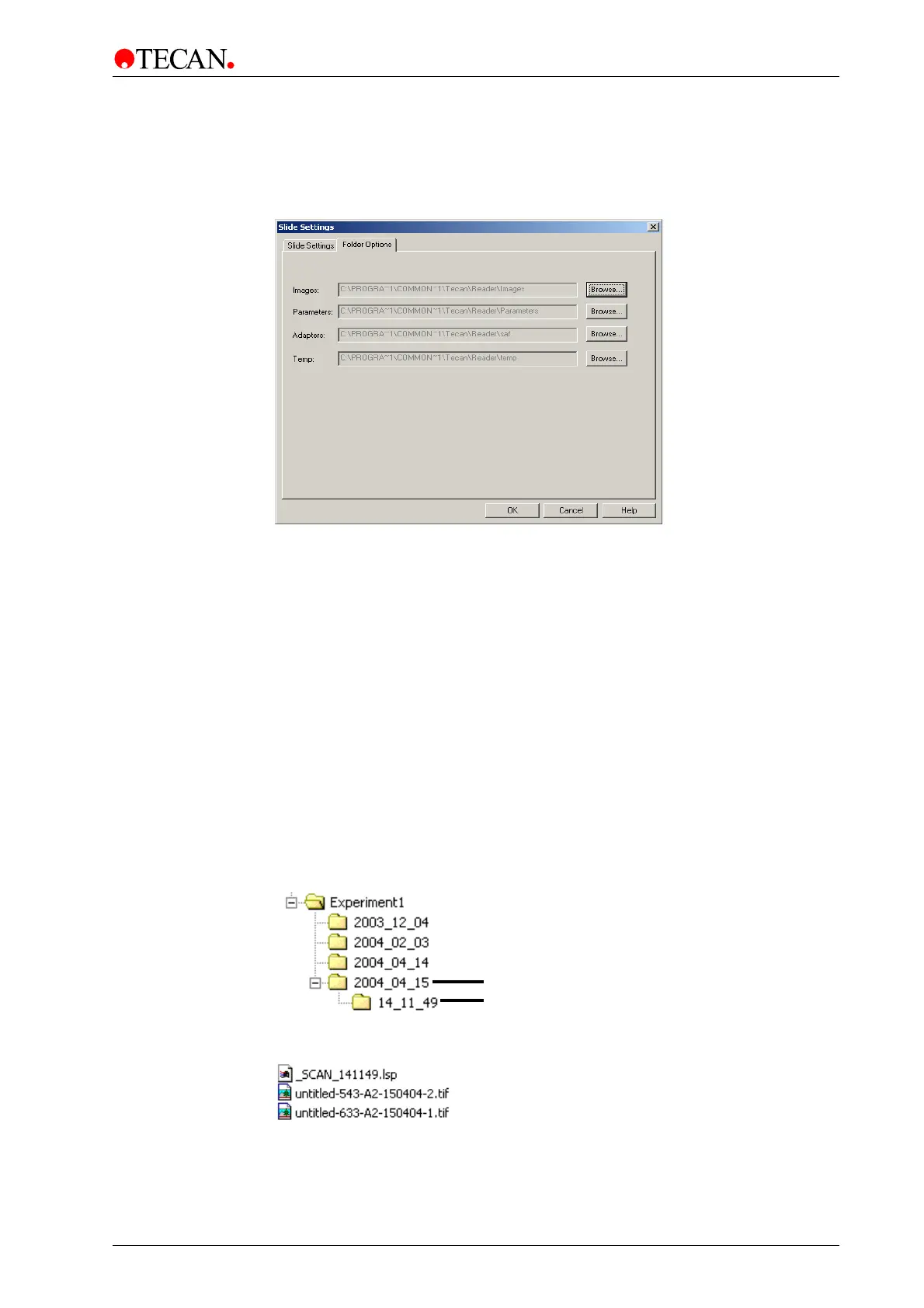
Folder Options
In the Measurement Control dialog box, click Settings … to open the Slide
Settings dialog box:
Select the Folder Options tab to view the current file storage paths.
By clicking the
Browse button, paths can be defined for the following file types:
• Images (*.tif; *.jpg)
• Parameters (*.lsp)
• Adapter (*.saf)
• Temp: all files (.tif, .jpg, .lsp, .saf, autofocus images) when
AutoSave has
not been selected, (see Files on page 6-60).
Example:
After a scan is finished:
A folder with the current date is created, (Y_M_D).
In the date folder, a folder with the current time is created, (h_m_s).
The current .lsp file will be saved as _SCAN_Time.lsp) (e.g. _SCAN_141149.lsp;
2 pm, 11 minutes and 49 seconds).
Experiment Folders:
Scan Parameter and Image files:
See also Filename Format on page 6-57.
Date
Time



 To Next Page