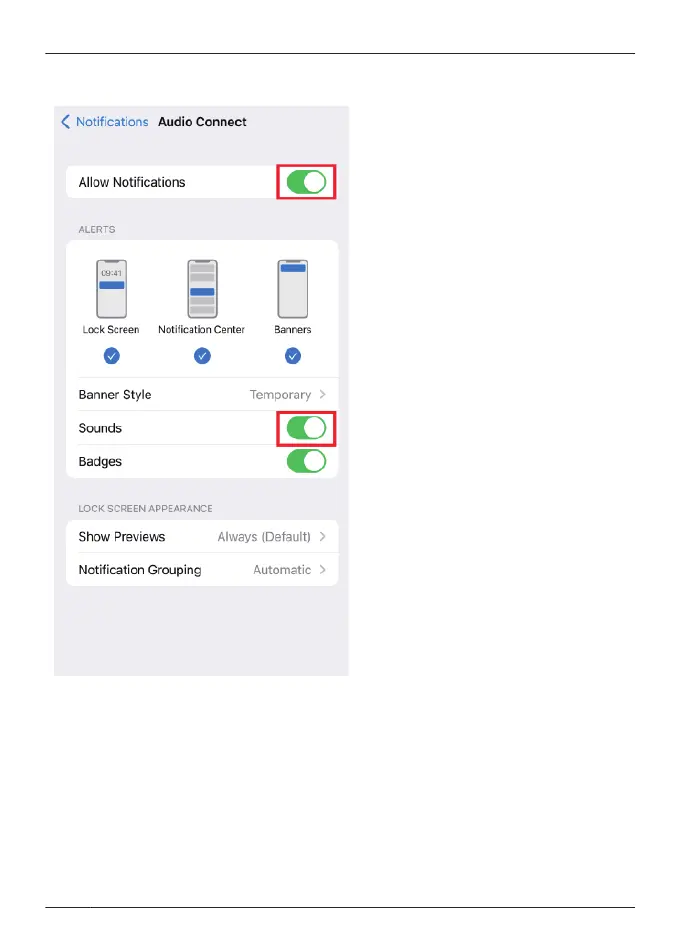
R On the device, go to “Settings”>“Notifications”>[Audio Connect]>turn on “Allow
Notifications”. To disable update notification sounds, turn off “Sounds”.
R If the firmware update fails, the transfer may start when the firmware is detected again.
Q07. A specific codec is not displayed in the connected codec display.
R Some codecs may not be displayed because the codec used is selected from those supported
by your device.
For information about codecs supported by your device, please confirm with the device
manufacturer or carrier.
Q08. I cannot change the settings on the app when multiple headphones are connected.
R If multiple headphones are connected to the device, you cannot change the settings for
headphones other than those recognized by this app. Use after confirming that only one pair
of headphones is connected on the device’s Bluetooth
®
settings.
72
FAQ



 To Next Page