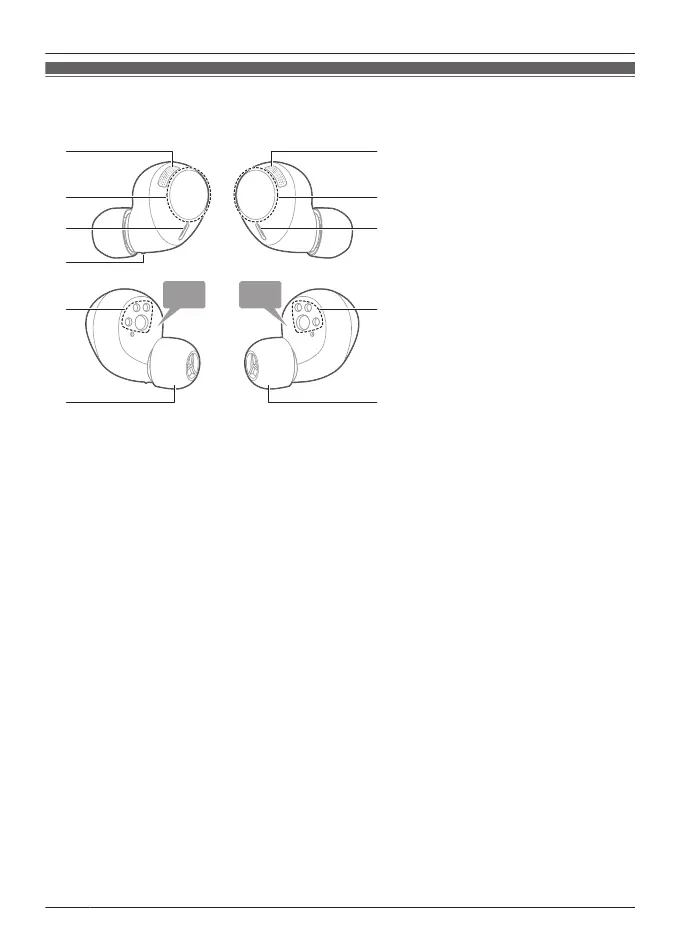
EAH-AZ40M2
Earphones
1. Microphones for noise cancelling
2. Touch sensor (L) (left)
R Operate the earphone by touching.
3. Touch sensor (R) (right)
R Operate the earphone by touching.
4. Microphones for calls
5. Raised dot indicating the L side
R Indicates the left earphone.
6. Charging terminals
7. Earpieces
R Select the size with the best audio quality and comfort.
20
Let’s Get Started



 To Next Page