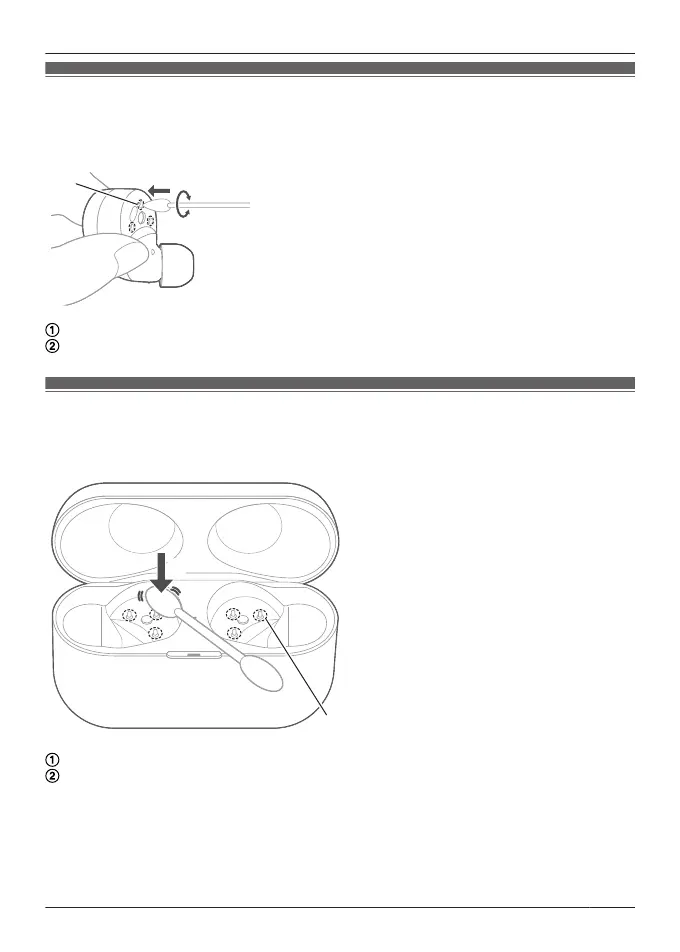
Clean the charging terminals of the earphones
Use a cotton swab with a pointed tip (such as for make-up) to wipe off dirt from the charging
terminals of the earphones.
The illustrations use EAH-AZ60M2 as an example.
Put the tip of the cotton swab on the charging terminal (A).
Rotate the cotton swab to wipe off dirt.
Clean the charging cradle terminal section
Clean the contact pins of the charging cradle with a cotton swab or soft dry cloth.
The illustrations use EAH-AZ60M2 as an example.
Put the cotton swab on the tip of the contact pin (B) from above.
Stroke the tip of the contact pin with a cotton swab to wipe off dirt.
79
FAQ



 To Next Page