9
71504138-0-003
EN
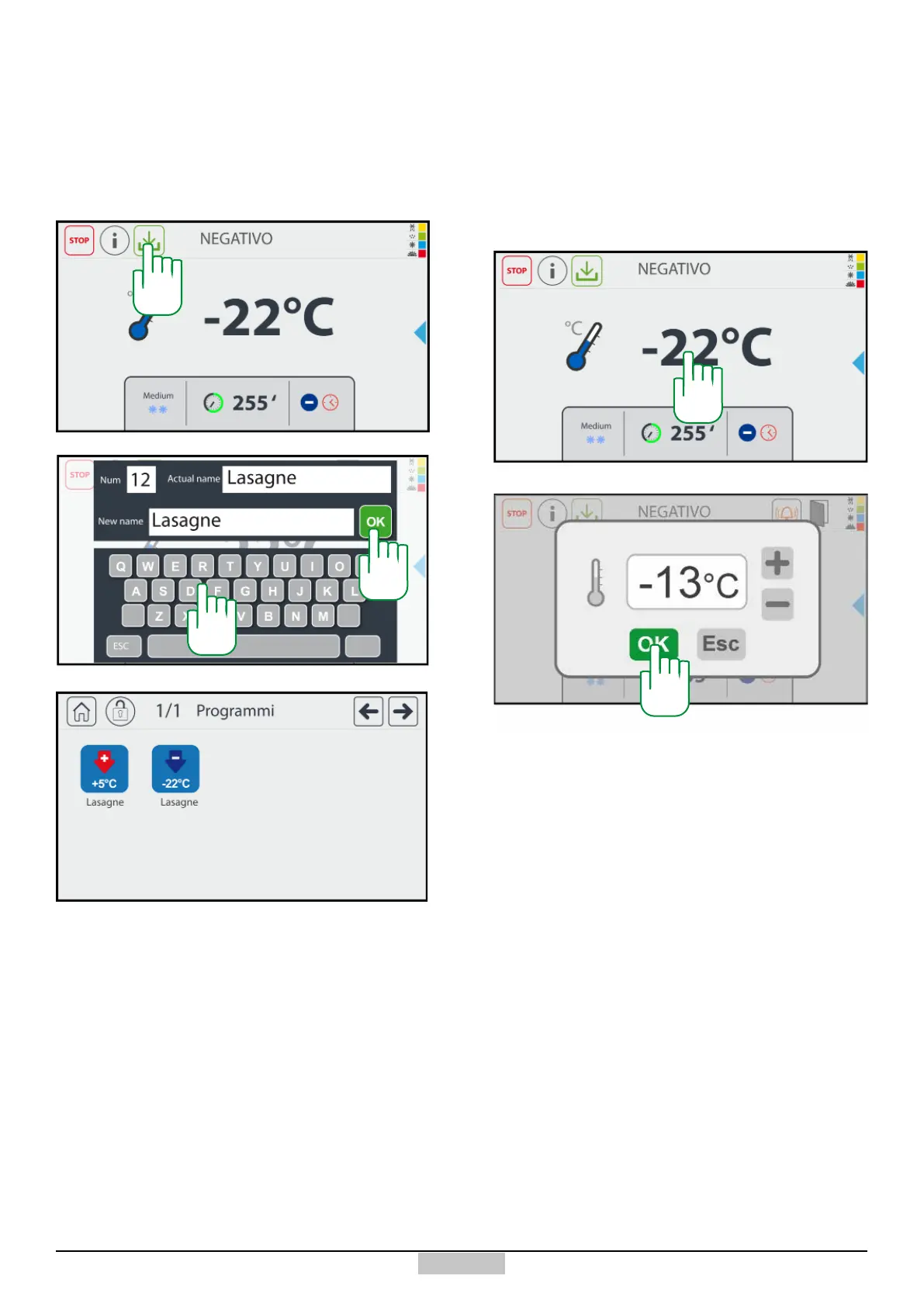
If you want to save the just executed cycle, press the
key [A], then type the Name of the programme on the
keyboard [B] and nally conrm using the OK key [C].
Once the programme is saved, it will be found in the
programmes window.
3.5 - Saving the Positive / Negative chilling cycle
A
B
C
Both in the case of a chilling or a freezing, and possibly
during the preservation phase, change the cell set point,
it will be enough to press above the represented cell
temperature value [D], and a change window will appear.
At the end of the change, just conrm using the OK key
[E], if you do not want to change, just press the ESC key.
3.6 - Change the preservation cell set point
D
E







 To Next Page