6
71504138-0-003
EN
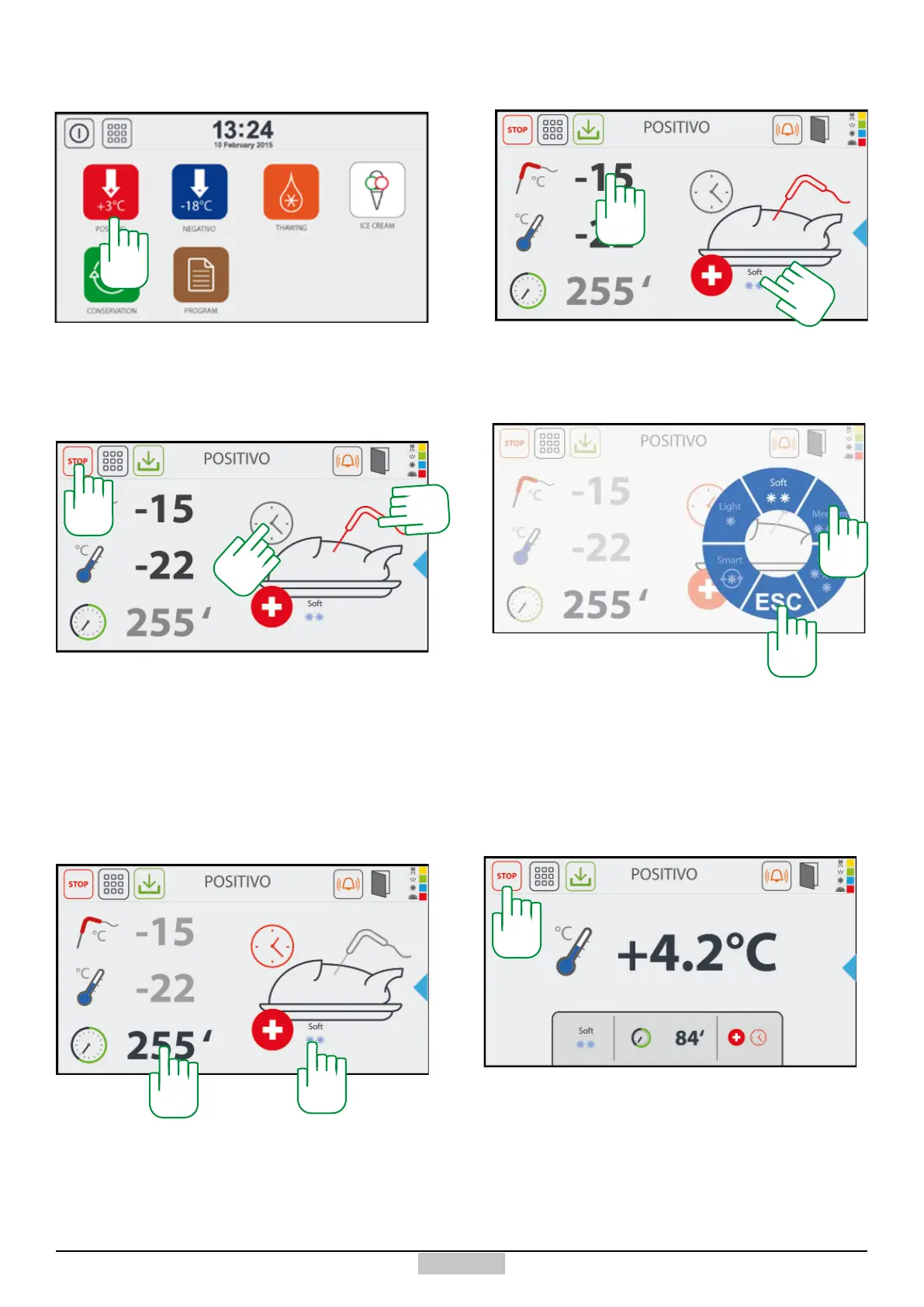
3.2 - Starting the MANUAL Positive Chilling
In order to start the Manual positive chilling cycle, press
the icon [10] from the main screen. In order to stop at
any time the chilling, just press the key STOP [11]
Upon the rst start-up, the blast chiller will execute a
SOFT temperature cycle and check, during the rst
two minutes, if the needle is inserted. If inserted, it will
continue to execute a temperature cycle or it will execute
a time cycle. During the insertion control, the needle will
ash. Afterwards, at any time, by pressing the symbols
[11a] and [11b], you can change the operation type (time
or temperature).
If the test is NOT exceeded, it will perform the execution
of a time cycle represented in the gure. If you want to
change the chilling time, just press above the countdown
value [12]
12
13
While, in the case of a temperature cycle, in order to
change the chilling end temperature set point, just press
above the value [13]
11
14
If you want to select another type of chilling cycle, just
press above the name of the execution cycle [14] and
a selection wheel will appear with the selectable cycles,
once the preselected cycle [15] is selected and ESC [16]
is pressed, the programme will acquire a new cycle.
15
16
Once the chilling time has elapsed or the chilling end
temperature is reached, the programme will pass
automatically to the preservation phase. In the centre,
the value read by the cell probe and in the lower part, the
summary of the performed chilling type and its duration,
used to set the dedicated chilling programmes, will be
displayed. In order to stop the cycle, press the key [11]
11
11a
11b
14
10







 To Next Page