24
71504138-0-003
EN
11 - Alarm statuses
If the machine is under alarm, a pop-up window appears
at the bottom, with the description of the type of alarms
in progress.
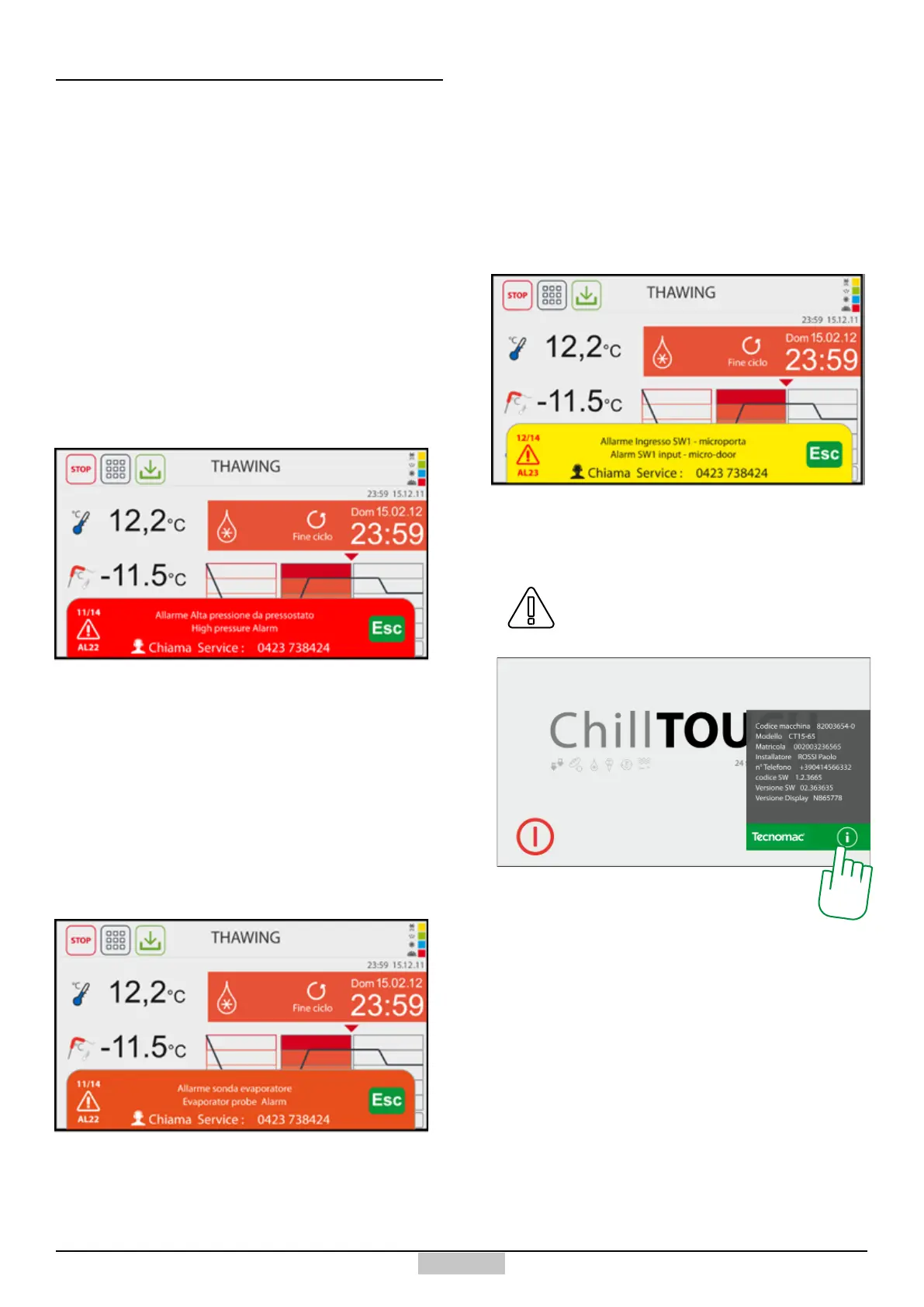
Normally, the alarms appear with an ascending
seriousness warning according to the background colour.
11.1 - Alarm warnings
The alarm warnings, such as the one represented
hereinafter, which cause the immediate interruption of
the running cycle, are represented by a RED background
warning and are to be deemed serious. The assistance
service is called and the machine will be disconnected
from the power and hydraulic supply and secured.
11.2 - Warnings for SERIOUS alarms
The AVERAGE alarm warnings, as the ones represented
below, which do not cause the immediate interruption
of a running cycle, and represented by a ORANGE
background warning, are to be deemed important, even
if they enable an automatic maintenance operation. If the
alarm persists, the assistance service will be contacted
and the machine will however be disconnected from the
power and hydraulic supply.
11.3 - Warnings for AVERAGE alarms
The pre-alarm warnings, as the ones represented
below, which do not cause the immediate interruption
of a running cycle, and represented by a YELLOW
background warning, normally predict either an
AVERAGE alarm or they indicate operation conditions
which are not compliant with the set values. Only if the
event is repeated several times without justication, the
service is called.
11.4 - Pre-alarm warnings
Before contacting the assistance service,
retrieve the machine data by pressing the
info key [232] from the input screen
11.5 - Machine information/data
232







 To Next Page