19
71504138-0-003
EN
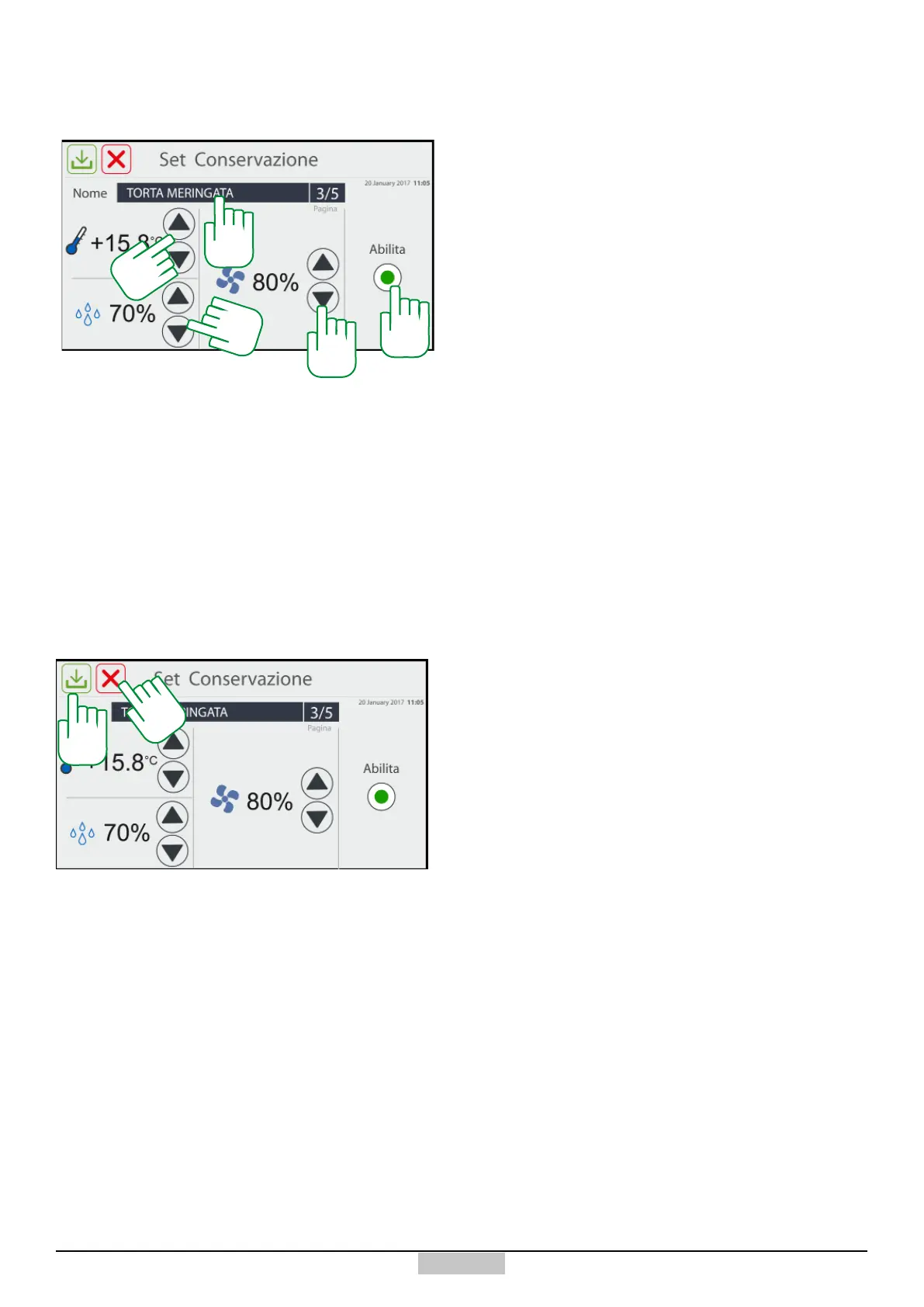
If you select the icon of preservation cycles [198] from
the wheel, you will access the following window:
8.7 - Creation of a preservation programme
201
202
204
198
199
200
There, you can access the keyboard by pressing above
the programme name area [198], set different cell
temperature set points by pressing the arrows [199],
set the humidity set point by pressing the arrows [200],
set the fan speed by pressing the arrows [201], and
show the user programme by checking the ag [202].
Afterwards, you can save the programme by pressing the
key [203] or delete it by pressing the key [204] (in this
case, a deletion conrmation request message appears).
203







 To Next Page