13
71504138-0-003
EN
6 - ICE CREAM CYCLE
The Ice Cream cycle is a single phase cycle and of
indenite duration, during which the following elements
can be set: Cell temperature and the timer.
This cycle is aimed to quickly harden the surface of
an ice cream just made and as soon as it leaves the
whisker, or with a reverse process, softening it as it is
already frozen.
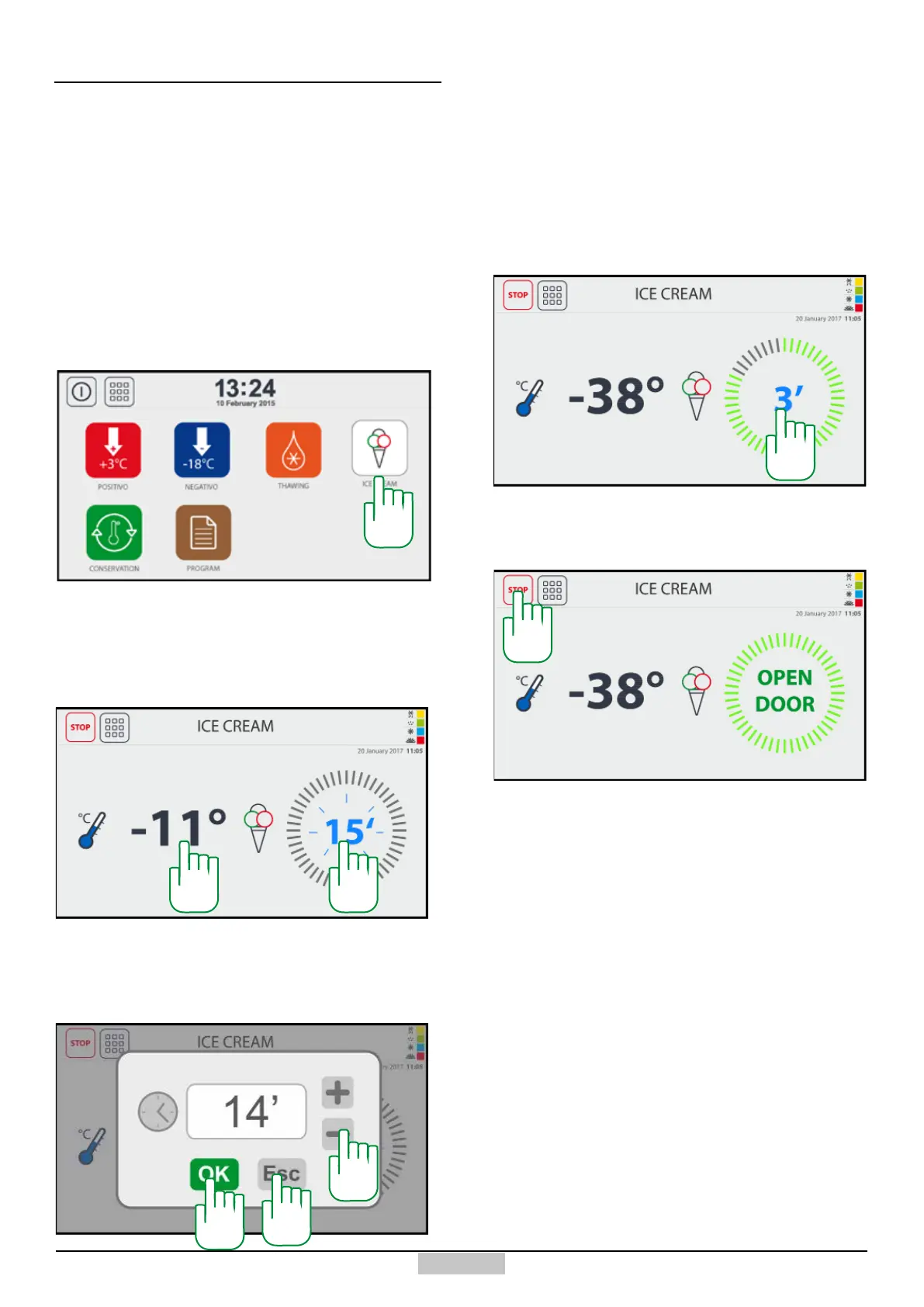
In order to access the ice cream cycle, press the key
[108] from the main menu:
The following window will appear, where the cell
6.1 - Ice Cream MANUAL cycle
temperature reading [109] and the ashing Timer value
are displayed [110]. The appliance will start to cool down
right away.
109 110
During this phase, but also subsequently, you can
change the initially set value of the timer by pressing
above the value [110] and the following value changing
window will appear:
111
112
Using the keys +/- [111], you can change the value,
afterwards, you can save the change by pressing the
OK key [112], or you can exit without saving using the
ESC key [113]. Similarly, by pressing above the cell
temperature [109], you can change the cell temperature
set point.
By simply opening and closing the cell, the countdown
will start, the following window will appear, in which the
value [114] indicates the remaining time.
113
114
Once the countdown ends, the following window appears
with the ashing message:
This message will notify you that you must remove the
hardened ice cream and you must insert a new bucket
of ice cream.
However, you can at any time restart the timer by
opening and closing the door.
To leave the cycle, just press the STOP button [115] at
any time.
115
108







 To Next Page