3
71504138-0-003
EN
5
2.2 - Unlocking the display
2.3 - Date and time setting
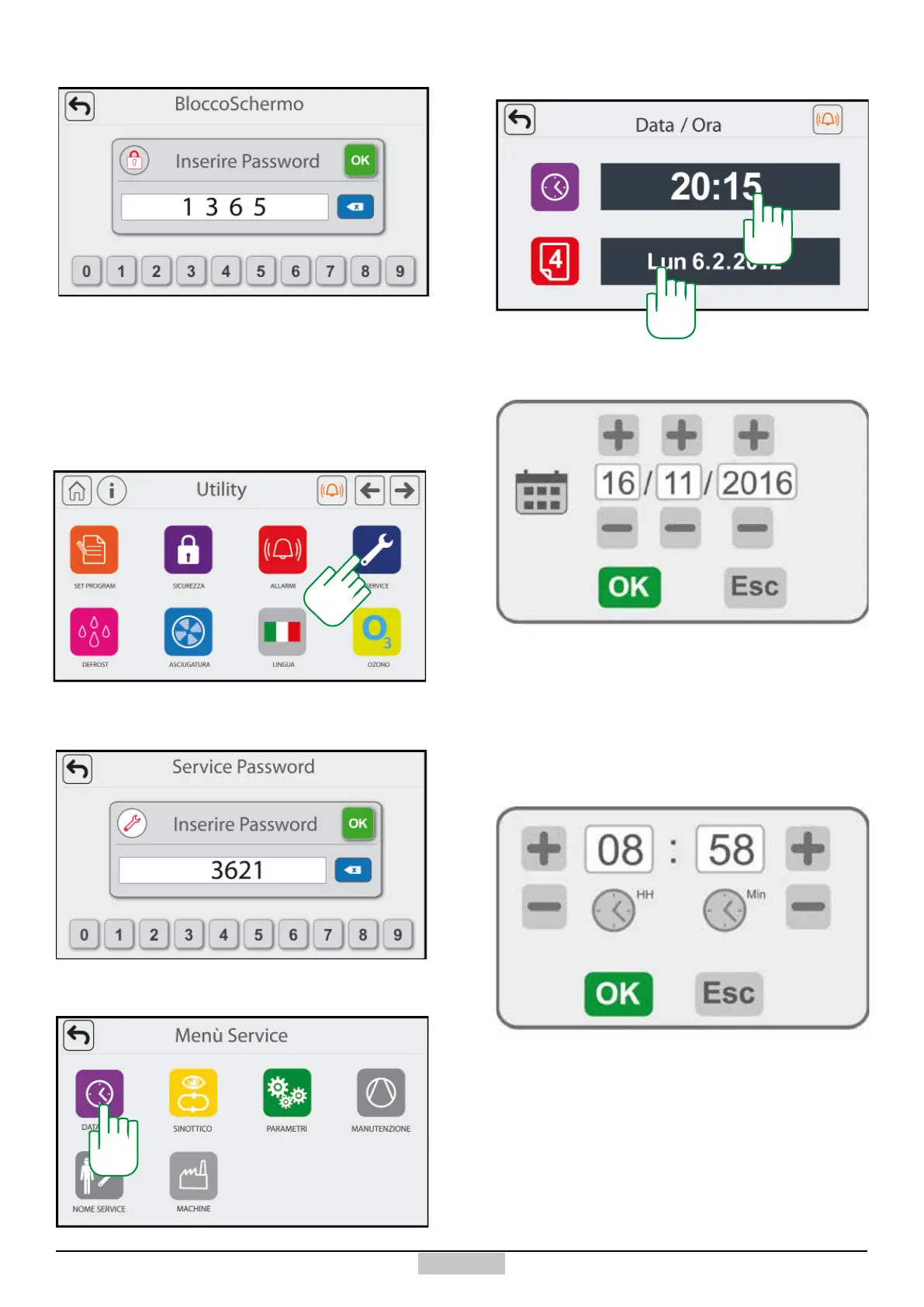
In order to set or change the date/time, access the Utility
page and press the key [7]
In order to change the date, press above the date eld
[10]
Once the window is opened, use the keys +/- to change
the hour and minutes and conrm using the OK key to
save the changes
Once the window opened, use the keys +/- to change
the day, month and year and conrm using the OK key
to save the changes
If the keyboard is blocked, type the password
1365 in
order to unlock it
Access the service area with the password
3621
8
9
10
In order to access the date and time setting, press the
key [8]
7
In order to change the time, press above the time eld [9]







 To Next Page