TSA-200 / TSA-200XT / TSA-240 / TSA-240XT
© 2010 – 2014 Telefire Fire & Gas Detectors Ltd Revision 1.06 July 2014
Page 47 of 79
Key Function
Reset
• Used to reset alarms and return the system to normal
operations after an alarm. All outputs of the Control and
Indicating Equipment (CIE) and inputs to the system are
returned to normal operation. The system shall return to alarm
or fault state during additional events
• Used for exiting the menu or programming state.
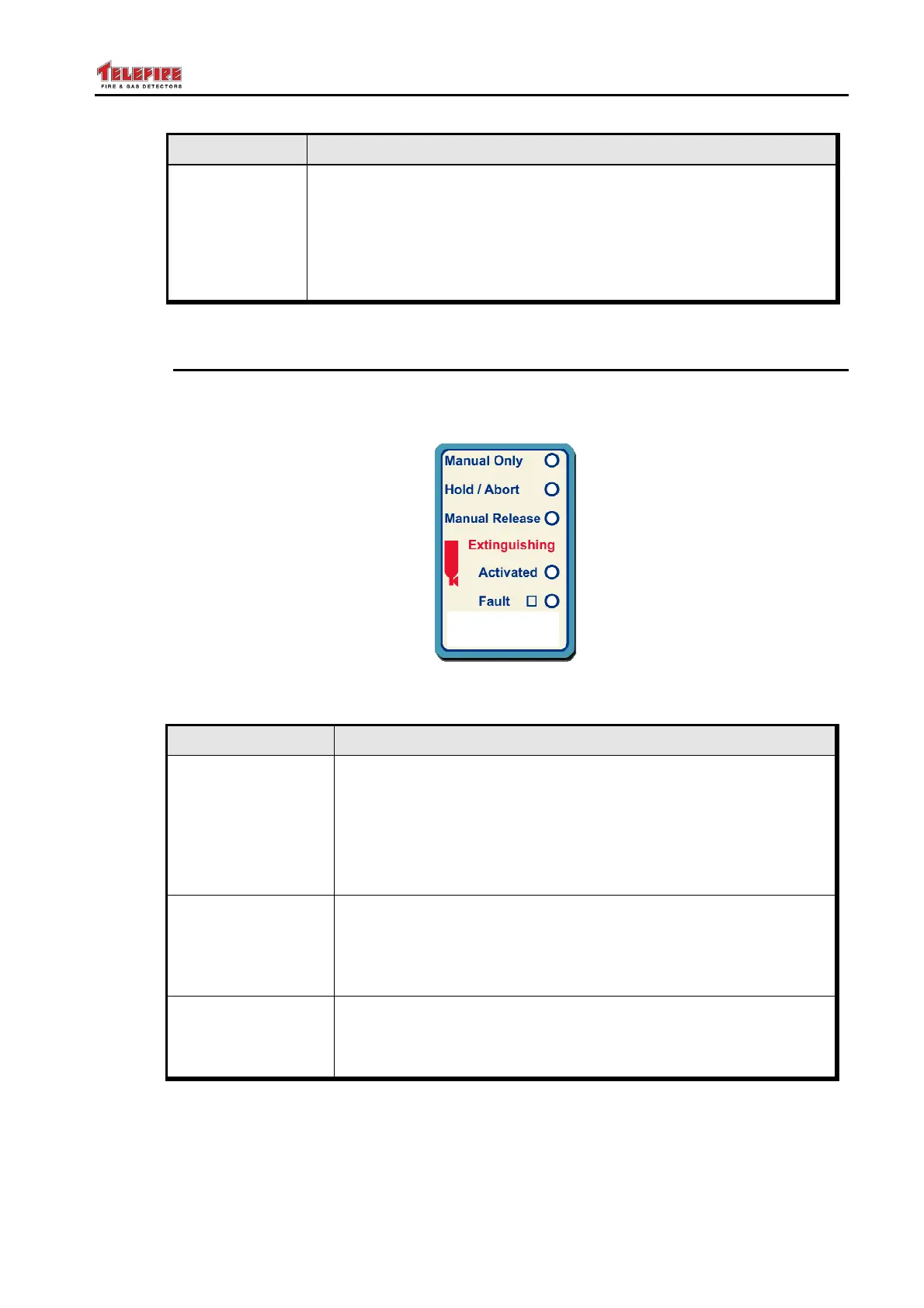
13.6 Extinguishing Display Area
The Extinguishing Zone Display area is active for TSA-200XT and TSA-240XT , a fire
Alarm and extinguishing control panels.
Figure 23 Extinguishing Display Area
LED Its Color and meaning during normal operation
Manual Only
Yellow LED.
• Off in the Manual and Automatic mode
• On when the control panel is programmed to the Manual
Only mode. In this mode extinguishing will not be activated
by the detection zones trigger, but only from the manual
activation input (In 4, Manual Trigger PB).
Hold/Abort
Yellow LED.
• Flashes when the Hold input is activated (asserted).
• Constantly ON after Acknowledge – until the extinguishing
process is complete
Manual Release
Red LED.
• Flashes when the Manual Release input is activated.
• Constantly ON after Acknowledge



 To Next Page