Appendix A: Functions and Instructions 177
Dialog CATALOG
Dialog
block
EndDlog
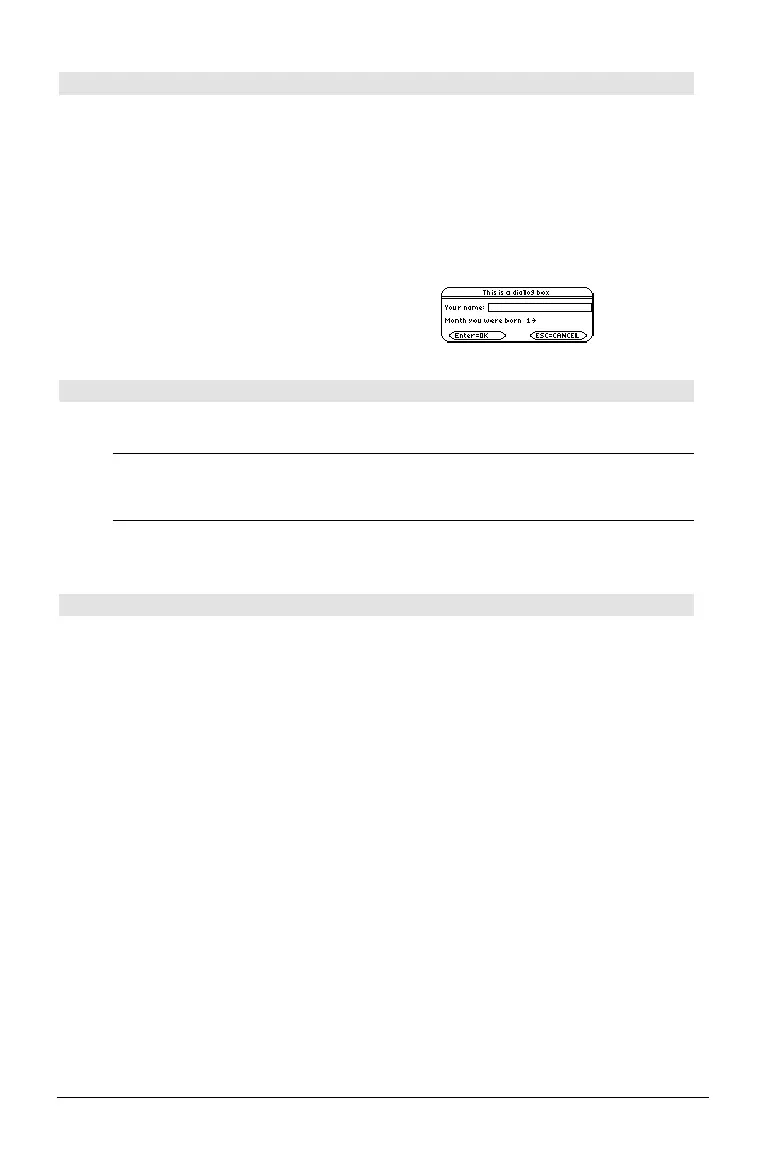
Generates a dialog box when the program is
executed.
block
can be either a single statement or a series
of statements separated with the “:” character.
Valid
block
options in the … I/O, 1:Dialog menu
item in the Program Editor are
1:Text, 2:Request,
4:DropDown, and 7:Title.
The variables in a dialog box can be given values
that will be displayed as the default (or initial)
value. If ¸ is pressed, the variables are
updated from the dialog box and variable
ok is
set to
1. If N is pressed, its variables are not
updated, and system variable
ok is set to zero.
Program listing:
:Dlogtest()
:Prgm
:Dialog
:Title "This is a dialog box"
:Request "Your name",Str1
:Dropdown "Month you were born",
seq(string(i),i,1,12),Var1
:EndDlog
:EndPrgm
dim() MATH/Matrix/Dimensions menu
dim(
list
) ⇒
integer
Returns the dimension of
list
.
dim({0,1,2}) ¸ 3
dim(
matrix
) ⇒
list
Returns the dimensions of
matrix
as a two-
element list {rows, columns}.
dim([1,ë 1,2;ë 2,3,5]) ¸ {2 3}
dim(
string
) ⇒
integer
Returns the number of characters contained in
character string
string
.
dim("Hello") ¸ 5
dim("Hello"&" there")
¸ 11
Disp CATALOG
Disp [
exprOrString1
] [,
exprOrString2
] ...
Displays the current contents of the Program I/O
screen. If one or more
exprOrString
is specified,
each expression or character string is displayed
on a separate line of the Program I/O screen.
An expression can include conversion operations
such as
4DD and 4Rect. You can also use the 4
operator to perform unit and number base
conversions.
If
Pretty Print = ON, expressions are displayed in
pretty print.
From the Program I/O screen, you can press ‡ to
display the Home screen, or a program can use
DispHome.
Disp "Hello" ¸ Hello
Disp cos(2.3)
¸ ë.666…
{1,2,3,4}! L1
¸
Disp L1
¸ {1 2 3 4}
Disp 180_min
4 _hr ¸ 3.ø_hr
Note: To type an underscore ( _ ), press:
@ ¥ q
H 2 q
To type 4, press 2
p.



 To Next Page
 Loading...












