5-3. Basic Operation
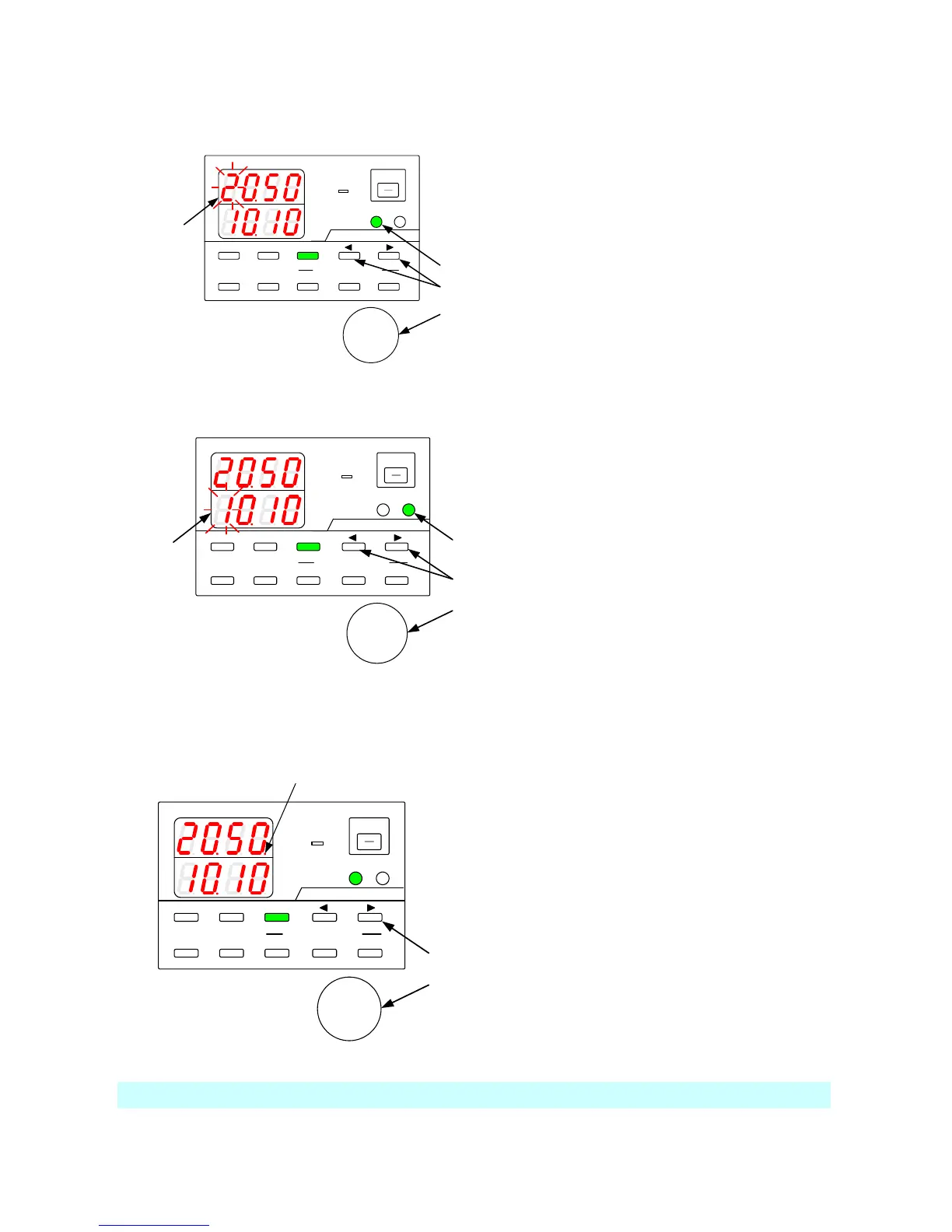
5-3-1. Voltage setting procedure
A
V
W
W
CC:R
CV:G
OUTPUT
V(W) A(W)
MENU PROTECT CHECK
ESC/ KEY LOCK ENTER/MEM
1 2 3
DIGIT
PRESET/ SEQUENCE
* LOCK/RMT
STEP STOP PAUSE START
1
2
3
Blinking
PDS-A series
Press the V key, which is then lit in green.
One of the voltage setting digits starts blinking.
Only the digit that is blinking can be modified.
Press one of the DIGIT keys
▲
▼
to move to
another digit and make it blink.
Use the setting rotary encoder to set the voltage
value.
Press the V key to exit the setting mode.
5-3-2. Current setting procedure
A
V
W
W
CC:R
CV:G
OUTPUT
V(W) A(W)
MENU PROTECT CHECK
ESC/ KEY LOCK ENTER/MEM
1 2 3
DIGIT
PRESET/ SEQUENCE
* LOCK/RMT
STEP STOP PAUSE START
1
2
3
Blinking
PDS-A series
Press the A key, which is then lit in green.
One of the current setting digits starts blinking.
Only the digit that is blinking can be modified.
Press one of the DIGIT keys
▲
▼
to move to
another digit and make it blink.
Use the setting rotary encoder to set the current
value.
Press the A key to exit the setting mode.
5-3-3. Fine adjustment of voltage/current
Function: Fine-adjusting the output voltage/current to a digit lower than the displayed digits
Blinking
A
V
W
W
CC:R
CV:G
OUTPUT
V(W) A(W)
MENU PROTECT CHECK
ESC/ KEY LOCK ENTER/MEM
1 2 3
DIGIT
PRESET/ SEQUENCE
* LOCK/ RMT
STEP STOP PAUSE START
1
2
PDS-A series
Confirm that the rightmost digit is blinking, and
press the DIGIT key
▼
to move the modifiable
digit to the right.
The rightmost digit stops blinking and then
remains lit.
With the rightmost digit lit, turn the setting
rotary encoder to adjust the voltage/current to
one digit lower than the lowest displayed digit.
The digit lower than the displayed digit is not
visible. You must connect an external device to
confirm the actual output. Note that the amount
of change made by one click of the rotary
encoder might differ by model.
The setting accuracy in SPECIFICATIONS is not guaranteed for fine adjustment.



 To Next Page