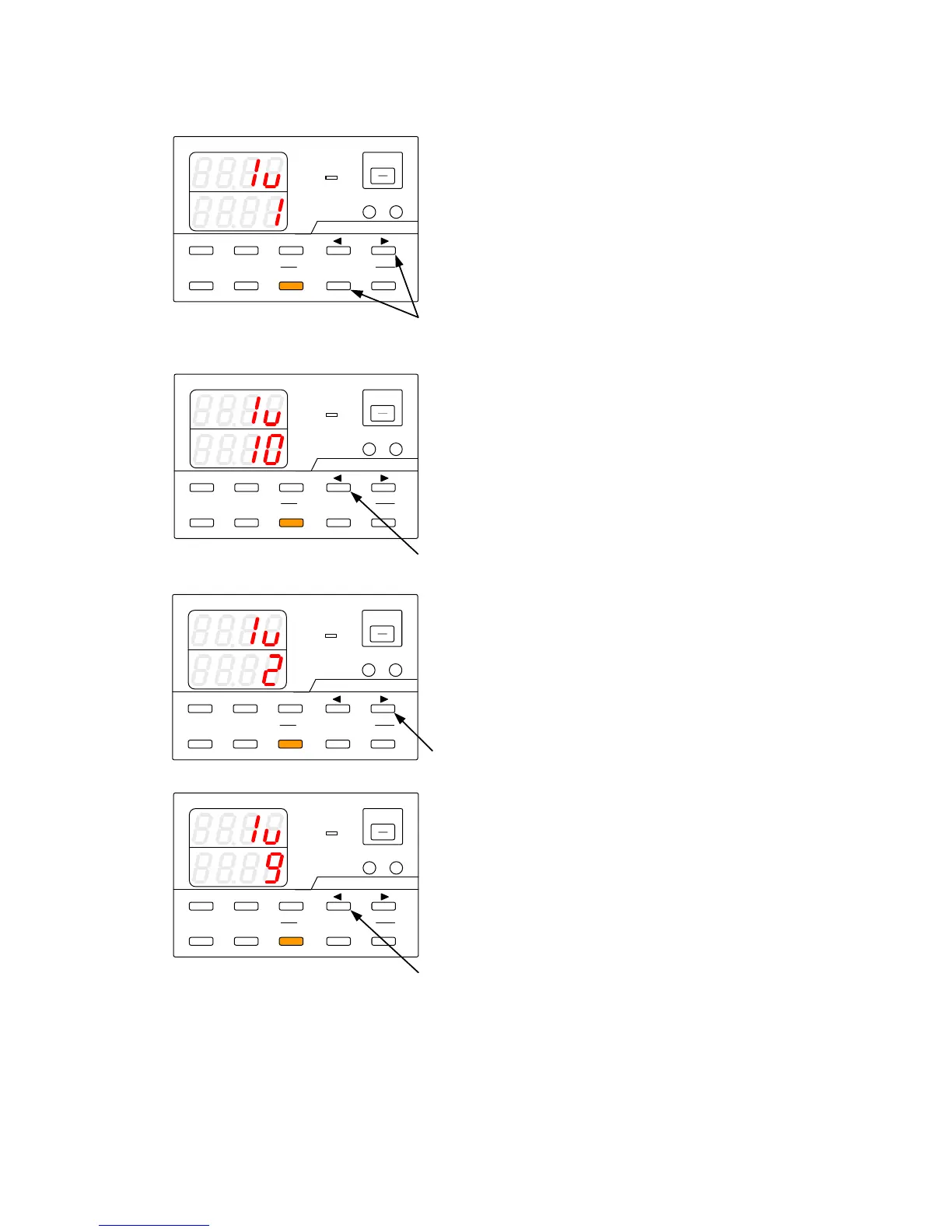
8-6-3. Manual execution of sequence programs
The PAUSE key and DIGIT keys
▲
▼
are used to manually execute sequence programs
A
V
W
W
CC:R
CV:G
OUTPUT
V(W) A(W)
MENU PROTECT CHECK
ESC/ KEY LOCK ENTER/MEM 1 2 3
DIGIT
PRESET/ SEQUENCE
* LOCK/ RMT STEP STOP PAUSE START
1
PDS-A series
A
V
W
W
CC:R
CV:G
OUTPUT
V(W) A(W)
MENU PROTECT CHECK
ESC/ KEY LOCK ENTER/MEM 1 2 3
DIGIT
PRESET/ SEQUENCE
* LOCK/RMT STEP STOP PAUSE START
2
PDS-A series
A
V
W
W
CC:R
CV: G
OUTPUT
V(W) A(W)
MENU PROTECT CHECK
ESC/ KEY LOCK ENTER/MEM 1 2 3
DIGIT
PRESET/ SEQUENCE
* LOCK/ RMT STEP STOP PAUSE START
3
PDS-A series
A
V
W
W
CC:R
CV:G
OUTPUT
V(W) A(W)
MENU PROTECT CHECK
ESC/ KEY LOCK ENTER/MEM 1 2 3
DIGIT
PRESET/ SEQUENCE
* LOCK/RMT STEP STOP PAUSE START
4
PDS-A series
While the STOP key is lit in amber (while the
sequence program is stopped), press the
PAUSE key or DIGIT key
▼
to pause the
sequence program at the first step (if the PAUSE
key is pressed, it is then lit in amber).
See next page for details about the steps to be
executed.
While the STOP key is lit in amber (while the
sequence program is stopped), press the DIGIT
key
▲
to pause the sequence at the last step.
See next page for details about the steps to be
executed.
Press the DIGIT key
▼
o pause the program at
the next step.
Press the DIGIT key
▲
to pause the program at
the previous step.



 To Next Page