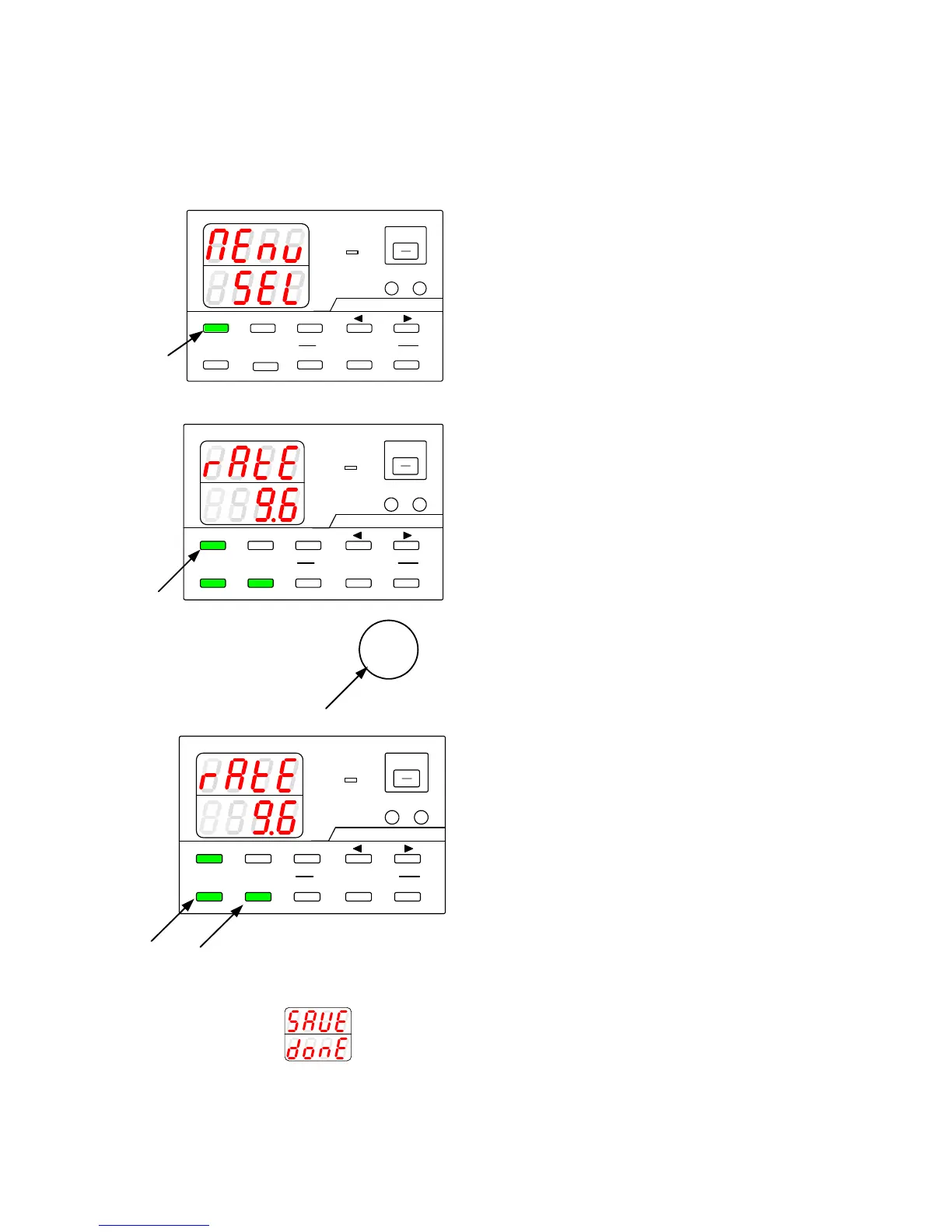
6-3-6. Specifying the baud rate while in IF-71RS PDS mode
If the IF-71RS card was configured while in PDS communication mode, the baud rate can be specified. There is a total
of five available rates that can be specified.
A
V
W
W
CC:R
CV:G
OUTPUT
V(W) A(W)
MENU PROTECT CHECK
ESC/ KEY LOCK ENTER/ 1 2 3
DIGIT
PRESET/ SEQUENCE
* LOCK/ RMT STEP STOP PAUSE START
PDS-A series
1
A
V
W
W
CC:R
CV:G
OUTPUT
V(W) A(W)
MENU PROTECT CHECK
ESC/ KEY LOCK ENTER/MEM
1 2 3
DIGIT
PRESET/ SEQUENCE
* LOCK/ RMT
STEP STOP PAUSE START
3
2
PDS-A series
A
V
W
W
CC:R
CV:G
OUTPUT
V(W) A(W)
MENU PROTECT CHECK
ESC/ KEY LOCK ENTER/MEM
1 2 3
DIGIT
PRESET/ SEQUENCE
* LOCK/ RMT
STEP STOP PAUSE START
5
PDS-A series
4
Turn on power switch while pressing and
holding the MENU key.
Release the MENU key when the panel is lit.
The MENU key is then lit green, and the
ESC/KEY LOCK key and the ENTER/MEM
key start blinking green.
The function name is displayed in the voltage
indicator, and the function setting is displayed in
the current indicator.
Repeatedly press the MENU key until "rAtE" is
displayed in the voltage indicator.
Turning the rotary encoder displays the
following in the current indicator. Select the
desired setting.
Press the green-blinking ENTER/MEM key to
enter the setting.
After the setting is entered, the current
indicator stops blinking, remains lit for a short
while, and then starts blinking again.
Press the green-blinking ESC/KEY LOCK key
to exit. The message shown in the figure on the
left appears. Normal operation of the unit is
then available.
Turn the power switch off and then back on to
display the entered settings.



 To Next Page