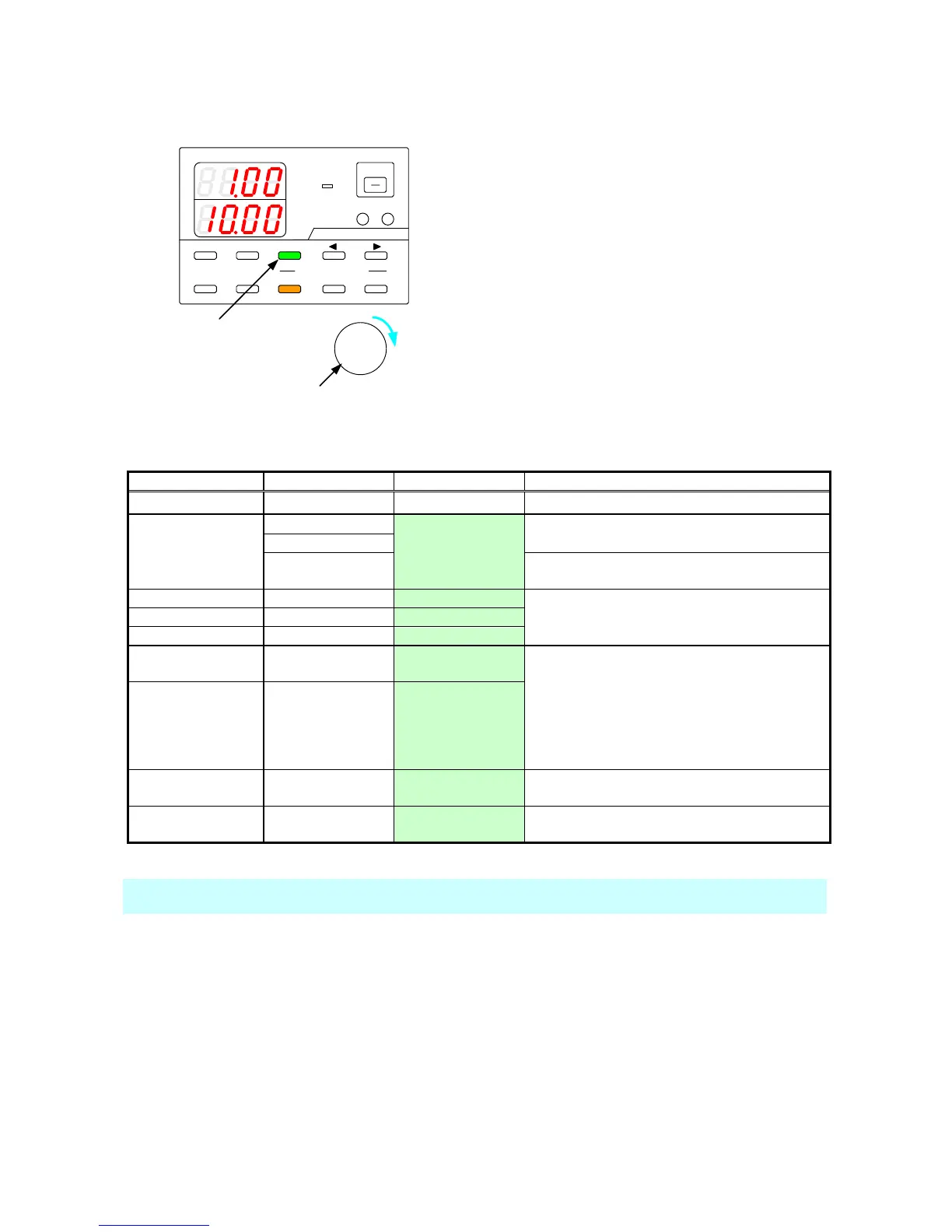
8-4. Confirming the Setting Items for Steps.
You can confirm the step setting items.
A
V
W
W
CC:R
CV:G
OUTPUT
V(W) A(W)
MENU PROTECT CHECK
ESC/ KEY LOCK ENTER/MEM 1 2 3
DIGIT
PRESET/ SEQUENCE
* LOCK/ RMT STEP STOP PAUSE START
1
2
PDS-A series
Press the CHECK key, which is then lit in green.
The voltage and current indicators display the
step setting items.
While the STOP key or PAUSE key is lit in amber
(while the sequence program is stopped or
paused), turn the rotary encoder clockwise 1
click to switch between the different step setting
items. The setting items are displayed in the
voltage and current indicators.
See the table below for details about the step
setting items.
When the output HI-R function is on, the output is
set to off.
The execution time can be set to the m sec.
However, the set time is rounded up to 10m sec.
when applying setting items.
If the execution time is 0 hr 0 min 0 sec 0m sec,
the step is skipped and the setting items are not
executed.
Execution time
(sec, m sec)
If the pause setting is on, the sequence program
will pause when the step is finished.
CC priority output
setting
While a sequence program is being executed automatically (while the START LED is lit in amber), only the set voltage
and current can be confirmed. The other step setting items cannot be confirmed.



 To Next Page