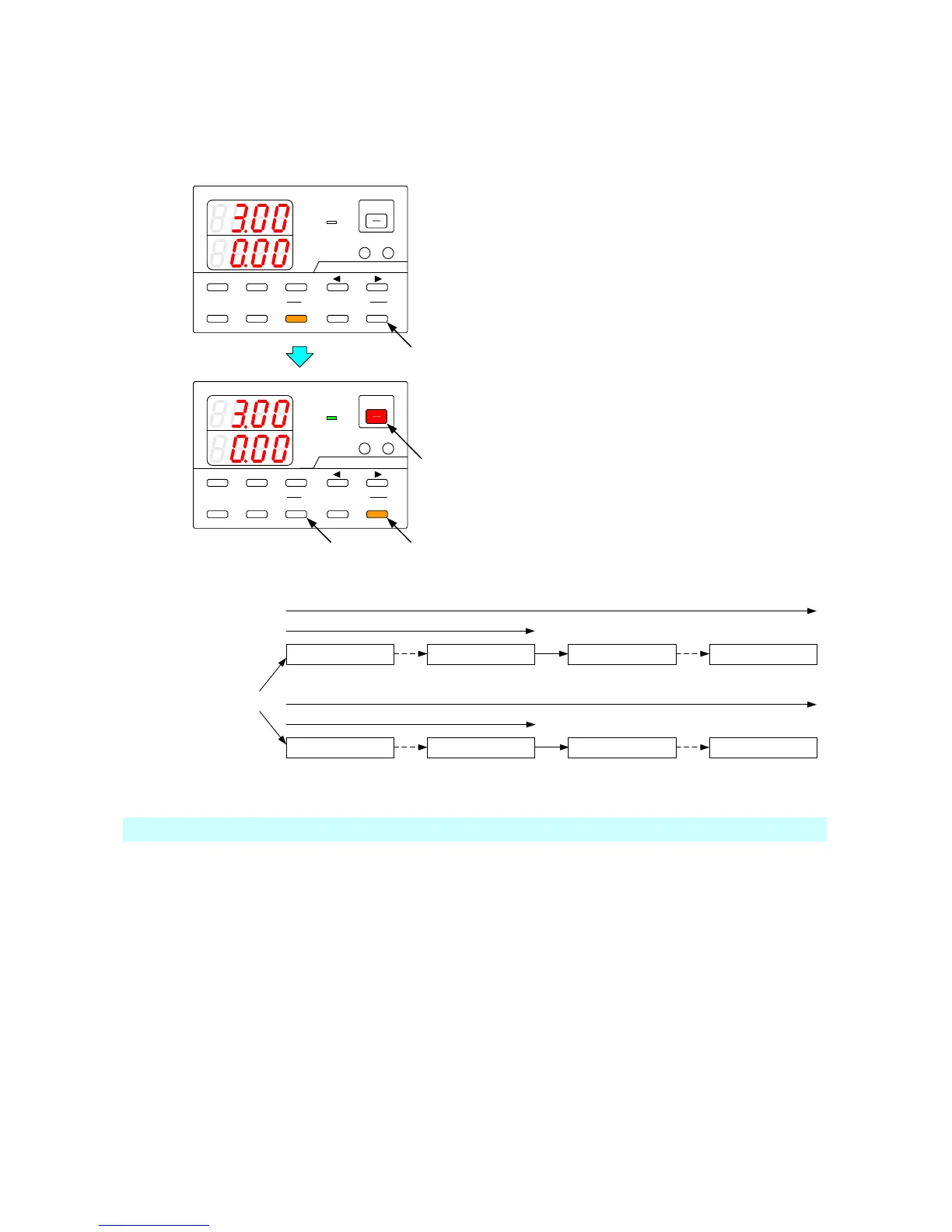
8-6. Executing Sequence Programs
The START, PAUSE, STOP, and OUTPUT keys are used to execute sequence programs.
8-6-1. Automatic execution of sequence programs
A sequence program can be set to execute automatically from the first step of the program.
A
V
W
W
CC:R
CV:G
OUTPUT
V(W) A(W)
MENU PROTECT CHECK
ESC/ KEY LOCK ENTER/ MEM 1 2 3
DIGIT
PRESET/ SEQUENCE
* LOCK/ RMT STEP STOP PAUSE START
1
A
V
W
W
CC:R
CV:G
OUTPUT
V(W) A(W)
MENU PROTECT CHECK
ESC/ KEY LOCK ENTER/ MEM
1 2 3
DIGIT
PRESET/ SEQUENCE
* LOCK/ RMT STEP STOP PAUSE START
PDS-A series
PDS-A series
While the STOP key is lit in amber
(while the sequence program is stopped),
press the START key. The START key is then
lit in amber.
When a sequence program is set to execute
automatically, the voltage and current indicators
display the output values.
When a sequence program is executed
automatically, the step to be executed first varies
according to the execution mode that has been
selected.
◆ See the figure below for details.
Step to be executed first
START STEP END STEP END STEP START STEP
Execution mode: 0
Execution mode: 1
START STEPEND STEP END STEPSTART STEP
Execution mode: 2
Execution mode: 3
Automatic execution cannot start from a step that is in the middle of the sequence program.



 To Next Page