EasyManua.ls Logo

TEXIO PDS20-10A - Clearing the Setting Data for Manual Operation

TEXIO PDS20-10A
117 pages
Print Icon
To Next Page IconTo Next Page
To Previous Page IconTo Previous Page
Loading...
40
40
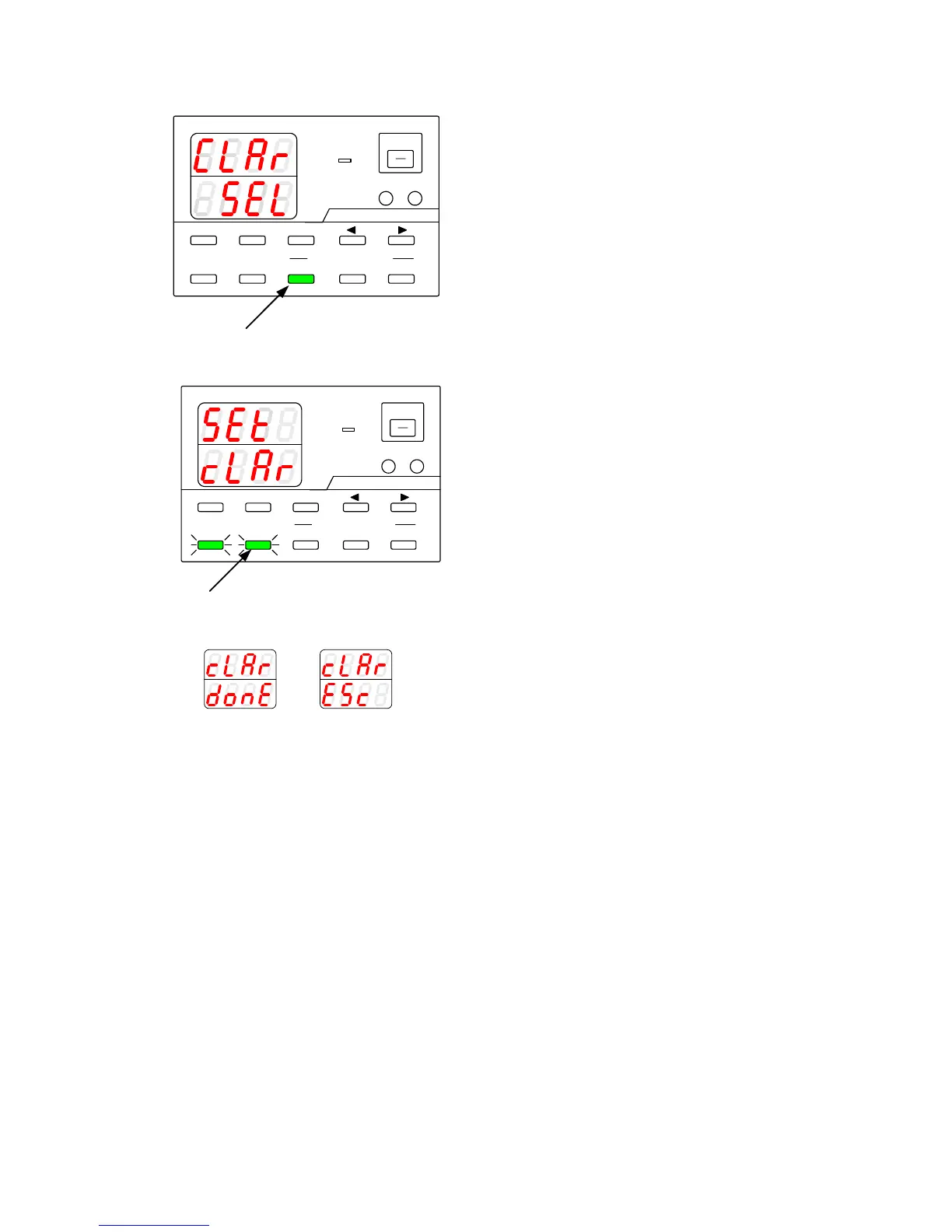
6-4-2. Clearing the setting data for manual operation
A
V
W
W
CC:R
CV:G
OUTPUT
V(W) A(W)
MENU PROTECT CHECK
ESC/ KEY LOCK ENTER/MEM
1 2 3
DIGIT
PRESET/ SEQUENCE
* LOCK/ RMT
STEP STOP PAUSE START
1
PDS-A series
2
A
V
W
W
CC:R
CV:G
OUTPUT
V(W) A(W)
MENU PROTECT CHECK
ESC/ KEY LOCK ENTER/MEM
1 2 3
DIGIT
PRESET/ SEQUENCE
* LOCK/ RMT
STEP STOP PAUSE START
PDS-A series
A
V
W
W
A
V
W
W
Operation procedure
1.
Turn on the power switch while pressing and
holding the PRESET 1 key.
Release the PRESET 1 key when the panel is lit.
The ESC/KEY LOCK key and the ENTER/MEM
key then start blinking green.
The type of memory to be cleared is displayed.
2.
.
Press the ENTER/MEM key.
Pressing the ENTER/MEM key clears the
memory.
Pressing the ESC/KEY LOCK key cancels the
memory clear.
The message shown in the figure on the left is
displayed. The unit is then restarted
automatically.

When executed
When canceled

Table of Contents