CN1
1 6
OUTPUT ON
CN1
1
6
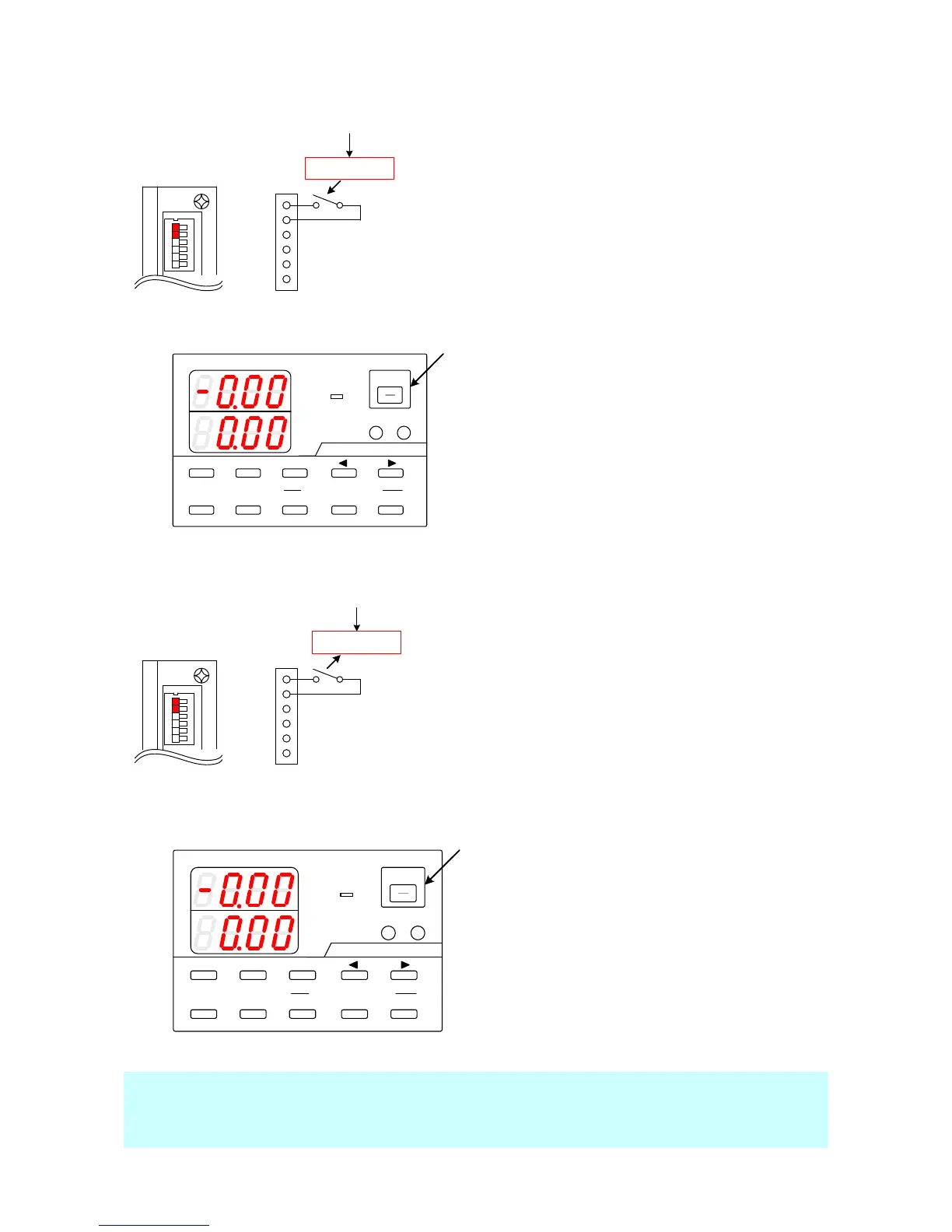
Turning the output ON/OFF
through the external contacts
of the analog IF board
3
A
V
W
W
CC:R
CV: G
OUTPUT
V(W) A(W)
MENU PROTECT CHECK
ESC/ KEY LOCK ENTER/MEM 1 2 3
DIGIT
PRESET/ SEQUENCE
* LOCK/ RMT STEP STOP PAUSE START
PDS-A series
1
CN1
1 6
OUTPUT OFF
Turning the output ON/OFF
through the external contacts
of the analog IF board
CN1
6
4
A
V
W
W
CC:R
CV: G
OUTPUT
V(W) A(W)
MENU PROTECT CHECK
ESC/ KEY LOCK ENTER/MEM 1 2 3
DIGIT
PRESET/ SEQUENCE
* LOCK/RMT STEP STOP PAUSE START
PDS-A series
Use the external contacts of the analog IF board
to turn the output on.
The OUTPUT key is then lit in green, and the
output of the unit is turned on.
Use the external contacts of the analog IF board
to turn the output off.
The OUTPUT key light goes out, and the output
of the unit is turned off.
In the PDS-A power supply unit, when the output of the unit has been turned on through the external contacts of the
analog IF board, the OUTPUT key on the front panel can be used to turn the output on or off during operation.
Thus, in case of an emergency where the power supply from the unit to the loads must be stopped, the power supply
from the unit can be stopped without needing to turn off the power switch.



 To Next Page