© 2016 THINKWARE. All rights reserved.
Confidential Restricted
How to connect the fuse box
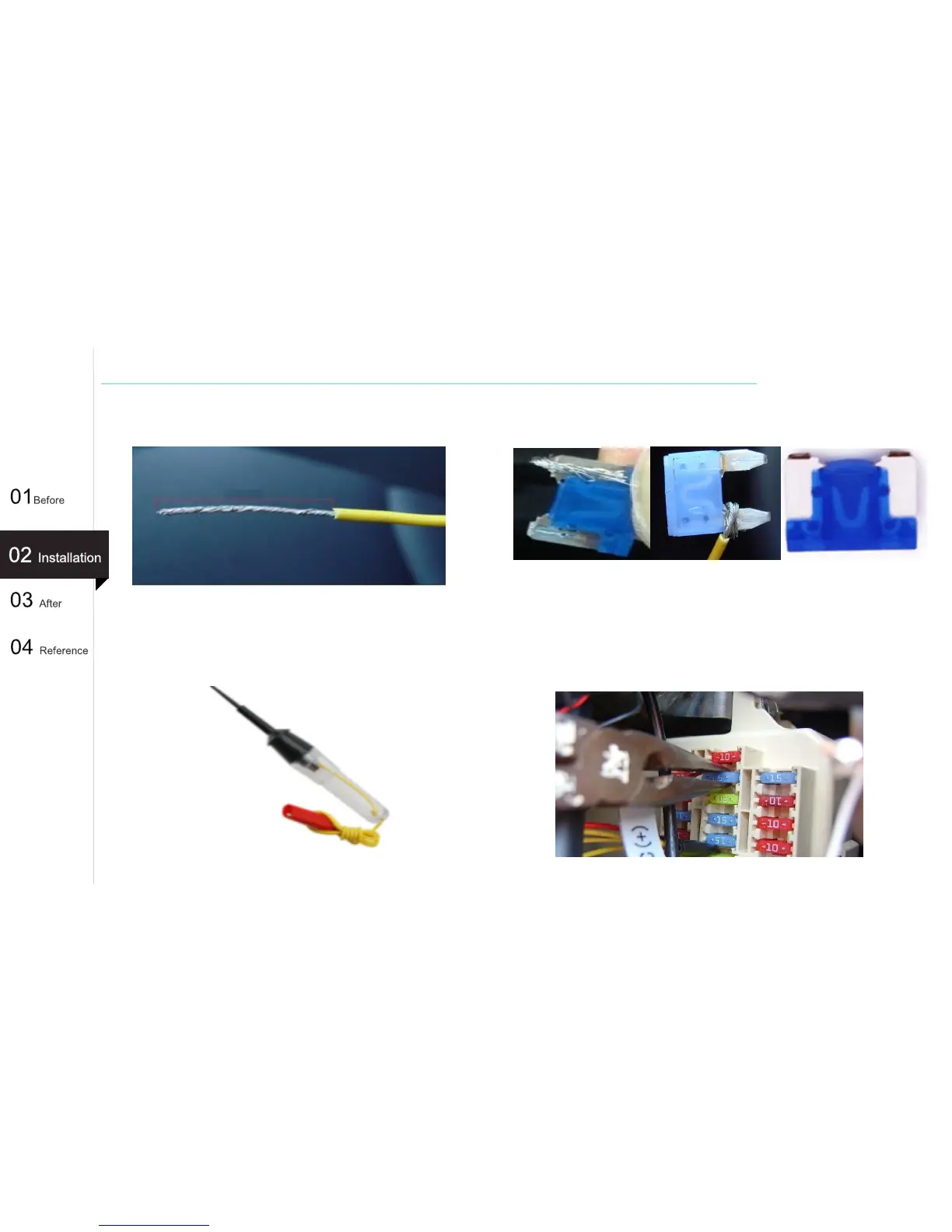
1. Peel off the hardwiring cable shell about 2cm and
twist the core wire in a one direction only.
2. Wrap the core wire around the left pin.
- After inserting the fuse into the fuse box, ensure that the core
wire is not exposed to the outside.
4. Using a long nose, insert it firmly into the fuse
box until reaching the end.
- After inserting the fuse into the fuse box, make sure that the
core wire is not exposed to the outside.
13
About 2cm
[Old fuse type]
[New fuse type]
[Cutting and separating
new types of fuse]
3. When fuse tester contact the points, put the core
wire on the place where there are no buzzer
sound.



 To Next Page