© 2016 THINKWARE. All rights reserved.
Confidential Restricted
Basic function tests for a dash cam (visual angle adjustment)
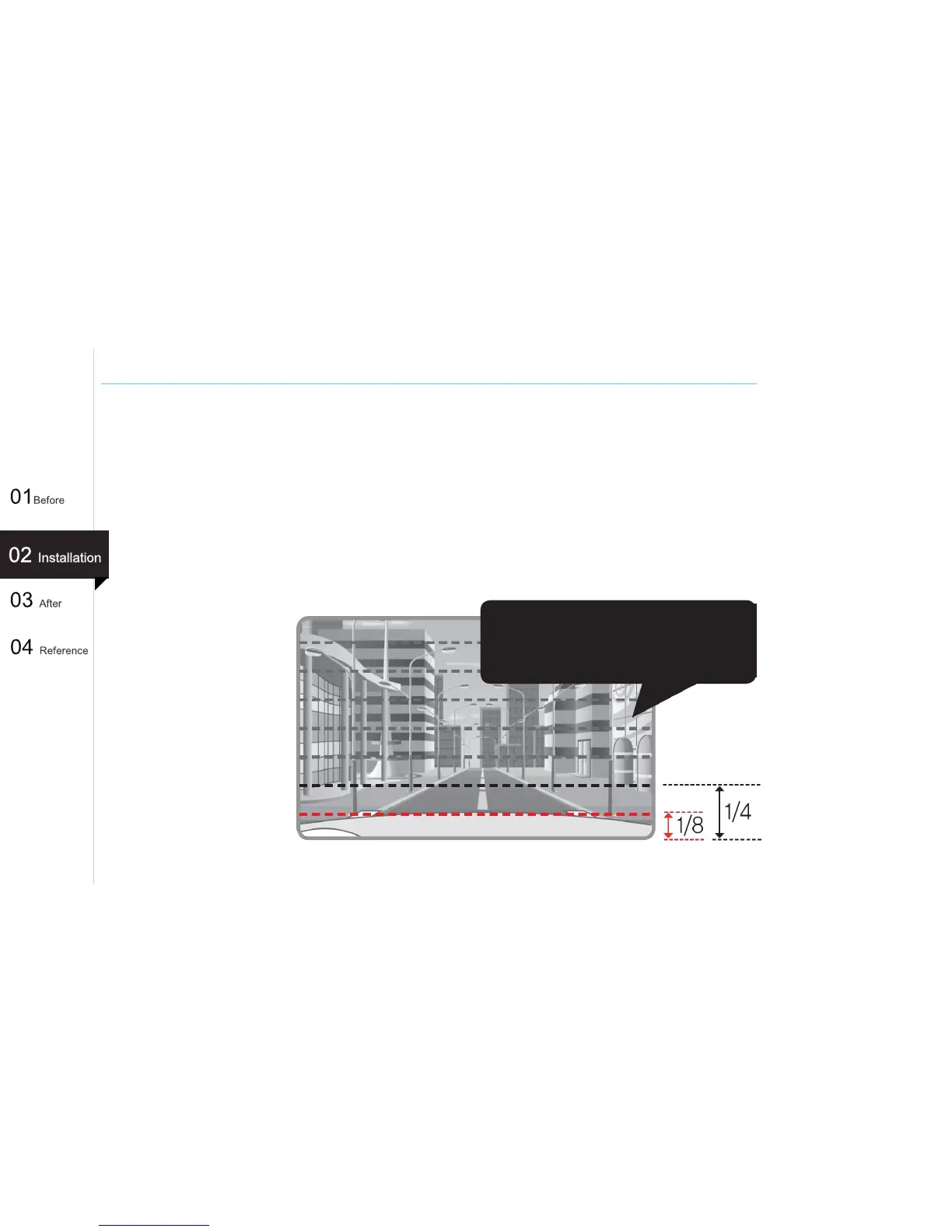
○ Adjusting the dash cam camera's visual angle
▶ Adjust the visual angle so that 1/8~1/4 of the hood is visible.
- For an LCD model, adjust the visual angle while viewing the LCD screen.
- For a non LCD dash cam, adjust the visual angle while referring to the AV connection and
monitor(Ex. Navigation).
- If there is no monitor(Ex. Navigation) installed in the car, adjust the visual angle while
referring to the saved video.
Adjust the visual angle so
that 1/8~1/4 of the hood is
visible.
21



 To Next Page