© 2016 THINKWARE. All rights reserved.
Confidential Restricted
FAQ (Cannot use road safety warning function _ X500)
Symptoms Diagnosis and troubleshooting plans
Cannot use road safety
warning function
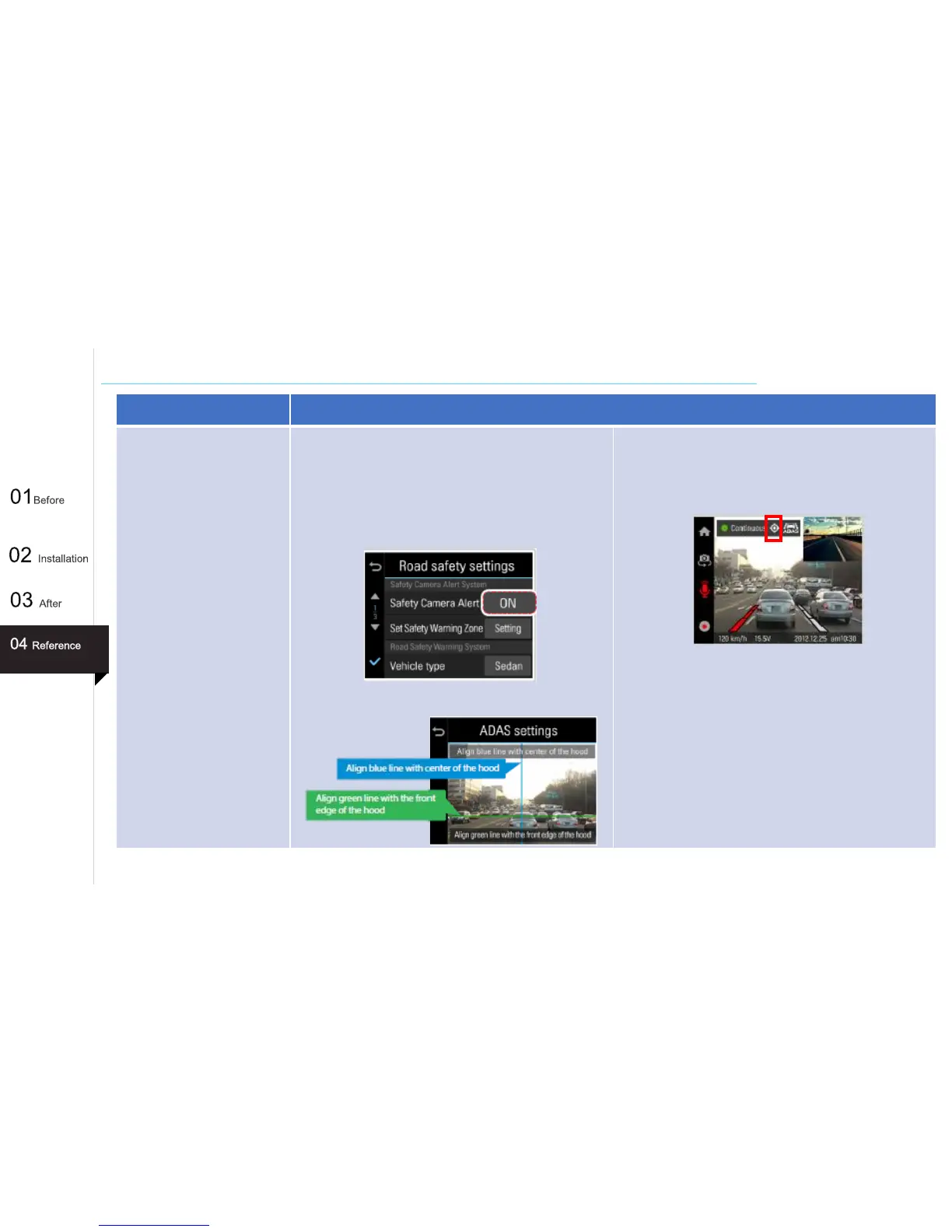
When you cannot use road safety waring function such as
Safety Camera Alert and ADAS(Advanced Driver Assistance
Systems), check the following steps.
1. Check the Road safety settings. “Main Menu >
Settings > Road Safety Settings > Safety Camera Alert”
2. Adjust the location of dash cam with the following
image.
3. Check the GPS is connected on the screen. If GPS status
icon is blue, it means that dash cam cannot find GPS
signal. Reset GPS by selecting
“Main Menu > About Device > GPS info > Reset GPS”
57



 To Next Page