© 2016 THINKWARE. All rights reserved.
Confidential Restricted
RF Interference Problem
Symptoms Diagnosis and troubleshooting plans
RF interference problems
○ How to check RF interference and degradation
1) Check if the main body of the dash cam is the cause of the problem.
- Turn on/off the dash cam to see if RF interference exists.
2) Check if the rear camera is the cause of the problem.
- Before and after checking the rear camera terminal, compare the two conditions.
3) Check if the wiring is the cause of the problem.
- Before wiring it, first assess the locations of various devices in the car.
- Make pre wirings to check in stages.
○ Degraded sensitivity for radios and DMB
1) Check the wiring and separate it from the continuous power supplies.
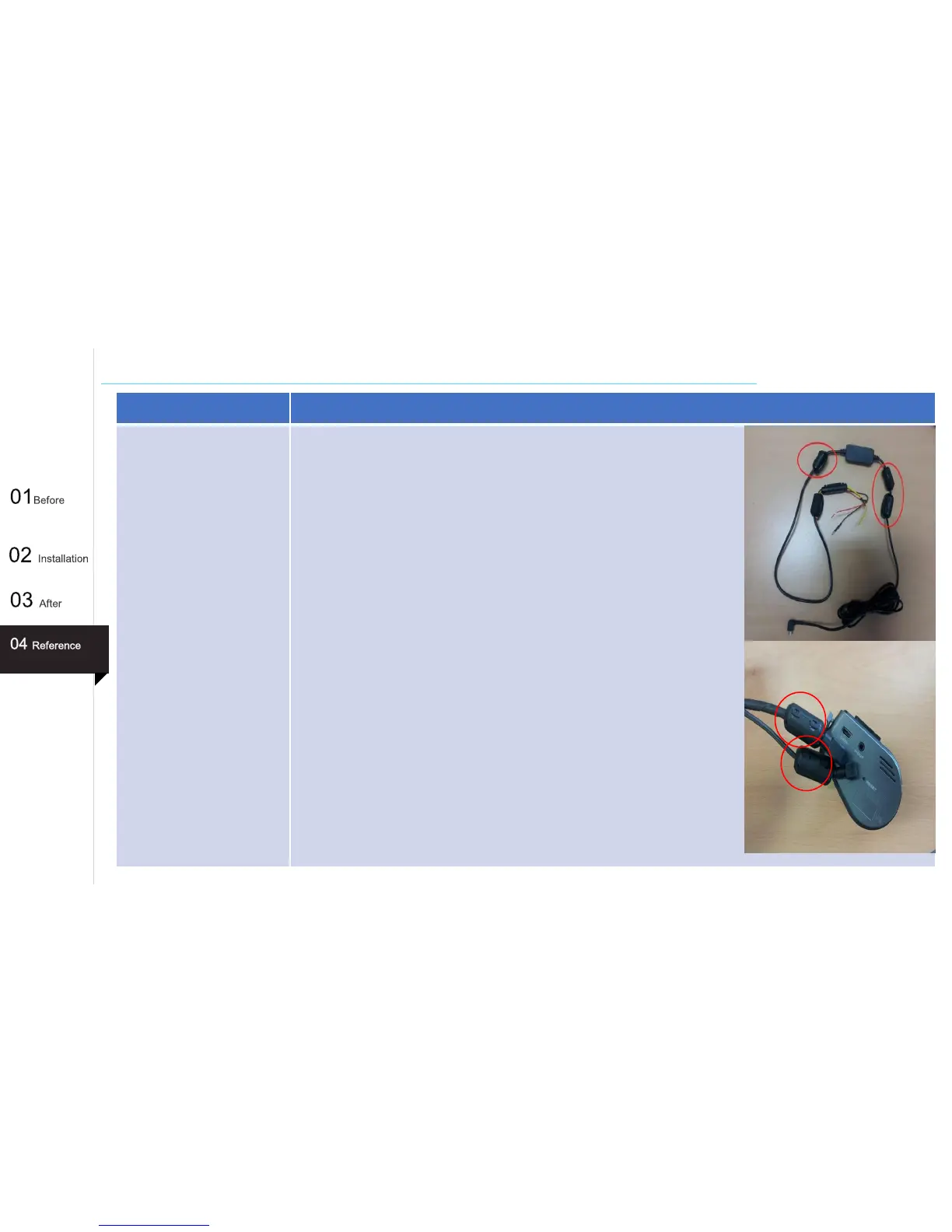
2) Apply four sets of ferrite cores to the hardwiring cable.
○ Improving the door lock / TPMS(Tire Pressure Monitoring System) / remote controller with shorter receiving
distance
1) Make sure that the remote controller's receiving unit (antenna) is at least
15 to 20cm away from the continuous power supply/rear power cable.
2) Make sure the instantaneous power supply for the dash cam is separated
far away from the privately made power supply(continuous).
- In case that the space is insufficient or there is interference among
continuous power supplies, mount a ferrite core.
59



 To Next Page