© 2016 THINKWARE. All rights reserved.
Confidential Restricted
FAQ (How to check if the SD card detection is ok)
Symptoms Diagnosis and troubleshooting plans
How to check if the SD
card detection is okay
1. Connect the SD card to the PC.
2. Check the drive of the SD card. (ex E:, F: etc)
3.
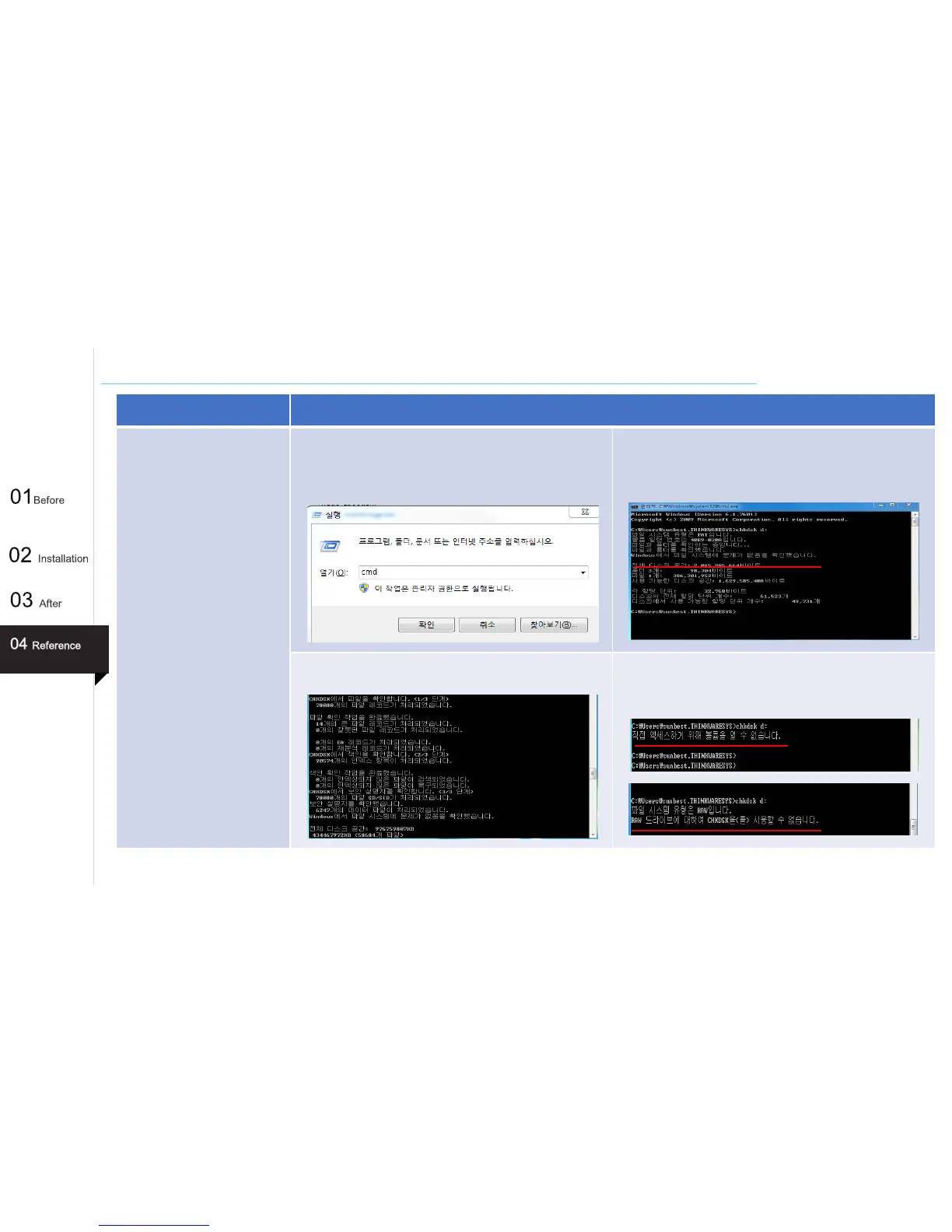
Select Start > Command Prompt and enter CMD.
4. Enter the chkdks drive name and press the Enter key.
(ex : chkdsk d: ) You can check if the SD card is ok.
5. If the file is corrupted, proceed with recovery.
6. If the following problem persists, format the SD card. If
impossible to format it, replace it with a new one.
55



 To Next Page