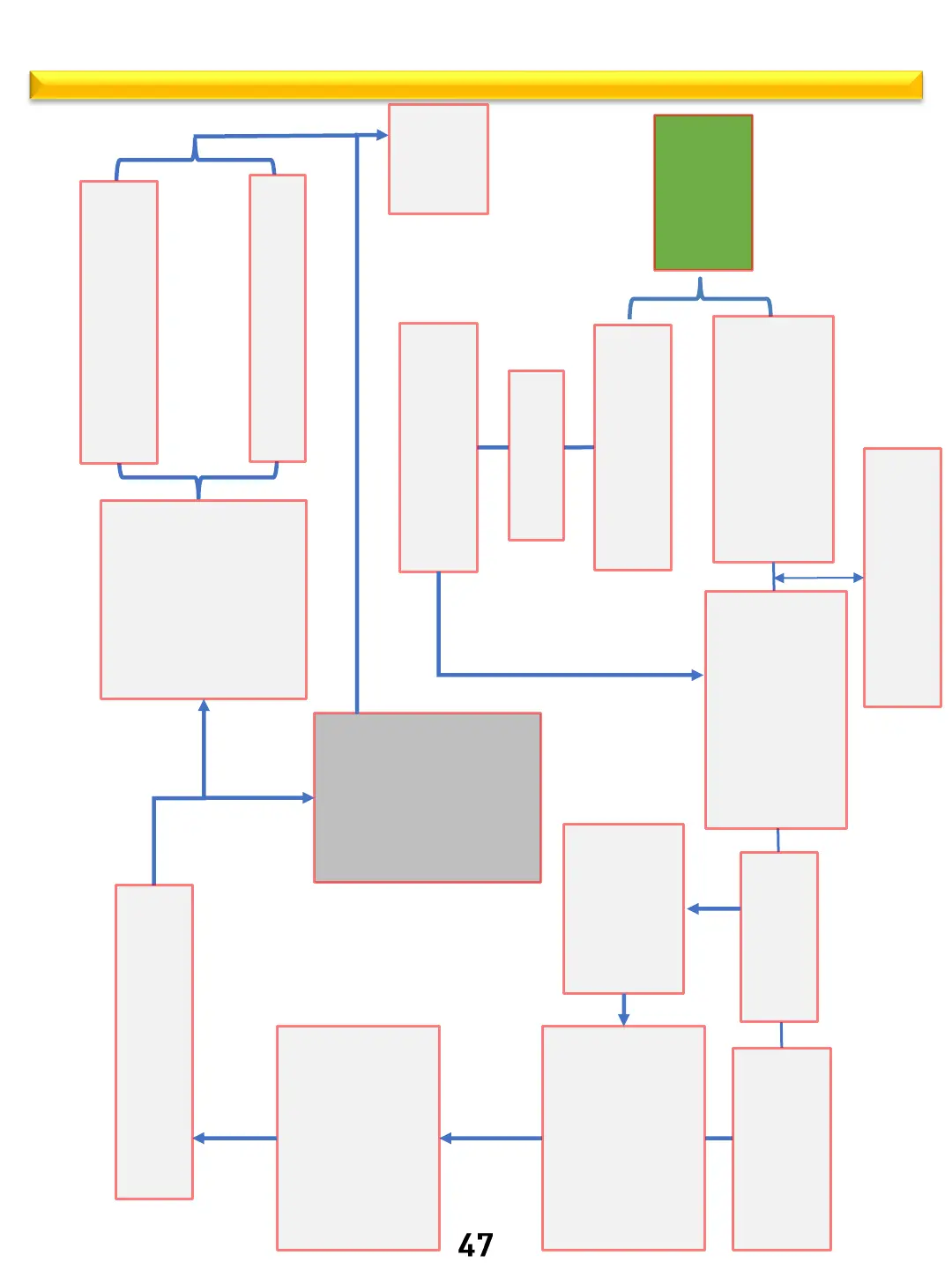
ARE – Cooking Operation Logic
Thor Kitchen internal use only
Connect power
cord
all icons light up
for 2 seconds
Cavity temp >150
℉
HOT shown on display
And clock
Cavity temp
≦150℉
Enter cooking mode selection
Bake is default,
BAKE icon
flashing
Up and Down arrows can be
used to scroll thru all cooking
modes
Short press the
Start/OK
button,
Bake Icon solid on,
default temperature flashing
Enter the set temperature
with arrows
Short press the
Start/OK
button
Enter cooking time
Short press the
Start/OK
button
To start oven with
out programing a
set cooking time
The oven is preheating
PrE, Icon is displayed from
temperature of 100
℉ to
the set temperature and
changes in increments of
5℉
Preheating completed
PrE
goes out.,
And the cooking function
icon selected is displayed
(BAKE)
Preheat signal beeps 6
times
Short press the
OFF
button
Oven stops heating.
If oven cavity is ≥
150 ◦F (HOT) will
be displayed, and
cooling fan will run
until cavity is ≤
150◦F then fan will
turn off.
countdown ends
oven stops heating,
End reminder sound
every 5 seconds for 1
minute
Bake, Cook time
flashing. Cooling fan
will run until cavity
cools below 150
◦F
End of cycle tone ends and the user
does not respond
Short press the
OFF button
or after opening the oven door and
closing it again cancels notification
Short press the
Start/OK button
Enter mode selection
Bake letters flashing by default
Use arrows to select mode
back to
standby
Clock
displayed
Up and down
keys to
set the cook time
Short press the
Start/OK
button
Range is now in steady baking mode, if
Timer or Cook Time was set in prior
steps it will now start counting down.
Start



 To Next Page