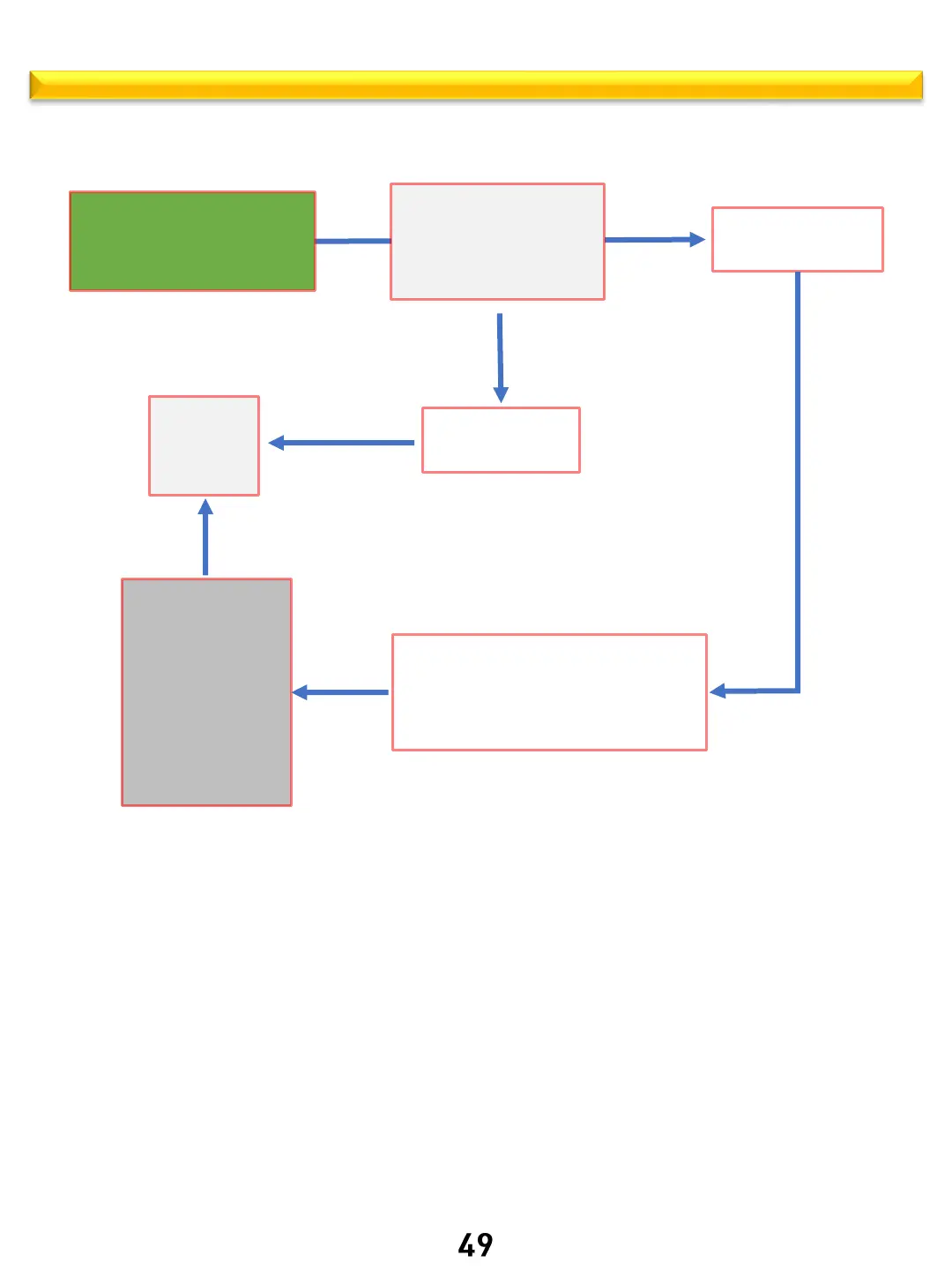
ARE – Broil operation logic
Thor Kitchen internal use only
Use the up and down keys to
select
Broil mode
Broil icon will Flash
back to
standby
Clock
displayed
Start
Broil icon on solid, Hi
indicator flashing
Use the up and down
keys to select Hi or Lo
Short press the
Start/OK button
Short press the
OFF button
The oven starts working in the
selected Broil mode
Broil Hi (or Lo) will be displayed
If Timer is set, it will be displayed
Short press the OFF
button
Oven stops heating.
If oven cavity is ≥
150 ◦F (HOT) will
be displayed, and
cooling fan will run
until cavity is ≤
150◦F then fan will
turn off.



 To Next Page