© TIMYO B.V. TIMYO USER MANUAL EN SKO52021V2 PAGE 16
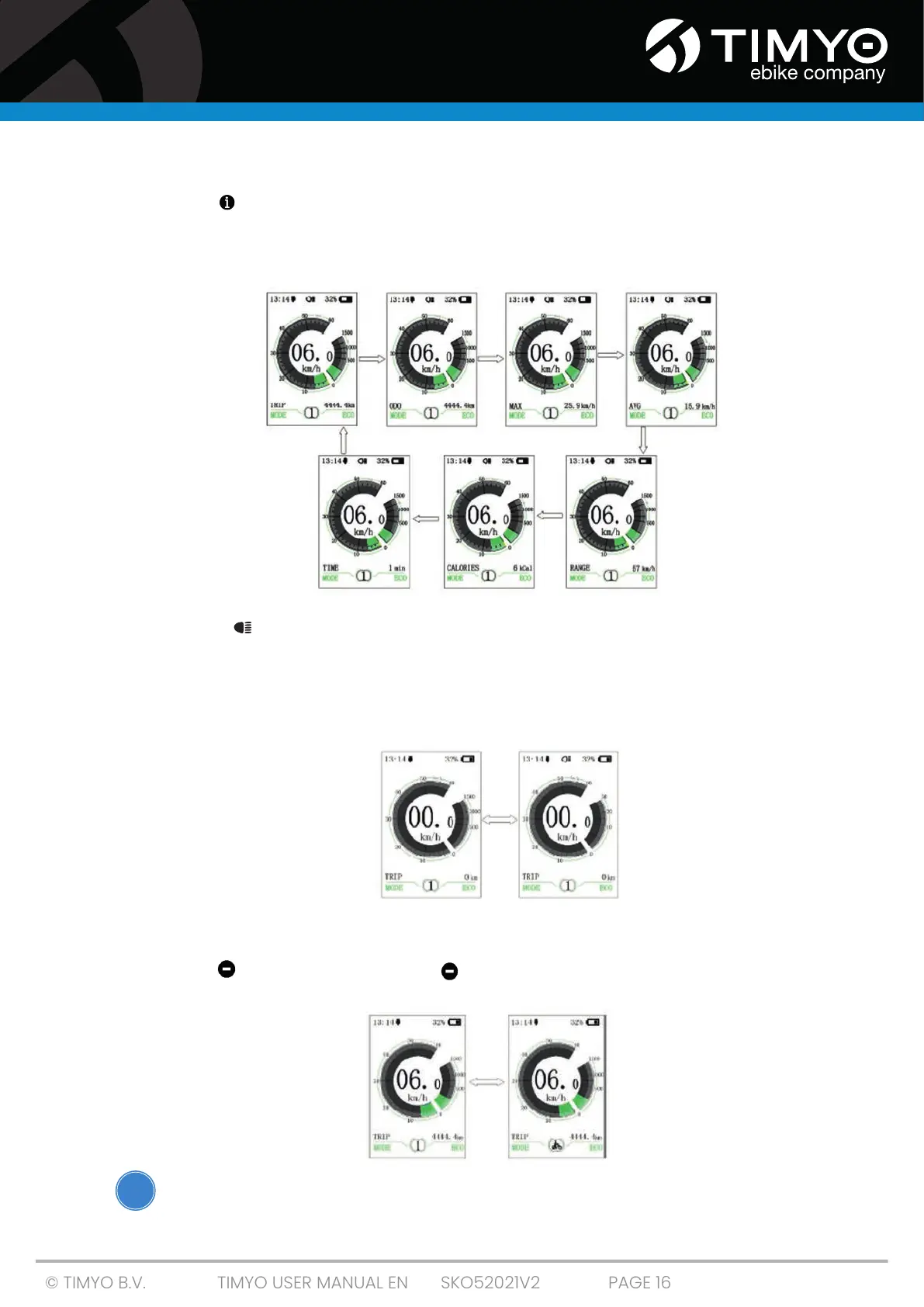
Switch between Distance mode and Speed mode
Short-press (0.5 sec.) to toggle display between distance and speed, cycle-show signal-trip
distance (TRIP) -> total distance (ODO) -> maximum speed (MAX) -> average speed (AVG) ->
remaining distance (RANGE) -> energy consumption (CALORIES) -> time (TIME). Energy consumption
unit calories means kCal.
Display backlight switch
Press and hold (> 2S) to turn on the display backlight and the headlight.
Press and hold again (> 2S) to turn off the display backlight and the headlight. .
There are 5 levels of backlight brightness that can be selected by the user (can be set in 'brightness').
(If the display is switched on in a dark environment, the backlight of the display/headlight will come
on automatically. If the backlight / headlight of the display is switched off manually, they must also
be switched on manually).
Walk assist mode
When the Walk assist is active, an icon will appear with '6km'. It is activated by pressing the button for a
few seconds . If you release the button again, the walk assist function also stops immediately.
Make sure that you NEVER use the walk assist function while cycling!
1
5
2
tel
tel
‘
‘
‘
‘
O
tel
!



 To Next Page