© TIMYO B.V. TIMYO USER MANUAL EN SKO52021V2 PAGE 52
5.7.13 Brightness of display
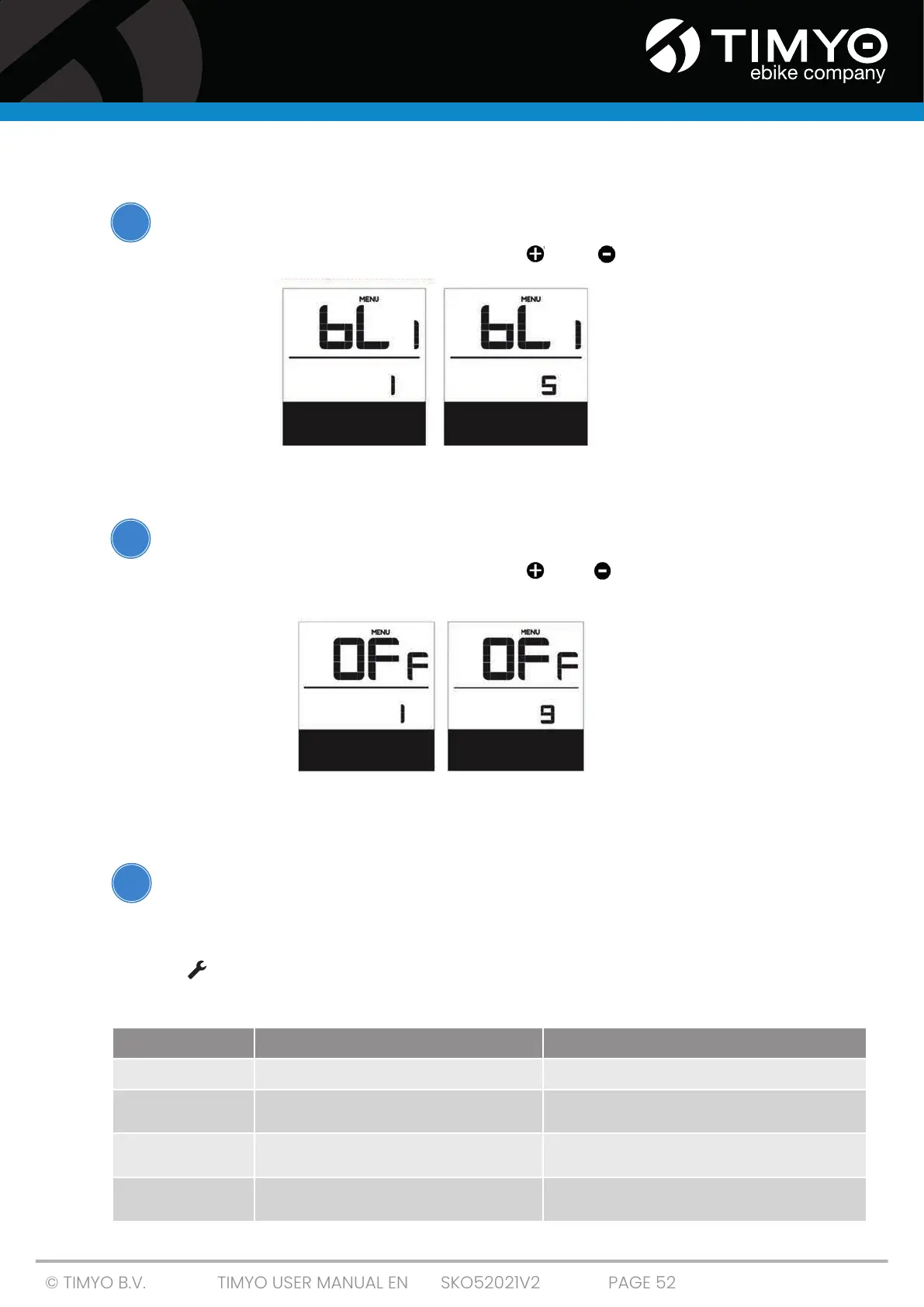
In this setting mode, the 'bL1'appears on the screen.
■ Select a parameter value between 1-5 using ' ' or ' '. 1 is the darkest backlight, 5 the
brightest.
Lowest level Highest level
5.7.14 Automatic switch-off
In this setting mode, 'OFF'appears on the screen.
■ Select a parameter value between 1-9 using ' ' or ' '. The numbers
refer to the minutes remaining until the electrical system automatically switches off.
1 minute (shortest) 9 minutes (longest)
5.7.15 Error messages DPC 07
Do not perform work on your e-bike yourself. In order to work on the components of an
e-bike, you need specialist knowledge, experience and tools! Take your e-bike to a specialist
to have the error fixed.
The display will indicate if a malfunction has been detected in your e-bike. If a malfunction is detected,
the icon ' ' appears on the screen. One of the following defects will be displayed in the field where
the speed is indicated. The error messages have the following codes:
i
i
i
Number Definition Solution
03
Brakes in operation Check if a brake cable is stuck
07
High voltage protection Take your electric e-bike to your dealer or to
a specialist to fix the error.
08
Error in the Hall sensor of the engine Take your electric e-bike to your dealer or to a
specialist to have the error resolved.
10
Engine temperature reaches maximum pro-
tection value
Stop the e-bike for a break



 To Next Page