© TIMYO B.V. TIMYO USER MANUAL EN SKO52021V2 PAGE 42
5.5.3 Using the lighting
Short-press to get this symbol on your screen. This indicates that your
lights are on . Short-press to switch off your lights again.
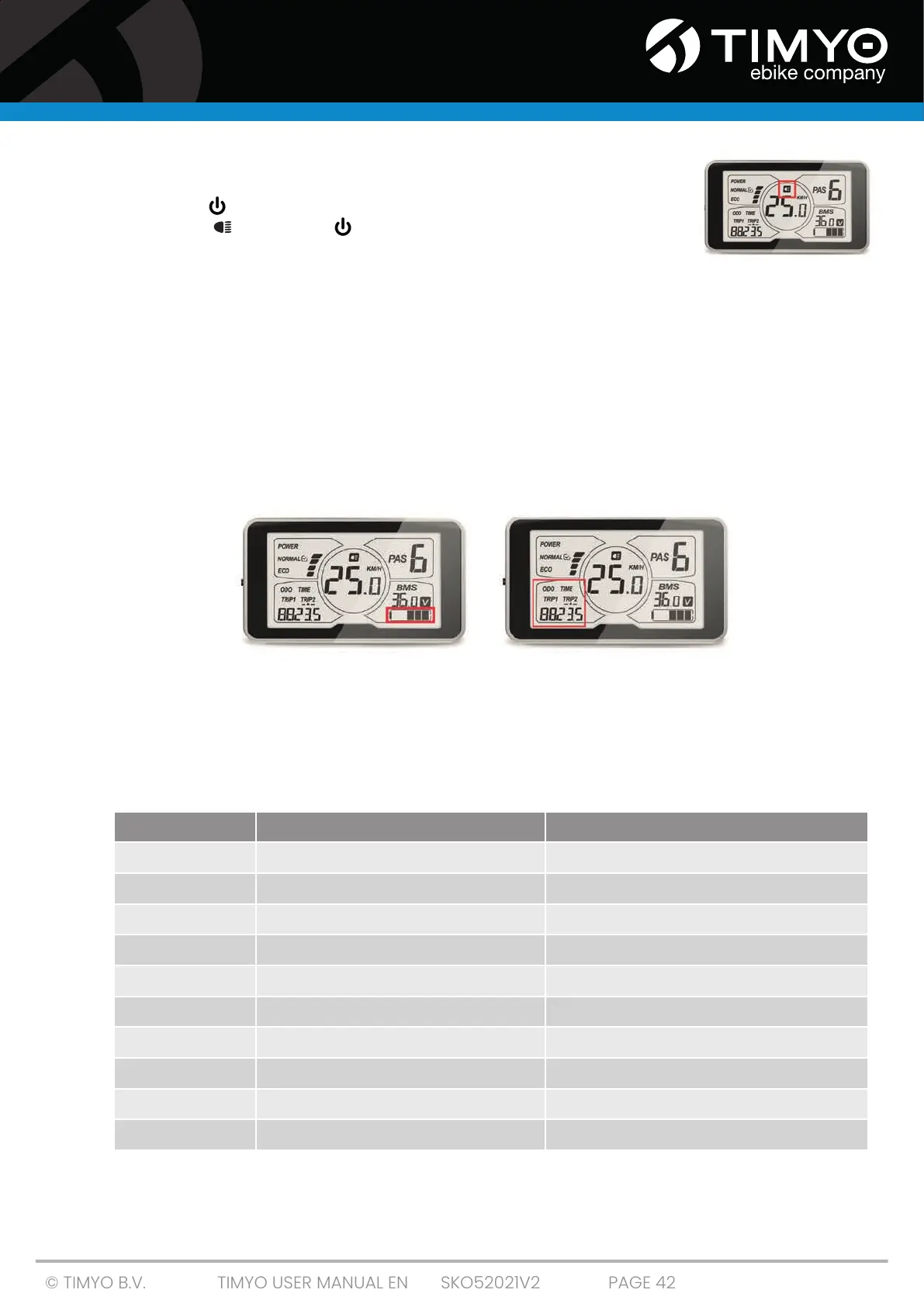
5.5.4 Battery power (Fig. 1)
The voltage of the battery is displayed at the bottom right of the screen. When the battery has
enough voltage available, 5 black blocks are shown. When only 1 block is displayed, this indicates low
voltage and the battery needs to be recharged.
5.5.5 Distance indicator (Fig. 2)
Short-press SET to toggle between the different functions at the bottom left of the screen
■ ODO: total distance traveled.
■ Time: total time traveled.
■ Trip A: Distance single trip A.
■ Trip B: Distance single trip B.
fig. 1 fig. 2
5.5.7 Error messages C600
You may see an error message in the display if something goes wrong in the electronic system. The
error messages have the following codes:
Contact a technician to correct the error message. The display will not return to normal until the
problem is resolved. The drive will not be functional until then.
Number Definition Solution
0
Normal Normal situation; no action required
1
Short circuit in the system / incorrect voltage Contact a technician
2
Error in pedal sensor Contact a technician
3
Problem with power supply to the engine Contact a technician
4
Defect in engine housing Contact a technician
5
Brake problem Contact a technician
6
Low voltage -> battery is empty Charge the battery
7
Engine trouble (stalls) Contact a technician
8
Communication error controller Contact a technician
9
Communication error display Contact a technician



 To Next Page