© TIMYO B.V. TIMYO USER MANUAL EN SKO52021V2 PAGE 57
MANUAL VANDIJCK E-BIKES VD0.1
5.8.16 Wheel diameter settings
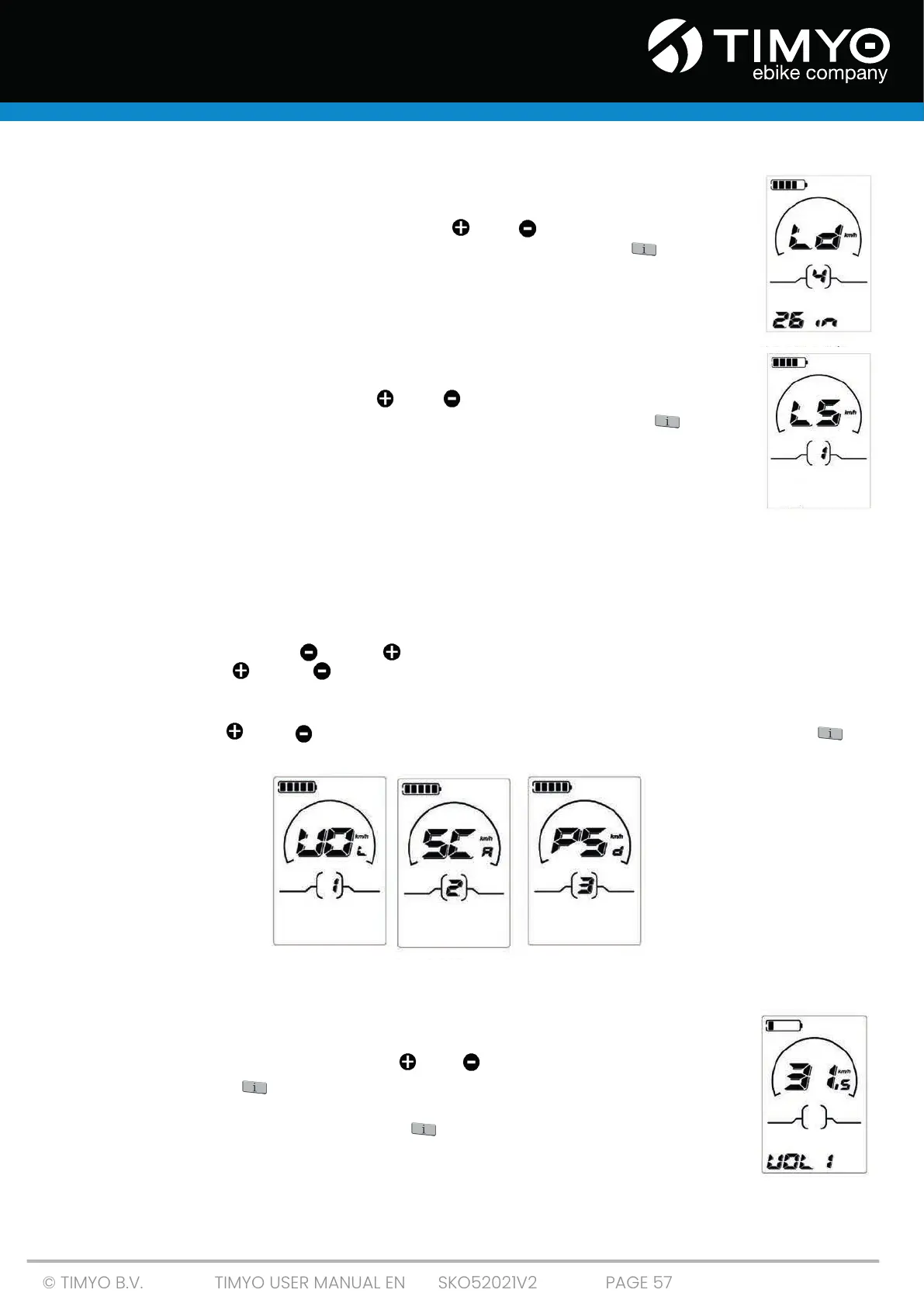
'Ld' represents wheel diameter settings. Optional values are 16, 18, 20, 22, 24, 26, 700C
and 28. The default value is 26 inch. Press ' ' or ' ' to increase or decrease
the diameter of the wheel until the desired value is displayed. Press ' ' to save a
changed setting and access the speed limit setting interface.
5.8.17 Speed limit settings
'LS'represents the speed limit settings. When the current speed is more than the
maximum speed, the e-bike system will automatically shut down. Speed limit varies
from 12Km/h to 25Km/h. Press the ' ' or ' ' button to increase or decrease the
maximum speed until the maximum speed is issued. Press and hold " " for 2s,
then exit general parameter settings.
5.8.18 Personalized parameter settings
Personalized parameter settings can meet different requirements. There are 8 setting choices:
Battery Capacity Meter Settings, Engine Assist Level Settings, Overcurrent Control Settings, Engine
Assist Sensor Settings, Speed Sensor Settings, Switch Function Settings, System Settings and Power-
on Password Settings.
Press and hold button " " and " " simultaneously for 2 seconds to enter general settings and
press buttons " " and " " simultaneously again for 2 seconds to enter personalized parameter
settings interface.
Press button " " or " " to select the personalized parameter setting items, then press " " to
finish.
5.8.19 Battery capacity meter settings
"VOL" represents voltage settings. Each bar represents a voltage value. Each of the
5 values must be entered one by one. For example, VOL 1 is the first bar voltage
value, the default value is 31.5V. Press " " or " " to increase or decrease the bar
value. Press the " " to save a changed setting and access the second bar. You
can also set the values in the same way for other bars. After values for 5 bars have
been entered completely, long-press " " to confirm and return to the previous
menu.



 To Next Page