© TIMYO B.V. TIMYO USER MANUAL EN SKO52021V2 PAGE 49
MANUAL VANDIJCK E-BIKES VD0.1
5.7.4 Switch between Distance Mode and Speed Mode
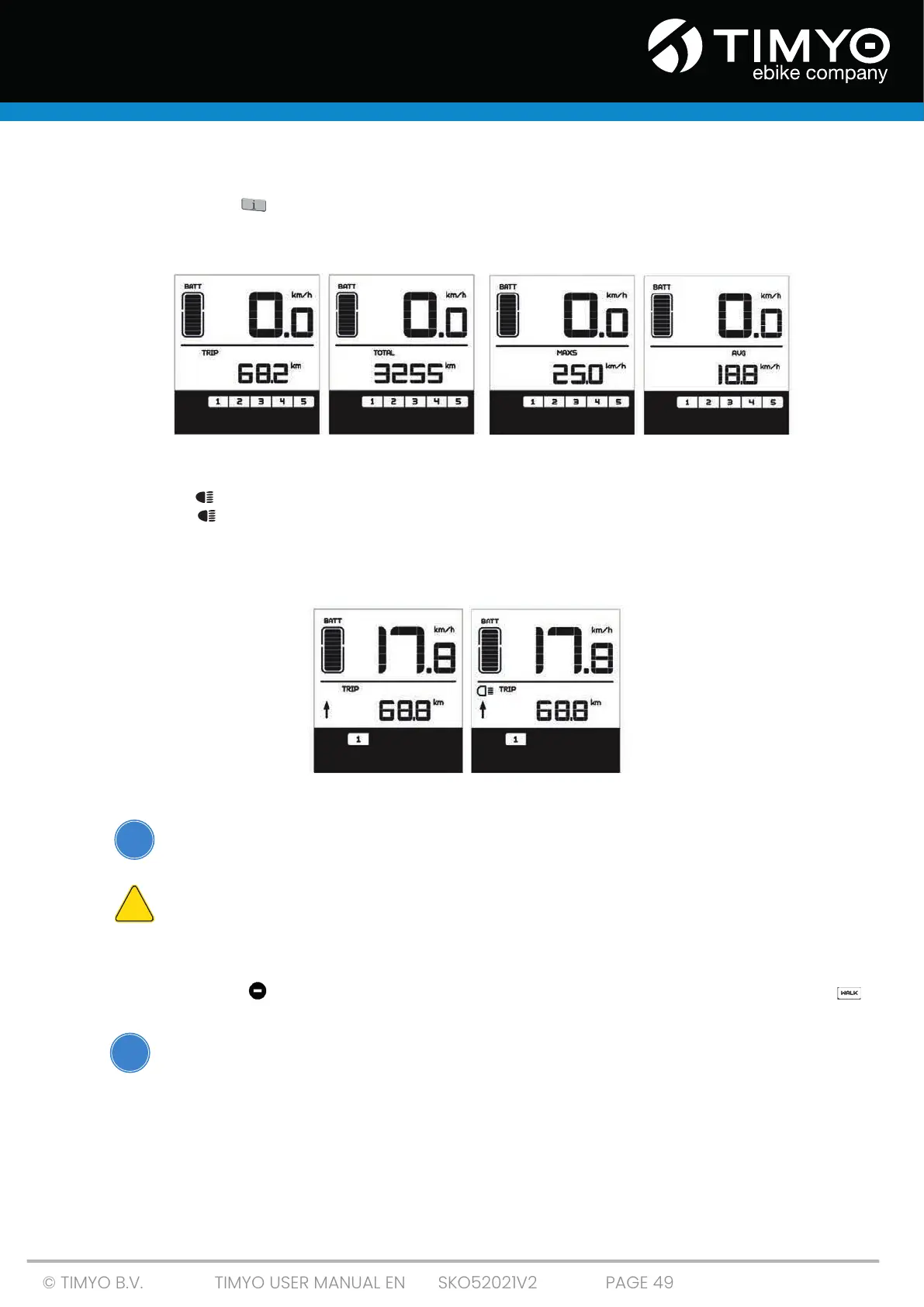
Short-press the ' ' button to toggle between distance and speed on the display. First the
one-way distance is displayed (TRIP km) -> then the total distance traveled (TOTAL km) -> the
maximum speed attained (MAXS km/h) -> and finally the average speed (AVG km/h).
TRIP TOTAL MAXS AVG
5.7.5 Switching the bicycle lighting and display lighting on and off
Press the ' ' button for 2 seconds. The monitor lights and the lights of your e-bike are switched on.
Press the ' ' button again for 2 seconds. The bicycle light and the display light are both switched
off. As soon as you use the display in the dark, the lights on your e-bike will also automatically switch
on. Exception: If you have switched on the light manually, you must also switch it off manually at. The
display offers five levels of brightness.
switched off switched on
5.7.6 Walk assist
Your e-bike has a bicycle assist system that propels your e-bike at a speed
of 6 km/h. This can help you push the e-bike up steep hills.
The models with walk assist are not intended to help you ride or
start riding your e-bike! The engine would be at risk of overheating .
Hold down the ' ' button on the control panel for 2 seconds. ‘Walk assist is switched on.’ “ “
appears on the screen. As soon as you release the button, the walk assist mode is switched off.
Make sure you NEVER use the walk assist function while cycling!
i
!
!



 To Next Page