© TIMYO B.V. TIMYO USER MANUAL EN SKO52021V2 PAGE 50
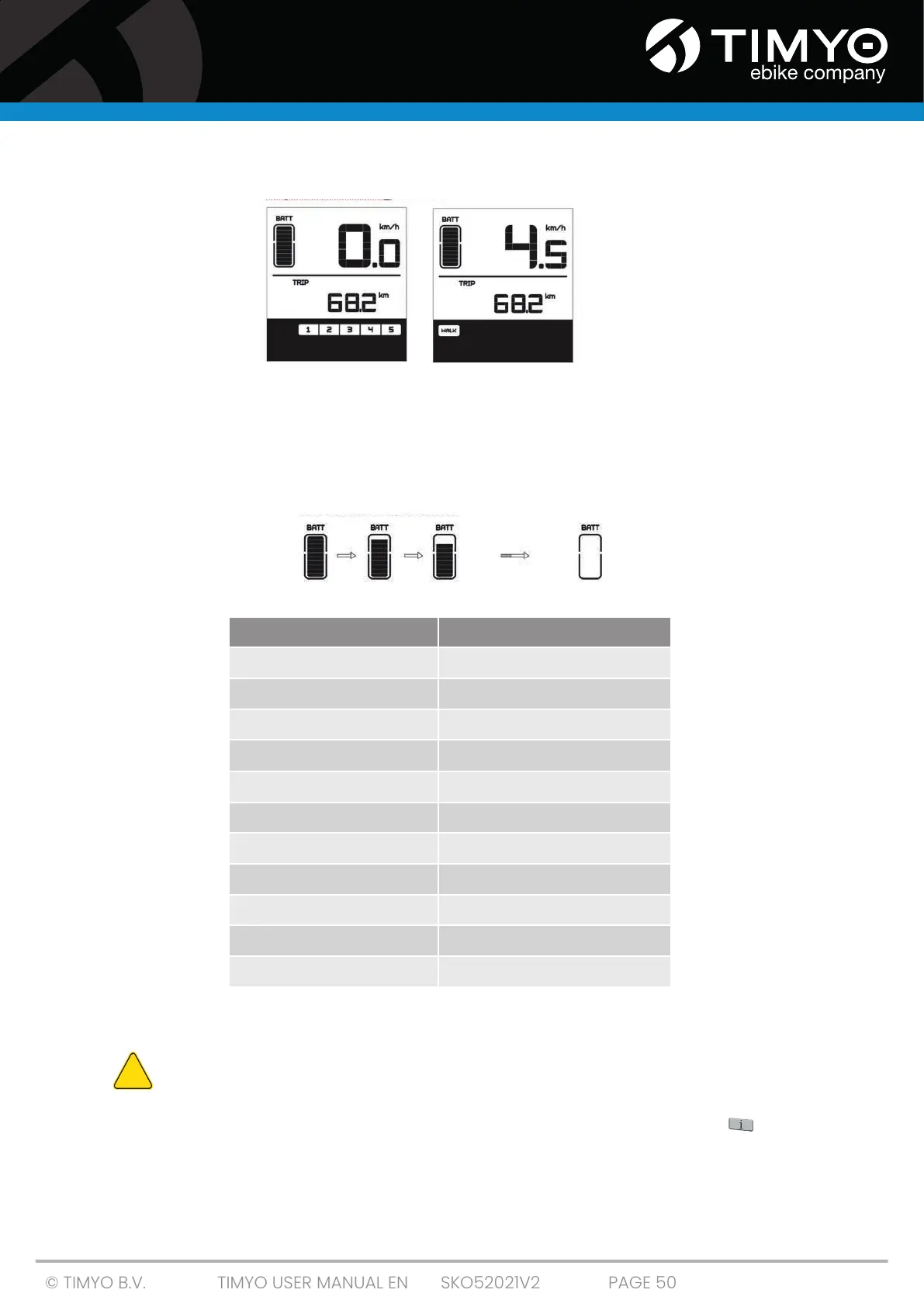
5.7.7 Switching between engine assist and pedal assistance
Engine assist mode Pedal assist mode
5.7.8 Charging status indicator
To ensure optimal performance of your e-bike, check the charge status of your battery before every
ride. When the display is on, the 10 LEDs give an indication. A certain number of bars and the battery
frame LCD lights will light up to show the current charge status (see diagram). If all 10 lights are off
and the digital screen is flashing, it means you need to charge your battery immediately.
5.7.9 Settings DP C07
DO NOT change the settings while riding the e-bike!
■ To enter the parameter setting mode, turn on the screen and press the " " button TWICE
for more than 0.3 seconds.
■ You are now in the menu to enter parameter settings. Here your settings can be
changed.
!
Number of bars Charge status
10
≥ 90%
9
75 % ≤ C < 90 %
8
60 % ≤ C < 75%
7
50 % ≤ C < 60 %
6
40 % ≤ C < 50 %
5
30 % ≤ C < 40 %
4
20 % ≤ C < 30 %
3
10 % ≤ C < 20%
2
8 % ≤ C < 10%
1
5 % < C < 8%
the digital display flashes
≤ 5%



 To Next Page