© TIMYO B.V. TIMYO USER MANUAL EN SKO52021V2 PAGE 20
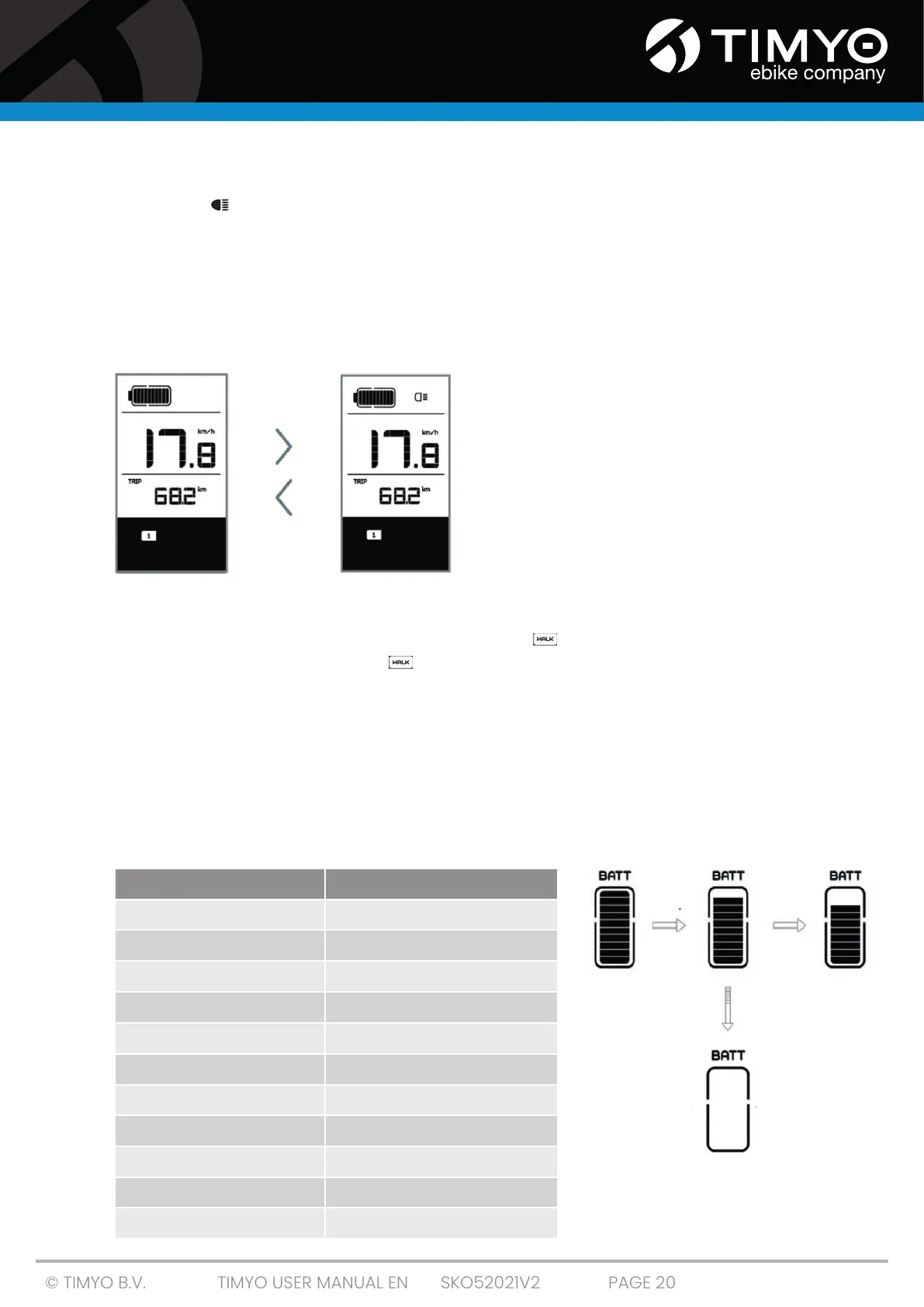
5.2.5 Headlight/rear light
Long-press to switch on the headlight and rear light.
Long-press again to switch the headlight off. The brightness of the rear light
can be set in the Settings under 'Brightness'. If the display/e-bike is switched on in a dark environment,
the backlight of the display/headlight will be switched on automatically.
If the backlight of the display/headlight has been switch off manually, the
the automatic sensor function is deactivated. You can only switch on the lights manually.
After switching the system back on.
5.2.6 Walk assist
You can only activate walk assist with a stationary e-bike. To activate: Short-press -until level 0 is set.
Then short-press -, and the symbol will be displayed . Then long-press - to activate the walk
assist function. The symbol will flash and the e-bike will move at a speed of approx. 6 km/h. After
releasing the button, the engine will automatically stop and the e-bike will return to level 0 (unless a
different option is activated within 5 seconds).
If no speed signal is detected, the display will show 2.5 km/h.
5.2.7 Battery capacity indicator
The battery capacity is shown with ten bars. Each full bar represents a percentage of battery capacity
remaining. If the indicator frame flashes, this indicates that the battery is low (as shown in the table
below):
Number of bars Charge status
10
≥ 90%
9
75 % ≤ C < 90 %
8
60 % ≤ C < 75%
7
50 % ≤ C < 60 %
6
40 % ≤ C < 50 %
5
30 % ≤ C < 40 %
4
20 % ≤ C < 30 %
3
10 % ≤ C < 20%
2
8 % ≤ C < 10%
1
5 % < C < 8%
the digital display flashes
≤ 5%



 To Next Page