© TIMYO B.V. TIMYO USER MANUAL EN SKO52021V2 PAGE 19
MANUAL VANDIJCK E-BIKES VD0.1
5.2.2 Switching the system on / off
Long-press to switch the system on.
Long-press again to switch the system off.
If the 'auto off time' is set to 5 minutes (can be set using the 'Set Auto Power Off' function - see 'Setting
Automatic Power Off'), the the display will automatically switch off within the desired time when it is
not in operation. If password function is enabled, you must enter the correct password to get to the
home screen.
5.2.3 Selection of assist levels
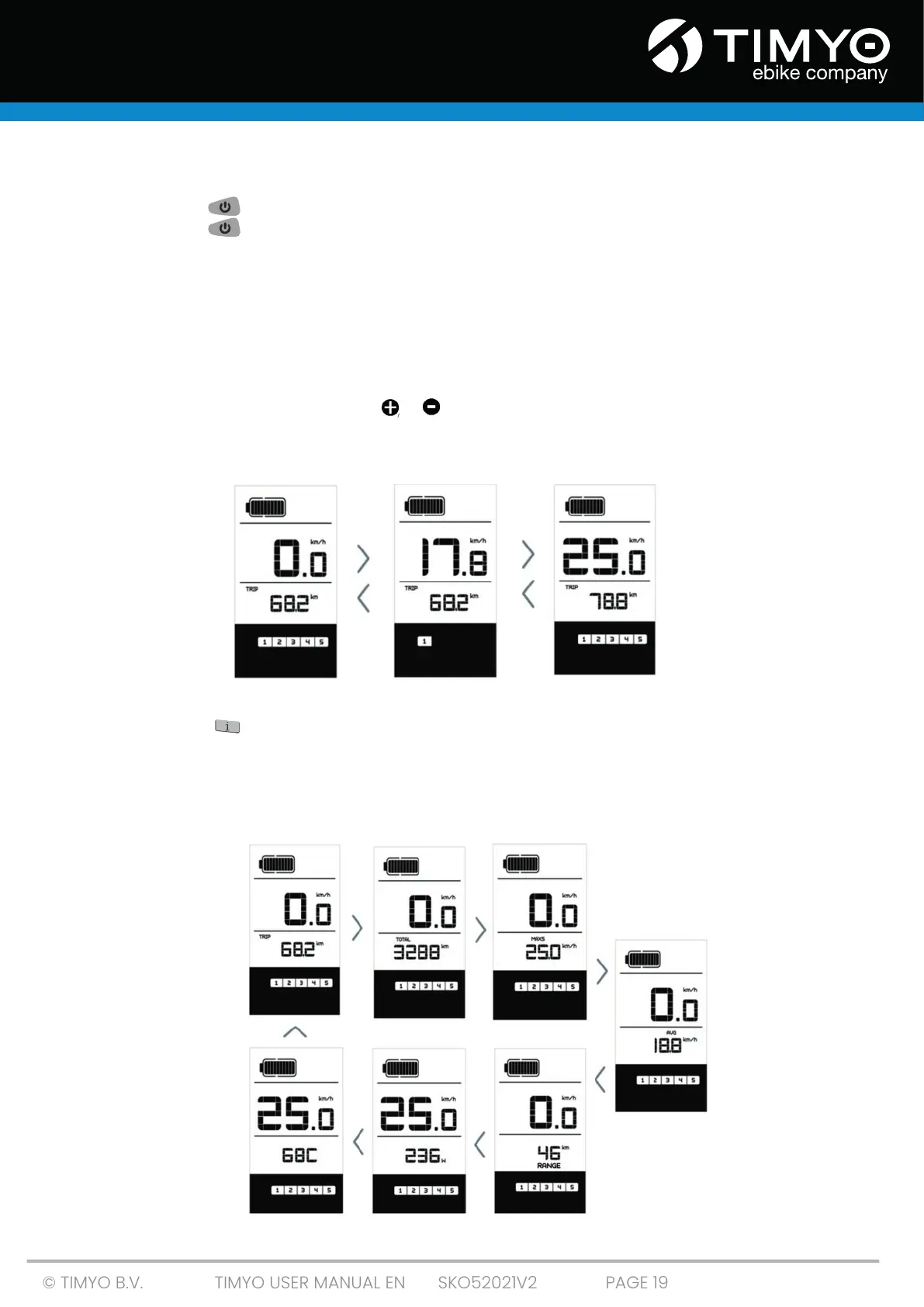
When the display is on, short-press , or to change the assist level. The lowest level is 1, the highest
level is 5. When the system is switched on, the the assist level is set to level 1 by default. There is no
assist when the assist level is set to level 0.
5.2.4 Selection mode
Short-press to view the different trip modes. Trip: daily mileage (TRIP) -
total kilometres (TOTAL) - maximum speed (MAXS) - average speed (AVG) - remaining range (RANGE)
(this display may differ from the actual range due to different conditions (terrain, temperature, assist
level) - power output (W) - calorie meter (C (only if torque sensor is fitted)).



 To Next Page