© TIMYO B.V. TIMYO USER MANUAL EN SKO52021V2 PAGE 24
5.2.17 Speed limit
PLEASE NOTE: All data under this item cannot be changed and can only be
viewed.
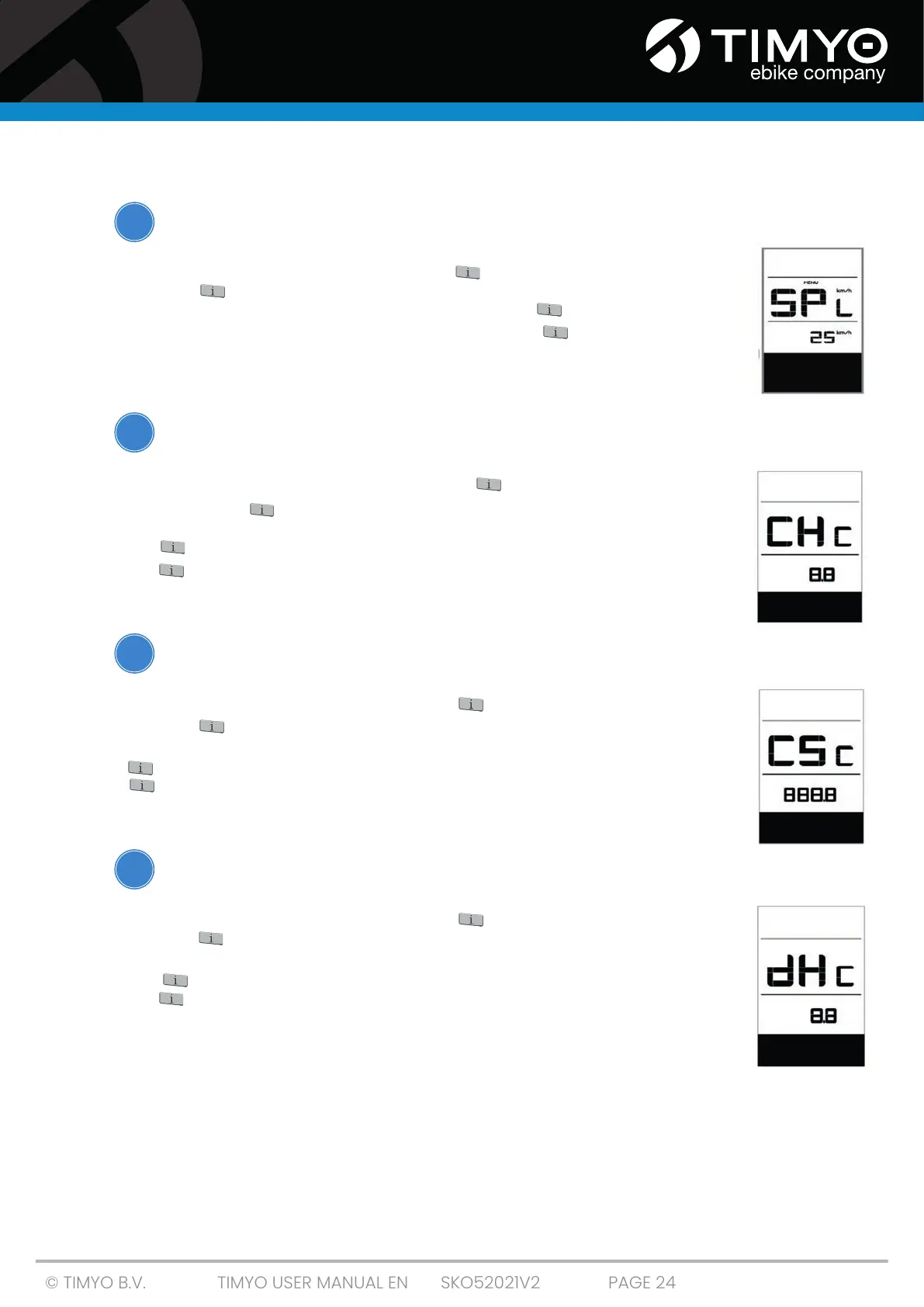
When the system is switched on, short-press twice to open the 'MENU'. Press
repeatedly until 'SPL' appears in the display (as shown on the right). Once
you have viewed the desired information, short-press twice to save your
selection and return to the main screen, or short-press once to go to the
next item 'Controller hardware information'.
5.2.18 Controller hardware information
PLEASE NOTE: All data under this item cannot be changed and can only be
viewed.
When the system is switched on, short-press twice to open the 'MENU'.
Press repeatedly until 'C Hc (Controller Hardware check)' appears on the
display (as shown here). Once you have viewed the desired information, short-
press twice to save your selection and return to the main screen, or short-
press once to go to the next item 'Controller software information'.
5.2.19 Controller software information
PLEASE NOTE: All data under this item cannot be changed and can only
be viewed.
When the system is switched on, short-press twice to open the 'MENU'. Press
repeatedly until 'CSc (Controller Software check)' appears on the display (as
shown opposite). Once you have viewed the desired information, short-press
twice to save your choice and return to the main screen, or short-press
once to go to the next item 'Display Hardware Information'.
5.2.20 Display hardware information
PLEASE NOTE: All data under this item cannot be changed and can only
be viewed.
When the system is switched on, short-press twice to open the 'MENU'. Press
repeatedly until 'dHc (Display Hardware check)' appears on the display (as
shown opposite). Once you have viewed the desired information, short-press
twice to save your choice and return to the main screen, or short-press
once to go to the next item 'Display software information'.
!
!
!
!



 To Next Page