© TIMYO B.V. TIMYO USER MANUAL EN SKO52021V2 PAGE 51
MANUAL VANDIJCK E-BIKES VD0.1
■ To confirm the settings, short-press the “ " button. This will
immediately show the next setting and you can browse through your
settings.
■ To switch between the different settings, short-pressthe " " button.
■ As soon as the setting you selected starts to flash, press on the " "
button to increase the parameter value or the " " button to
decrease the parameter value.
■ When you have chosen your final setting, you can return to the
main menu by pressing the " " button TWICE again for more than
0.3 seconds.
■ If no changes are made to the settings after 10 seconds, the
monitor will return to the normal operating settings.
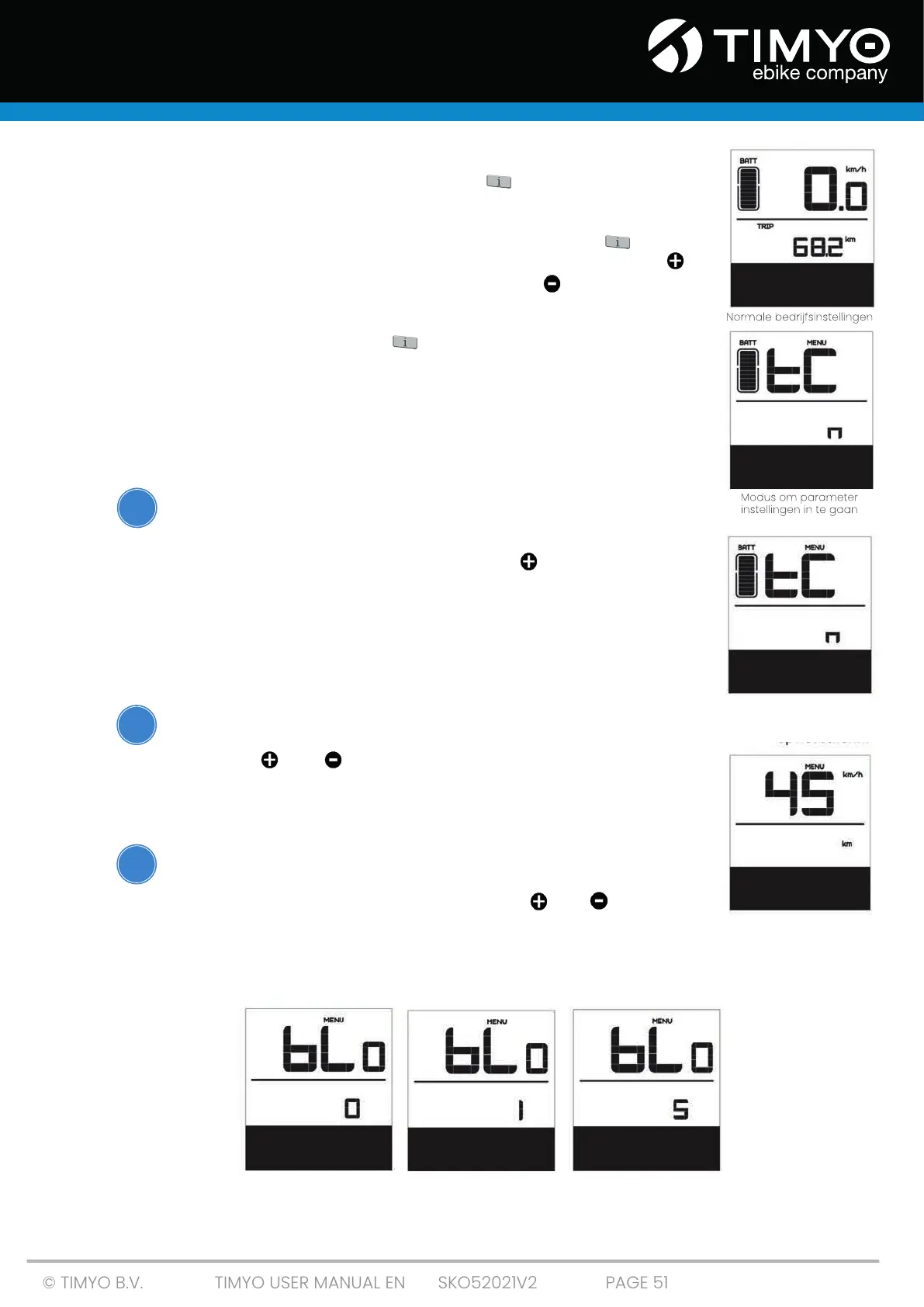
5.7.10 Resetting the data of a single trip
For this setting mode, "tC" appears on the screen.
■ To delete the data of your last single trip (TRIP), maximum speed
(MAXS) and average speed (AVG) press the " " button ("y" appears
on the display).
■ If you do not manually reset the data for a single trip,
it will automatically reset if you have traveled longer than 99 hours
and 59 minutes .
5.7.11 Distance displayed in kilometres/miles
For this setting mode, the “S7” appears on the screen.
■ Press the " " or " " button to switch between km/h and mile/h.
5.7.12 Bicycle lighting sensor, setting the light sensitivity
For this setting mode, appears "bL0"appears on the screen.
■ Select a parameter value between 0-5 using " " or " ". If you
select "0", the sensor function will be disabled.
■ The lower the number, the darker it has to be for the sensor to
automatically switch on the bicycle lighting .
Function OFF Lowest level Highest level
i
i
i



 To Next Page