© TIMYO B.V. TIMYO USER MANUAL EN SKO52021V2 PAGE 21
MANUAL VANDIJCK E-BIKES VD0.1
5.2.8 USB charging function
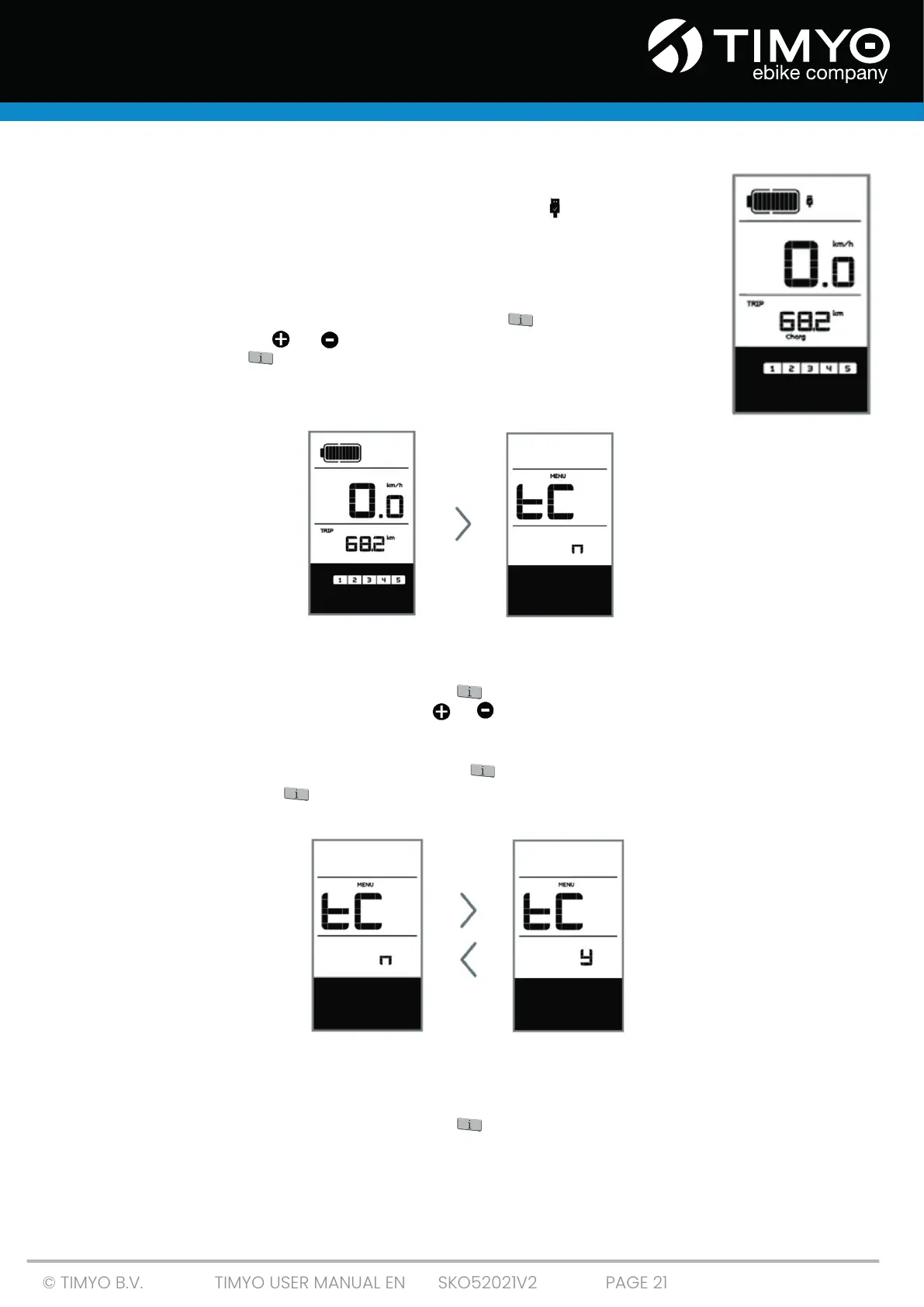
If an external USB device is connected to the display, the
icon appears and the device is charging. The maximum charging voltage
is 5 V and the maximum charging current is 500 mA.
5.2.9 Settings
After the display has been switched on, short-press twice to open the 'MENU”.
You can now press or to select and re-set options.
Then short-press twice to confirm the selected option and return to the
main screen. If for 10 seconds no buttons are pressed in the 'MENU', then the
display automatically returns to the main screen and no data is saved
.
5.2.10 Resetting mileage
When the system is switched on, short-press twice to enter ‘MENU’. The message 'tC' will appear
on the display (as shown below). Now use or to select 'y' or 'n'. If you select 'y', the daily mileage
(TRIP) - the maximum speed (MAX) and average speed (AVG) are reset.
Once you have made your choice, short-press twice to save your choice and return to the main
screen, or short-press once to save your choice and return to the main screen
the next item 'Selections in km / miles'.
NOTE: If the daily mileage reaches 99999 km, this value will be automatically reset.
5.2.11 Selections in km / miles
When the system is switched on, short-press twice to open the 'MENU'. Press repeatedly until 'S7'
appears on the display (as shown below).



 To Next Page