© TIMYO B.V. TIMYO USER MANUAL EN SKO52021V2 PAGE 15
MANUAL VANDIJCK E-BIKES VD0.1
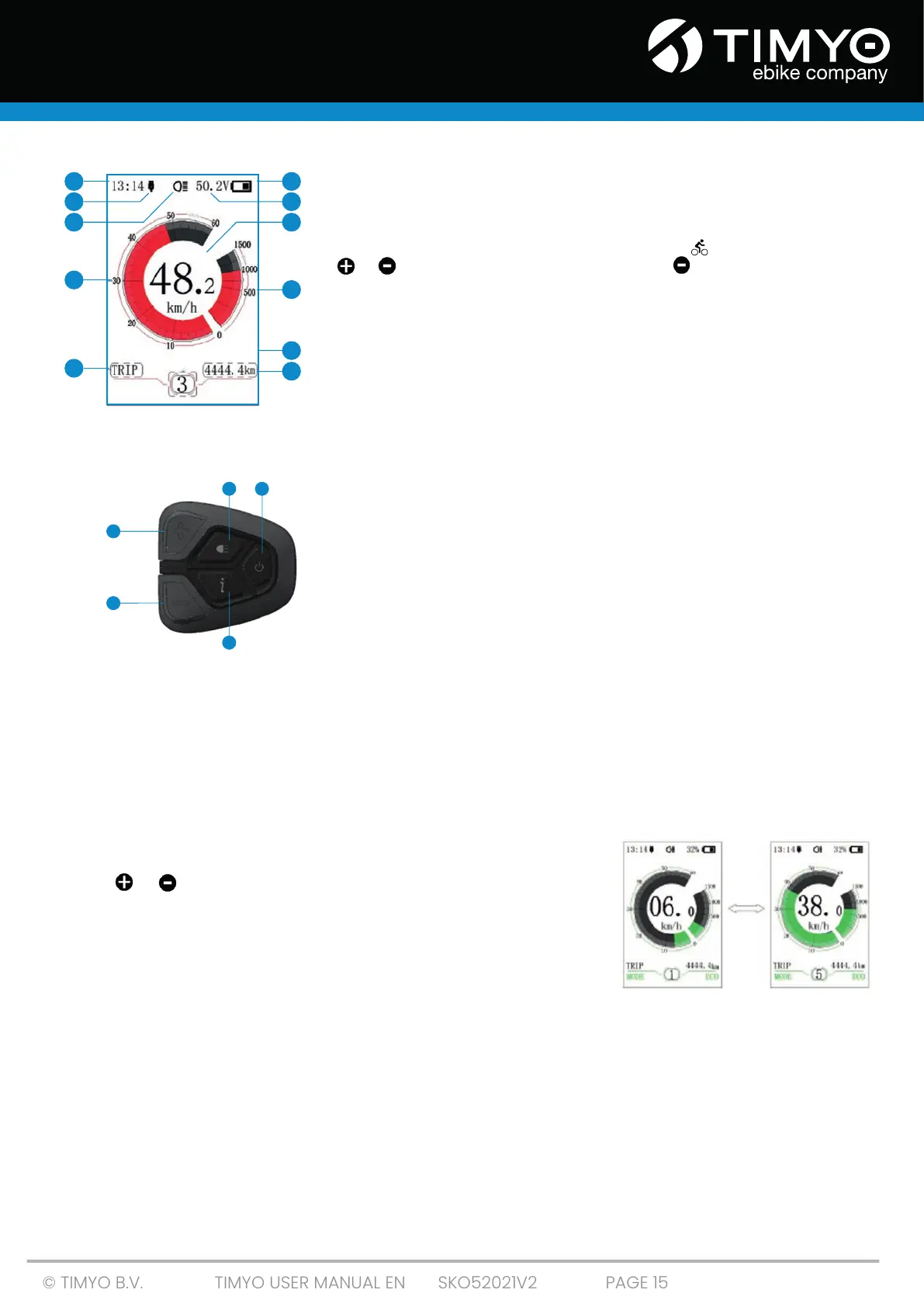
9: Power scale display / current scale display
Display current output value; output unit can be set in 'Power View'.
10: Walk assist:
Display the ten levels as '0' / '1' / '2' / '3' / '4' / '5' / “ ', short-press (0.5S)
or to change the level. Press and hold (2S) to start the 'Walk
assist'mode.
11: Mode data display
Display current data corresponding to the mode.
5.1.1 Overview of DPC18 control panel
1: Light
2: On / Off
3: Level +
4: Level -
5: Mode
5.1.2 Using DPC18
On / off button
Turn on the power, long-press the power button (> 2S) to turn on the display, the display will start
working. Long-press the power button (> 2S) again to turn off the display. If the e-bike is not used, the
display will automatically turn off after 5 minutes (time can be set at in 'Auto Off'). If the password
function of display is activated, you must enter the correct password to get to the regular display
interface.
Selection of the assist level
In manual acceleration mode, short-press (<0.5 S)
or to change the level of the auxiliary power;
the lowest level is level 0, the highest level is level 5.
When the display is switched on, the default mode is
Level 1; '0' means no power assist.
1
5
3
4
2
1 6
9
11
4
5
2 7
3 8
10



 To Next Page