© TIMYO B.V. TIMYO USER MANUAL EN SKO52021V2 PAGE 54
5.8 Overview of KD716 display screen
KD716 display has multiple functions to meet your cycling needs. The functions are as follows:
1. Intelligent battery power indication
2. Engine power
3: Assist level
4: Speed display (including current speed, maximum speed and average speed)
5: ODO and TRIP km
6: Walk assist
7: Travel Time (TRIP)
8: Clock
9: Backlight on/off
10: Error code indication
11: Pedal frequency
12: Different parameter settings
(e.g. wheel diameter, speed limit, battery level bar settings,
degree of assistance settings, power-on password settings,
controller overcurrent settings, etc.)
13: Restore default settings
14: Function interface
5.8.1 Switching the system on/off
Press the power button to turn on the e-bike system and to provide power for the controller.
Press and hold the power button for 2s to turn the e-bike system off. The e-bike system now no
longer uses the battery. When the e-bike system is switched off, the leakage current is less than 1 μA.
If the e-bike is parked for more than 10 minutes, the system will automatically turn of
Display interface
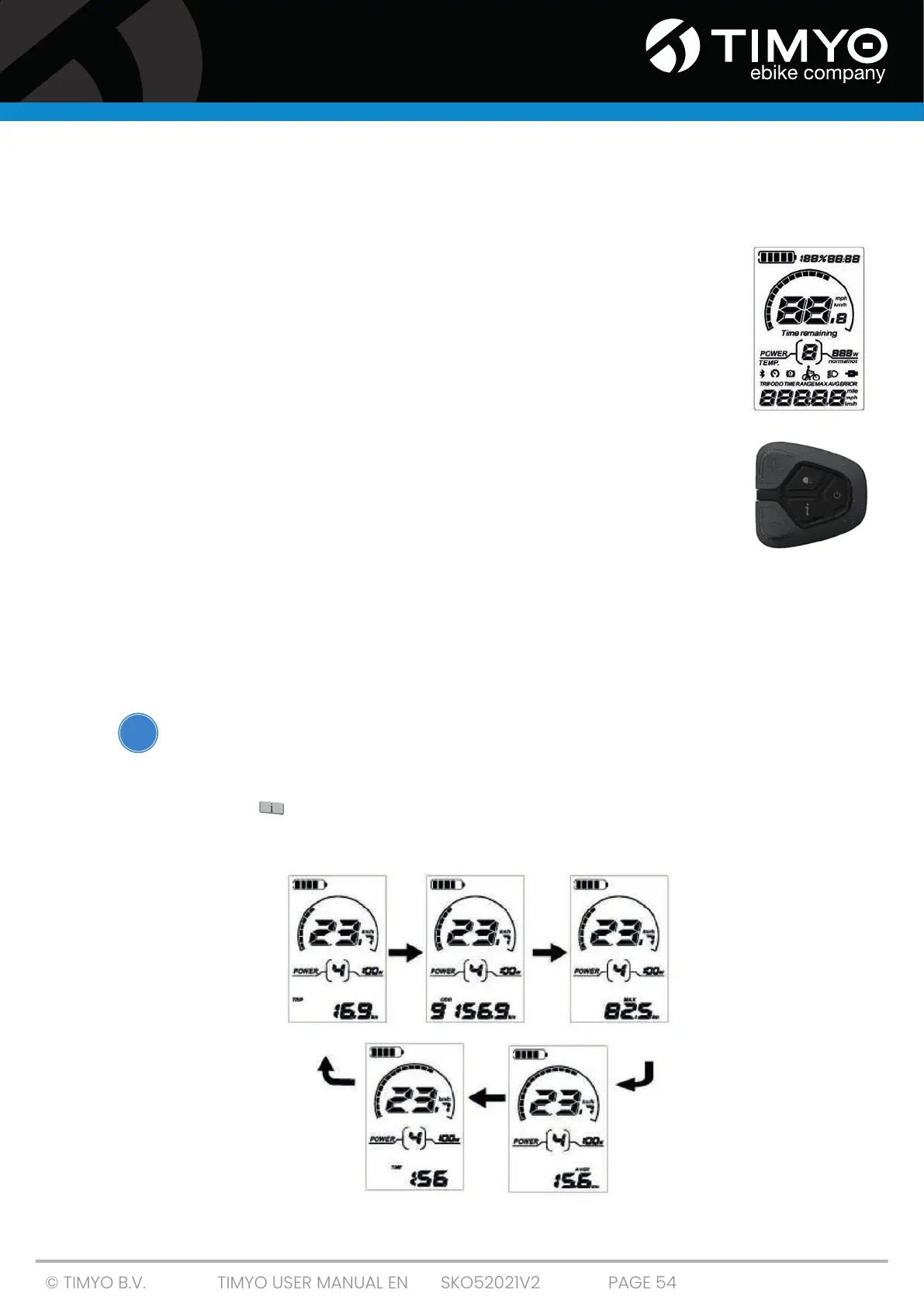
After switching on the e-bike system, the display shows the current speed and travel distance by
default. Press the ' ' button on the control panel and the following riding data will be displayed:
Trip Distance (Km) -> ODO (Km) -> Max. speed (Km/h) -> Avg. speed (Km/h) ->Trip Time (Min.)
!
KD716 display
KD716 control panel



 To Next Page