© TIMYO B.V. TIMYO USER MANUAL EN SKO52021V2 PAGE 43
MANUAL VANDIJCK E-BIKES VD0.1
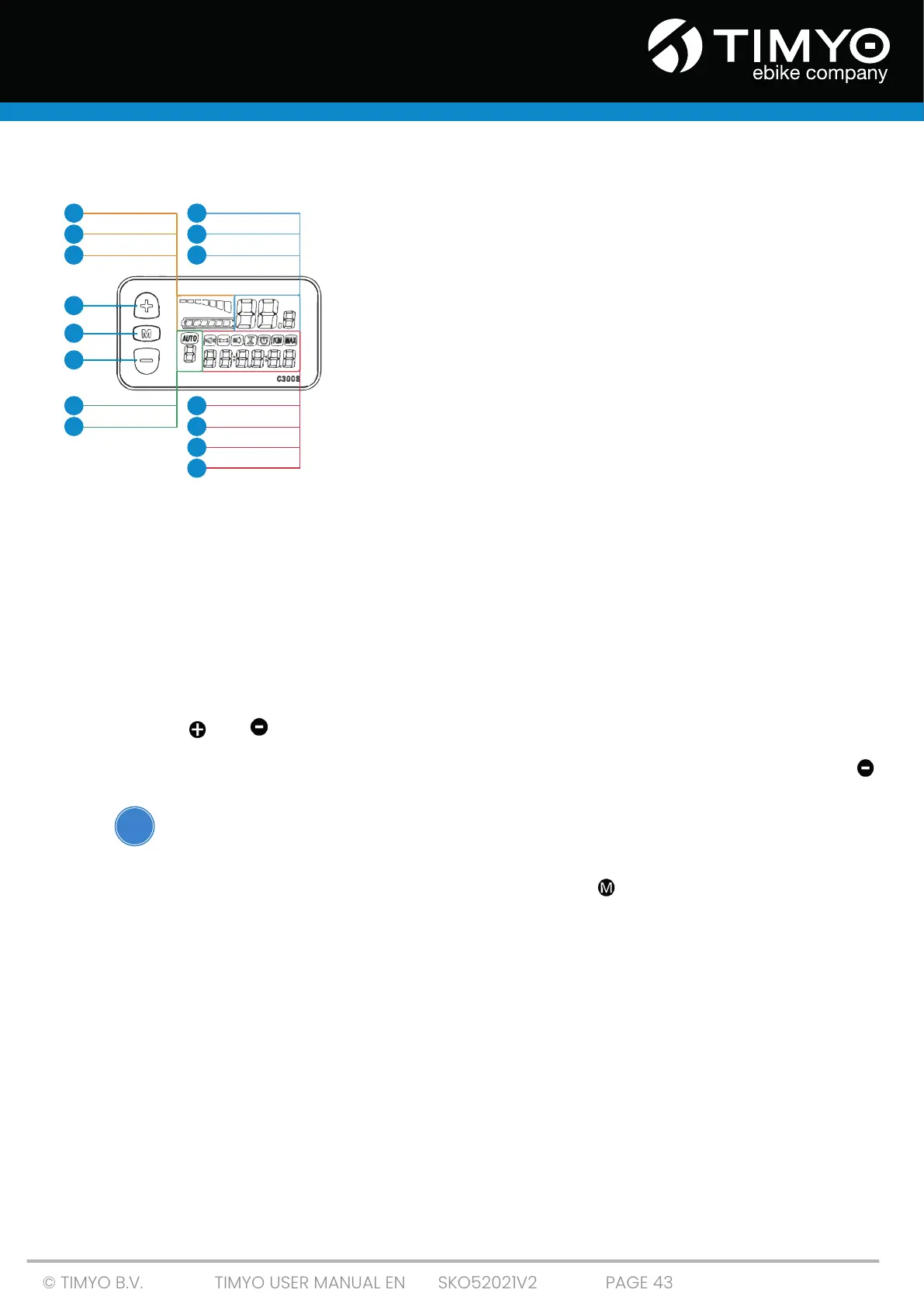
5.6 Overview of the C300T display screen
1: Battery gauge
2: Voltage meter
3: Sleep mode
4: Speedometer
5: KM/H & MPH
6: Display backlight
7: Walk assist
8: Assist levels 1 through 5
9: Error message
10: Ride mode
11: Trip meters / distance meters
ODO
TRIP 1
TRIP 2
12: Trip time
Battery gauge
Battery level; a frame in the shape of a battery filled with cubes. Each block in the box generally
represents about 15% battery capacity. If the battery is (almost) empty, the frame of will flash on
the screen.
Sleep mode
Sleep mode is automatically activated after 5 minutes of inactivity.
Speedometer
Current speed in km/h (or mp/h).
Assistance type (PAS/Pedal assistance)
Assistance levels - 1 to 5
Using the and buttons, you can adjust the assistance level up or down.
Walk assist
When the Walk assist is active, an icon will appear with '6km'. It is activated by pressing the button
for a few seconds. If you release the button again, the walk assist function also stops immediately.
Make sure you NEVER use the walkassist while cycling!
Trip meters / distance meters
The trip meter shows a number of things. By short-pressing the MODE button, you can view
.
ODO
Overall distance; the total distance traveled (can not be reset / set to 0)
Trip 1
Measures the distance of how far you cycle; resets automatically at 500 km (can be reset manually
at menu 1 .See 'Setting the panel'
Trip 2
Displays 30 seconds of the last traveled distance of the previous session. It automatically resets
and after the reset starts measuring the current session
Trip time
Measures how long you ride; resets automatically after display is turned off
POWER
ASSIST
KM/H
MPH
13
14
15
2
3
7
8
9
10
11
12
1
5
6
4
!



 To Next Page