© TIMYO B.V. TIMYO USER MANUAL EN SKO52021V2 PAGE 33
MANUAL VANDIJCK E-BIKES VD0.1
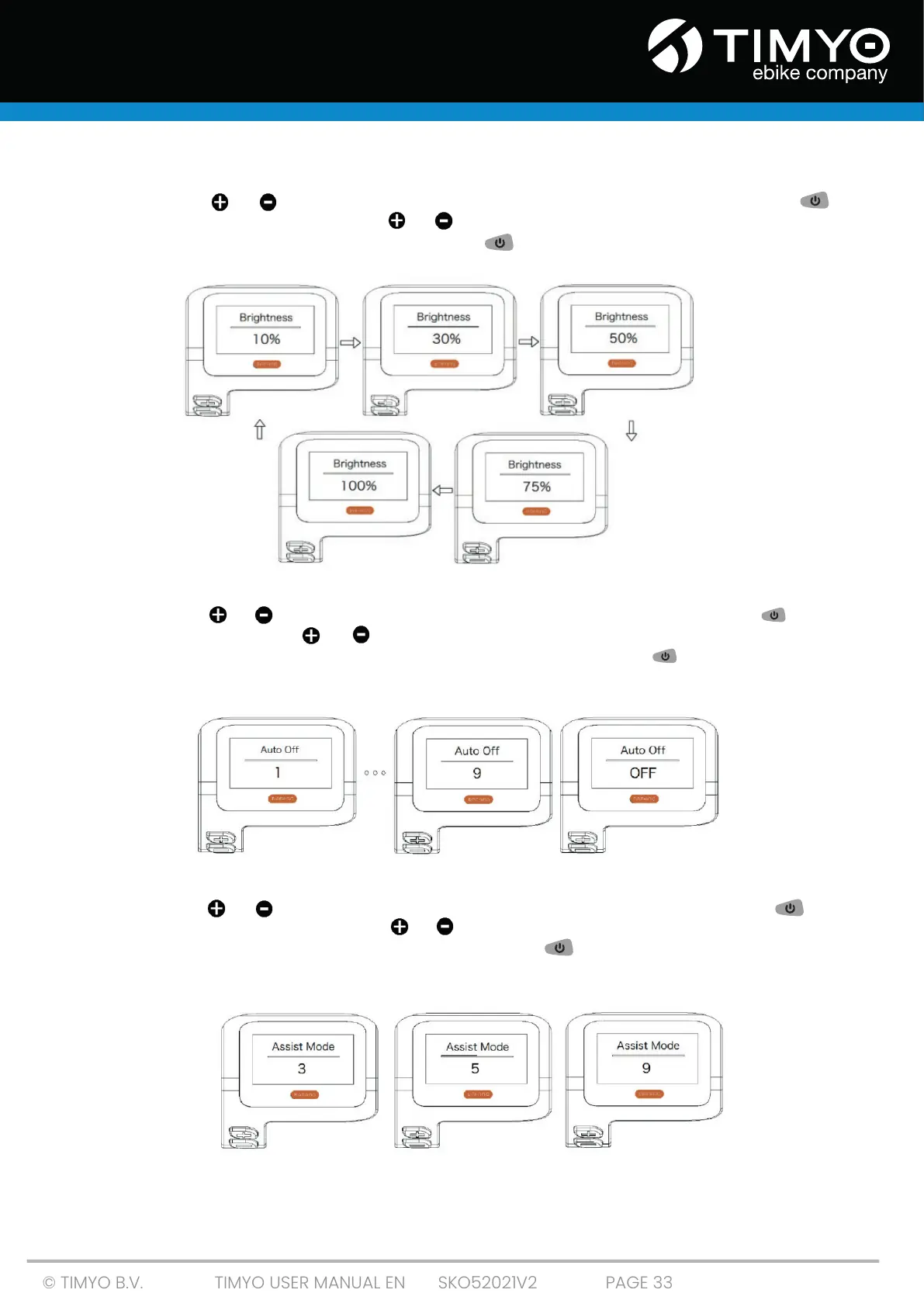
5.3.13 'Brightness' The brightness of the display
Short-press or to select 'Brightness' in the 'Display Setting' menu. Then short-press
to confirm your selection. Then use or to choose from '100%' / '75%' / ‘50%’ /’ 30%’/’10%’. Once you
have chosen your preferred setting, short-press to confirm your choice save your choice and
return to the Display Setting menu.
5.3.14 'Auto Off' Setting the automatic switch-off time
Short-press or to select 'Auto Off' in the 'Display Setting' menu, then short-press to confirm
your selection. Then use or to select from 'OFF', '9'/'8'/'7'/'6'/'5'/'4'/'3'/'2'/'1' (the numbers are times
in minutes). Once you have chosen your preferred setting, short-press to save your choice and
return to the Display Setting menu.
5.3.15 'Assist Mode' Setting the assist level
Short-press or to select 'Max Pass' in the 'Display Setting' menu, then short-press
to confirm your selection. Then use or to choose from '3'/'5'/'9' (the amount of assist levels).
Once you have chosen the desired setting, short-press to save your choice and return to the
Display Setting menu.



 To Next Page